內容簡介
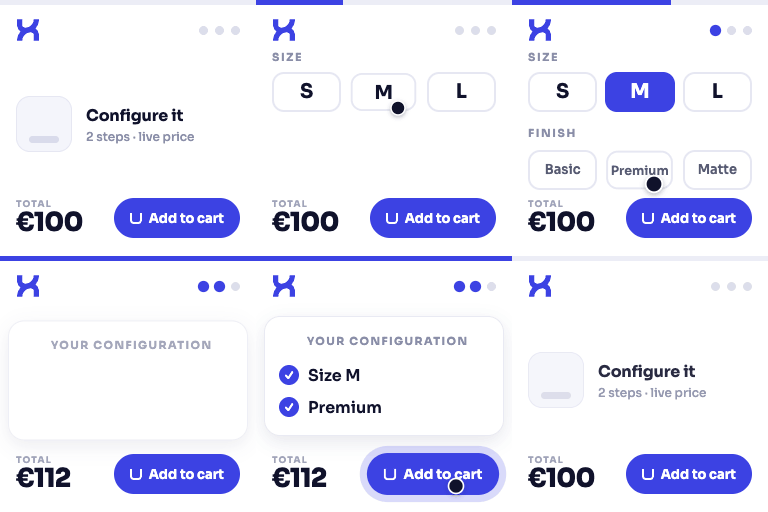
Buildora – PC Builder for WooCommerce 是一款專為銷售電腦硬體的 WooCommerce 商店設計的完整 PC 組裝解決方案。它引導客戶逐步選擇相容的 PC 元件,並可一鍵將整個組裝加入 WooCommerce 購物車,提升購物體驗。
【主要功能】
• 17 種元件類型支援
• 實時相容性檢查
• 一鍵加入購物車功能
• 預設組裝範本
• 儲存已登入用戶的組裝
• 管理員儀表板概覽
外掛標籤
開發者團隊
② 後台搜尋「Buildora – PC Builder for WooCommerce」→ 直接安裝(推薦)
原文外掛簡介
Buildora PC Builder for WooCommerce is the complete PC building solution for WooCommerce stores that sell computer hardware. It guides your customers step-by-step through selecting compatible PC components, then adds the entire build to the WooCommerce cart in a single click.
Perfect for:
* Custom PC retailers — sell workstations, gaming rigs, office builds, server configurations
* Hardware stores — help customers match a CPU to a motherboard, RAM, GPU, PSU, and more
* System integrators — showcase pre-configured build templates that customers can tweak
* eLearning / hobbyist stores — guide new builders through the PC building process
Video Overview
See Buildora PC Builder in action — a full walkthrough of the builder, component selection, compatibility checks and cart integration:
Core Features
🧩 17 Component Types Included — CPU, Motherboard, RAM, Storage, Graphics Card (GPU), Power Supply (PSU), Case, CPU Cooler, Monitor, Mouse, Keyboard, Case Fans, Headset, Wi‑Fi Adapter, Speakers, Antivirus Subscription, and UPS
✅ Compatibility Engine — Real-time Warnings — Instant compatibility feedback with helpful warnings when incompatible parts are selected (CPU socket vs motherboard, RAM generation, PSU wattage vs draw, form-factor vs case, GPU length vs case clearance, and more) — shown after component selection
🛒 WooCommerce Cart Integration — One-click “Add to Cart” adds every selected component as a separate line item (or grouped) so the customer can checkout directly
💾 Build Templates — Create pre-configured build templates (Budget, Gaming, Workstation, Office, etc.) that customers can start from or load with one click
👤 My Account Saved Builds — Logged-in customers can save up to 5 builds and revisit them from the WooCommerce My Account area
🧭 Setup Wizard — Onboarding wizard auto-detects existing product categories and recommends mappings, plus optional demo-data import for instant testing
📊 Admin Dashboard — Dashboard with build overview, monthly charts, top-selling components, quick-action shortcuts, and system status checks
🗺️ Component Category Mapping — Smart keyword-based auto-detection maps WooCommerce product categories to component types (CPU, GPU, RAM, etc.)
📋 Product Specs Meta — Core Specs — Dedicated product-spec fields on each WooCommerce product (socket, RAM type, form-factor, RAM slots, PSU wattage, chipset, TDP, storage interface) used by the compatibility engine
🎨 Customizable Builder Design — 2-color accent and background customization that matches your store branding
🖨️ Basic Print — Print button for hardcopy of the current configuration
📤 Copy to Clipboard — One-click copy of build summary to share via email / chat
⚙️ Gutenberg Block + Elementor Widget + Shortcode — Embed the builder anywhere:
Gutenberg Block: [PC Builder]
Shortcode: [bpcb_pc_builder]
Elementor Widget: “PC Builder”
Privacy Notices
Buildora PC Builder for WooCommerce is designed with privacy in mind:
No data is sent to external servers. All core features (builder UI, compatibility engine, cart integration, saved builds) run entirely locally on your own WordPress/WooCommerce installation.
Saved builds are stored as WordPress user meta (bpcb_builds) and only for logged-in users that explicitly click Save Build.
No cookies are set by the plugin beyond the standard WordPress/WooCommerce login and session cookies.
No tracking, telemetry, or usage data is collected or transmitted.
When using the demo-data importer, demo products are created only when you explicitly click “Import” in the Setup Wizard or Tools page. Imported demo content can be bulk-deleted from PC Builder → Tools → Remove Demo Data.