內容簡介
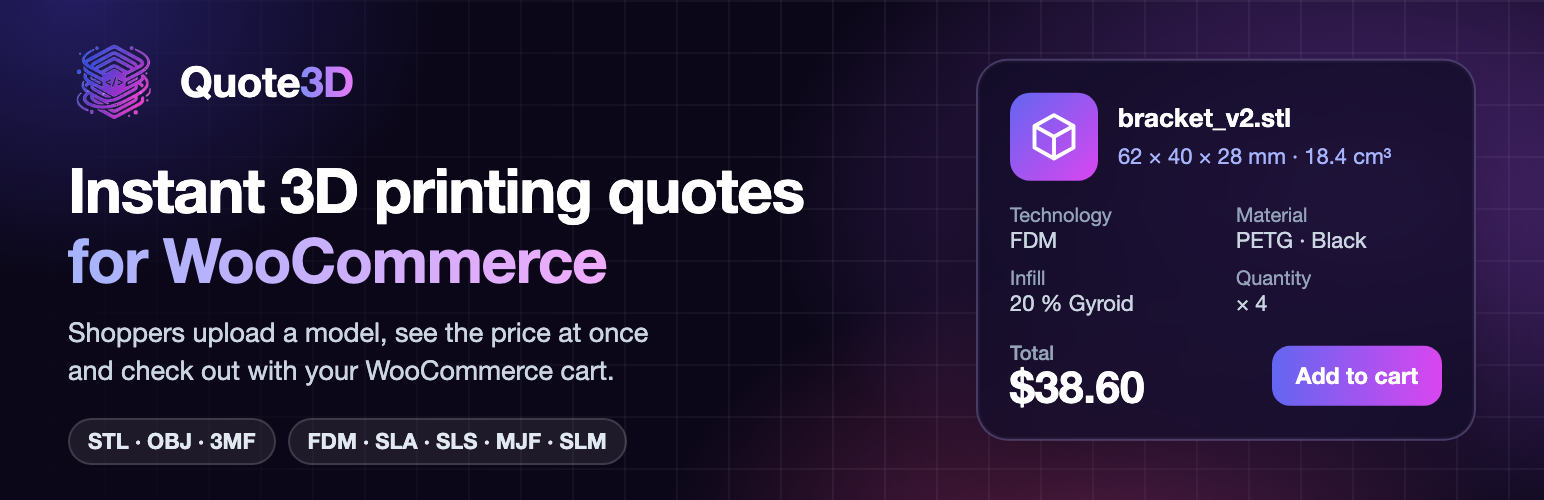
Quote3D for WooCommerce 是一款專為 WooCommerce 設計的外掛,提供 3D 打印配置器,讓顧客能夠上傳模型、選擇技術、材料、顏色及數量,並即時查看報價,簡化購物流程。
【主要功能】
• 在產品頁面上提供 3D 打印配置器
• 即時計算報價並加入 WooCommerce 購物車
• 管理打印機、材料、顏色及價格的目錄
• 提供報告和 CSV 匯出功能
• 支援 WooCommerce 6.0 或更新版本
外掛標籤
開發者團隊
原文外掛簡介
Quote3D for WooCommerce puts a 3D printing configurator on your product pages. A shopper uploads a model, picks the technology, material, colour and quantity, and sees the price at once. The quoted part goes into the WooCommerce cart at exactly that price and is paid with your usual checkout.
Prices are calculated by Quote3D, a slicing and pricing service for FDM, SLA, SLS, MJF and SLM printing. You set up your printers, materials, colours and prices in Quote3D, or from the plugin’s Catalogue page.
In the shop
Configurator on any product page (tick “Quote3D configurator”) or anywhere with the [quote3d_widget] shortcode.
The price is read again from Quote3D on your server when a part is added to the cart, so it cannot be changed in the browser.
The quoted quantity is locked in the classic cart and in the Cart and Checkout blocks.
A colour that ran out of stock cannot be ordered.
In the admin (Quote3D menu)
Overview: quotes, carts, orders and revenue for any period, plus the health of the connection.
Quotes: every quote a shopper added to a cart, and whether it was ordered.
Production: a print queue of sold parts with print settings, model downloads and “mark printed”.
Catalogue: printers, materials, colours, colour stock and prices, saved in Quote3D.
Reports and CSV export.
Requirements
WooCommerce 6.0 or later.
A Quote3D account. A free plan is available; paid plans raise the monthly quote, storage and technology limits. See pricing. The plugin contains all of its code; the limits are applied by the Quote3D service.
External services
This plugin connects to Quote3D (https://quote3d.com and https://api.quote3d.com), a service run by VARANTECH ENERJİ SAN. TİC. LTD. ŞTİ. Nothing is sent to Quote3D before you save a Quote3D token in the plugin settings.
Configurator script. On product pages where you turned the configurator on, and on pages with the [quote3d_widget] shortcode, the shopper’s browser loads https://quote3d.com/js/quote3d-embed.js. The model file the shopper uploads and the print options they choose are sent from their browser to Quote3D to calculate the price. The widget token (a public token limited to quoting) is part of the page.
Adding to the cart. Your server reads the quote from api.quote3d.com (quote ID, price, quantity, material, colour, print settings, preview image) with your server token, and asks whether the colour is in stock.
Admin pages. Your plan, limits, usage, catalogue and stock are read from and saved to Quote3D with your server token. The server token never leaves your server.
Webhook. When you save a server token, the plugin registers your site’s REST address (/wp-json/quote3d/v1/webhook) with Quote3D, so Quote3D can report deleted model files and usage alerts. It is removed when the token is removed or the plugin is deactivated.
Orders. When an order is paid, cancelled or refunded, the order number and its quote IDs are sent so Quote3D can take material out of stock or put it back. No customer name, address, email or payment detail is sent.
Model files. If you turn it on, model files are deleted on Quote3D some days after the order is delivered. They are also deleted when you run a personal data erasure request for the customer.
Every request carries the header X-Quote3D-Client: woocommerce/
Quote3D Terms of Service and Privacy Policy.