外掛標籤
開發者團隊
原文外掛簡介
Some orders cannot start until the customer hands something over — a print-ready artwork, a prescription scan, a signed contract, a photo of the fault. Buildora File Attachment puts that handover on the product page, so the file arrives together with the order instead of in a separate email thread three days later.
Everything runs inside your own WordPress installation. No third-party service, no external storage bucket, and no new account for your customers to create.
Plugin overview and Installation video
Features at a glance
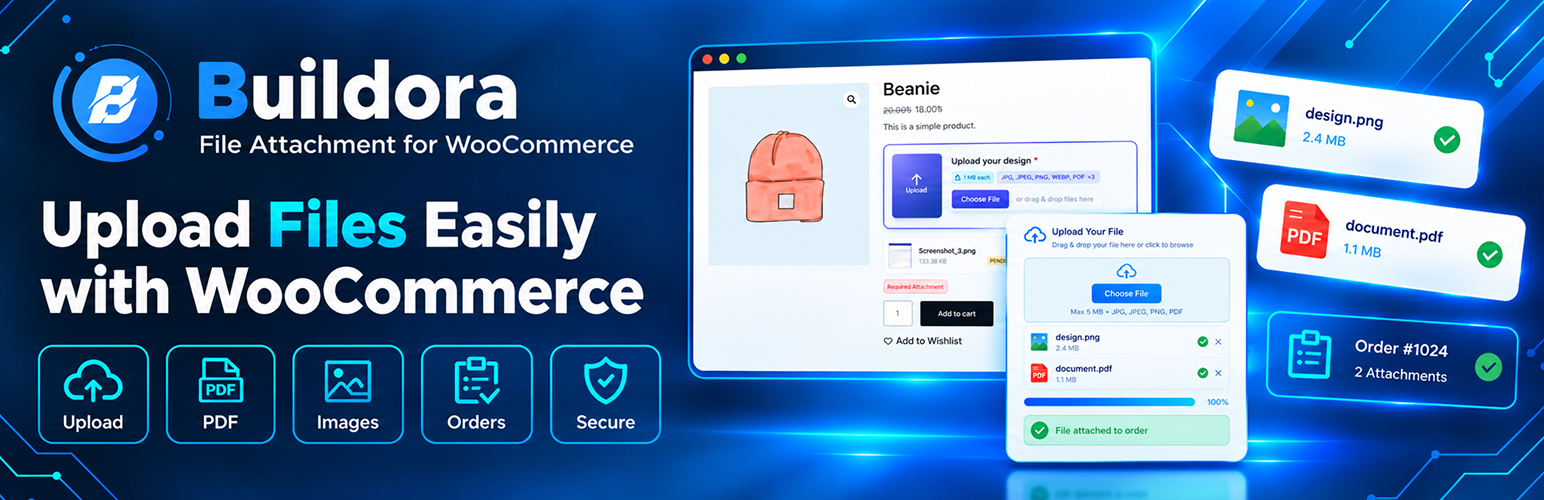
Upload field on the product page — customers attach what you asked for before the product can be added to the cart
Drag and drop — with file preview, remove and re-upload before checkout
Required or optional uploads, per product — switched on from the product edit screen, no code and no filters needed
Category and store-wide rules — apply the same requirement to a whole product category or to every product you sell
Rule priority — product beats category, category beats global, and empty fields inherit from the next rule up the chain
Per-rule allowed file types — offer only the formats a particular product should accept
Per-rule size limit — cap uploads in megabytes for each rule independently
PDF, Word and archive support — JPG, JPEG, PNG, WEBP, PDF, DOC, DOCX and ZIP out of the box
Attachment preview in the cart — customers confirm the correct file before paying
Files on the order screen — grouped per line item with preview and download links for your team
Files in the order emails — listed in the confirmation emails sent to you and to the customer
Customer My Account view — buyers can revisit their uploads next to the product they belong to
Approval workflow — pending, verified and rejected statuses with an optional rejection reason
Email notifications — admin on new uploads, customer on approval, rejection or pending review
Attachments screen — search, filter, sort, and bulk-mark or bulk-delete in one go
Dashboard — upload volume, items waiting for review and recent activity at a glance
Setup Wizard — guided first-run configuration that writes your first rule for you
Guest uploads — allowed by default, switchable off if you only want logged-in customers
Real MIME checking — file contents are verified, never the extension on its own
Private storage — randomised file names, a hardened folder and no public file URLs
Retention policy — clear out old attachments automatically if you want them gone
HPOS compatible and translation-ready
How it works
You set a rule. Choose which products or categories accept uploads, whether a file is mandatory or optional, which formats are accepted, and the size ceiling.
The customer attaches a file from the product page using a drag-and-drop field. The file is checked, renamed and stored away from the media library.
The file follows the order. It appears in the cart, on the order screen, in the order emails, and in the customer’s My Account area.
Where uploaded files show up
On the WooCommerce order screen, grouped per line item, with preview and download links
Inside the order confirmation emails sent to you and to the customer
In the customer’s My Account area, next to the product it belongs to
In the cart, so the customer can confirm the right file before paying
In a central Attachments screen for review and housekeeping
Rules that follow a sensible priority
A rule can target a single product, a product category, or the whole store. When more than one rule could apply, the most specific one wins — product beats category, category beats global. Fields left empty fall back to the next rule up the chain, so common settings never need to be repeated for every product.
The security model
Customer uploads are treated as untrusted input, and the plugin is built around that assumption:
Content-based type checking. The real MIME type is read from the file’s own bytes, so renaming a script to end in .jpg will not get it past the door.
Extension allowlist. Only the formats you permit for that rule are accepted — JPG, JPEG, PNG, WEBP, PDF, DOC, DOCX and ZIP out of the box.
Size enforcement. The configured ceiling is measured against the file that actually arrived, not the size the browser claimed.
Integrity checks. Images are opened to confirm they are readable, and PDF files must carry a valid header, so truncated uploads are caught before they reach your team.
Unguessable file names. Each stored file receives a cryptographically random name, which makes it impractical to enumerate other customers’ uploads by trying URLs.
A hardened storage folder. The upload directory ships with .htaccess rules that switch off directory listing and refuse to execute PHP, backed up by an index.php guard.
No public file URLs. Downloads are streamed through an authorised handler that verifies who is asking, so a customer never receives a direct path to a file.
A review queue, not a black box
Uploads arrive with a status instead of being auto-approved or silently dropped:
New attachments wait as pending until somebody looks at them.
Approve in one click, or reject with a reason the customer is allowed to read.
The customer is emailed when a file is approved, rejected, or waiting for review — each event can be switched on or off.
Managing uploads day to day
Dashboard — how many files arrived, how many are waiting, which orders are affected, plus recent activity at a glance.
Attachments — a searchable, filterable, sortable table with bulk actions: mark verified, mark rejected, or delete permanently.
Upload Rules — create, edit and prioritise every rule from a single screen.
Settings — limits, formats, notifications, retention and front-end wording.
Setup Wizard — a short guided first run that writes your first rule for you.
Built for stores like yours
Print on demand and custom products
* T-shirt, hoodie and apparel printing — upload the design or logo file
* Mug, bottle and drinkware printing — upload photos or wraparound artwork
* Phone case and accessory printing — upload personal images or patterns
* Canvas, poster and fine-art printing — upload high-resolution files, with the print size limit enforced per rule
* Stickers, labels and packaging — upload print-ready PDF or ZIP artwork
* Embroidery, uniforms and teamwear — upload logos, monograms or rosters
* Laser-cut and CNC products — upload SVG or design files
Personalised gifts and keepsakes
* Photo books, albums and calendars — upload images for each page
* Jewellery engraving — upload signature scans or artwork files
* Portrait, pet and memorial products — upload reference photos
* Greeting cards and invitations — upload event photos and wording
* Doormats, cushions and framed prints — upload the photo you will print
Professional, creative and B2B services
* Graphic and web design — upload client briefs, brand assets or reference files
* Translation and proofreading — upload the source document as PDF, DOC or DOCX
* Video and audio production — upload scripts, briefs or source files
* Resume, CV and profile writing — upload the existing resume
* Legal document review — upload the contract or agreement
* Accounting, bookkeeping and tax — upload statements, invoices or spreadsheets
* Wholesale and B2B ordering — upload purchase orders, tax exemption certificates and reorder artwork
* Marketing and events agencies — upload campaign assets before work is scheduled
Healthcare, wellness and regulated products
* Prescription eyewear and contact lenses — upload the prescription scan
* Orthotics, prosthetics and mobility devices — upload the prescription or referral
* Supplement and pharmacy stores — upload a doctor’s note where one is required
* Dietary and nutrition consulting — upload test reports or diet history
* Clinics and practices — upload insurance or referral paperwork with a booking
Crafts, decor and home
* Wallpaper, murals and wall art — upload measurements, room photos or design files
* Home decor and soft furnishings — upload photos or fabric swatches
* Furniture upholstery — upload fabric or design files
* Signage, shopfronts and vehicle wraps — upload brand guidelines or design files
* Wedding and event services — upload inspiration photos, seating plans or menus
Education, training and digital products
* Tutoring and coaching — upload past papers or assignments
* Certification and online courses — upload prerequisite documents
* Schools and academies — upload admission forms, ID or medical consent forms
* Coursework and assignment submission — upload the completed work
* Membership and subscription boxes — upload preferences or onboarding documents
Repair, trade and field services
* Device and electronics repair — upload a photo of the fault
* Appliance and HVAC callouts — upload a photo of the model plate
* Automotive and bike servicing — upload logbook pages or damage photos
* Building and renovation quotes — upload plans, photos or measurements
Pet and animal products
* Custom pet accessories — upload pet photos
* Pet portraits and memorial items — upload reference photos
* Grooming and veterinary bookings — upload vaccination records
Fashion, tailoring and made-to-measure
* Tailoring and bespoke clothing — upload measurements or reference photos
* School and company uniforms — upload logo files
* Sports team kits — upload team logo and roster documents
Any store where a file gates the order
* Proof of ID, licence, permit or certification
* Signed contracts, consent forms and waiver documents
* Anything you currently chase by email after checkout
Supported file types
JPG, JPEG, PNG, WEBP, PDF, DOC, DOCX and Many More are available out of the box. Any subset can be allowed per rule, and further formats can be registered from code.
Your data stays yours
Files are stored on your server, inside your uploads directory, or in a private folder outside the web root if you define one.
Attachments are kept in four dedicated database tables, leaving your posts and postmeta tables clean.
No tracking, no telemetry, no calls to an external API.
An optional retention window removes old attachments automatically.
On uninstall, deletion is opt-in — data is kept unless you explicitly ask for it to be removed.
Compatibility
WooCommerce 7.0 and above, tested up to 9.0
HPOS (High-Performance Order Storage) declared compatible
WordPress 6.0 and above, tested up to 7.1
PHP 7.4 and above
Translation-ready