內容簡介
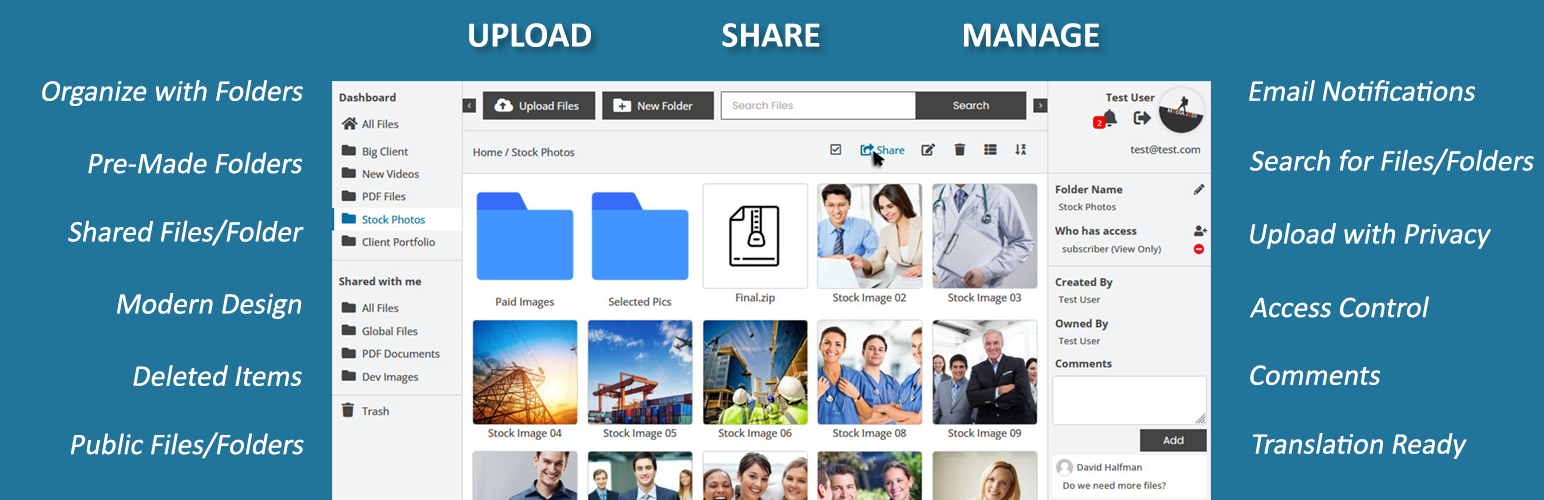
User Private Files 是一款安全的檔案分享與客戶入口網站外掛,讓用戶和管理員能在 WordPress 上私密地上傳、分享、管理和交換檔案及文件,確保每位用戶的檔案獨立且安全。
【主要功能】
• 客戶檔案上傳:允許客戶直接透過網站上傳檔案
• 安全客戶入口:提供每位用戶私密空間管理檔案
• 私密檔案分享:安全地與特定用戶分享檔案
• 文件管理:將私密檔案組織成資料夾
• 檔案管理:輕鬆上傳、下載、移動及刪除檔案
• 檔案通知:檔案上傳或更新時通知用戶
外掛標籤
開發者團隊
② 後台搜尋「User Private Files – Secure File Sharing and Client Portal Plugin」→ 直接安裝(推薦)
📦 歷史版本下載
原文外掛簡介
Create a secure client file sharing portal in WordPress where clients and admin can privately upload, share, manage, and exchange files and documents.
User Private Files gives every user a personal space for file sharing and document management. Let admin and clients upload documents, access files shared with them, organize folders, and exchange files with other users – all from your WordPress website.
Whether you need a client portal, secure file upload, file-sharing system, document portal, or private file manager, User Private Files helps you keep each user’s files separate and control who can access them.
Key Features
Client File Uploads – Let clients and users upload files directly through your website.
Secure Client Portal – Give every user a private space to access and manage their files.
Private File Sharing – Securely share files and folders with specific users and control access.
Document Management – Organize private files into folders and manage access from one place.
File Management – Upload, download, move, delete, search, and manage files with ease.
File Notifications – Notify users when files are uploaded, shared, or updated.
File Previews & Galleries – Let users preview supported files and display images in galleries.
Flexible Access Controls – Control access to files and folders based on users and user roles.
Try the Live Demo
All Features List | Documentation | Case Studies | Get PRO Version
🔒 Best Client Document Portal plugin for WordPress
User Private Files is the first choice for businesses like agency, accountant, lawyer, consultant, hospital, school, institution, company, organization etc. looking to create a dedicated client portal to upload, manage, share and download private files like invoices, contracts, agreements, reports, and any other private documents.
🚀 Check the Demo Here:
Full Backend Demo
Frontend Manager
Classic Template
File Uploader
File Gallery
Public Files/Folder
🗝️ Everything you need in a Client Portal Plugin
Easy to use
User Private Files is as easy as using your computer. The sleek design gives you the freedom to manage files and folders as you want.
Compatible with Themes
We are using Divi theme on our demo sites. It is very compatible with Divi theme. We have tested with some popular themes like DIVI, AVADA, BE, The7, Bridge, UnCode, Salient etc. and there are no issues so far.
Compatible with Elementor & other Page-Builders
User Private Files plugin is compatible with Elementor builder. While editing a page create a new shortcode block and paste the shortcode [upf_manager]. Save the page and preview. Same can be followed for other builders like – Muffin, WPBakery, Visual Composer, Beaver, Divi, SiteOrigin, etc.
Security First Approach
Security is at the core of User Private Files. All file transfers and access are protected with the best security methods, safeguarding your confidential documents from potential threats.
Use Cases of User Private Files plugin
Any business like agency, accountant, lawyer, consultant, hospital, school, institution, company, organization etc. can use UPF to create a dedicated client portal to upload, manage, share and download private files like invoices, contracts, agreements, reports, and any other private documents.
File Types Support
Images, pdf, doc, zip, audio, video, txt, CSV etc. files are supported as they are supported by default in WordPress. You can add or restrict more custom file types with the PRO version.
Customizer (PRO)
Customize Color scheme of button, text and hover. Adjust your branding for frontend file sharing client portal with settings to set logo, watermark, and background options.
Features Rich
User Private Files is the only document management plugin you ever need. With so many features, you can convert your site into a dedicated secure file sharing portal for your clients and customers. Features like uploader, file manager, search, preview, trash, sort, view modes, zip, sharing files/folders and a lot more are what make the plugin best in file sharing solution.
No Limit
You can upload as many files as you want and as many folders or sub-folders can be created. There is no limit on number of files. This depends on your hosting account.
No max file-size Limit
User Private Files plugin do not limit on file size. It depends on your hosting account. If you are unable to upload large files, edit your php.ini or user.ini file and add this line :
upload_max_filesize = 128M
This will limit max file size to 128mb, change it as needed. Sometime it is managed by hosting provider, please contact your hosting provide and as them to increase upload_max_filesize.
Full control over Features (PRO)
Want to enable/disable some features? The User Private Files got you cover with a full fledged settings section where you can easily enable or disable some features for some or all user roles.
Uploading Files/Folders
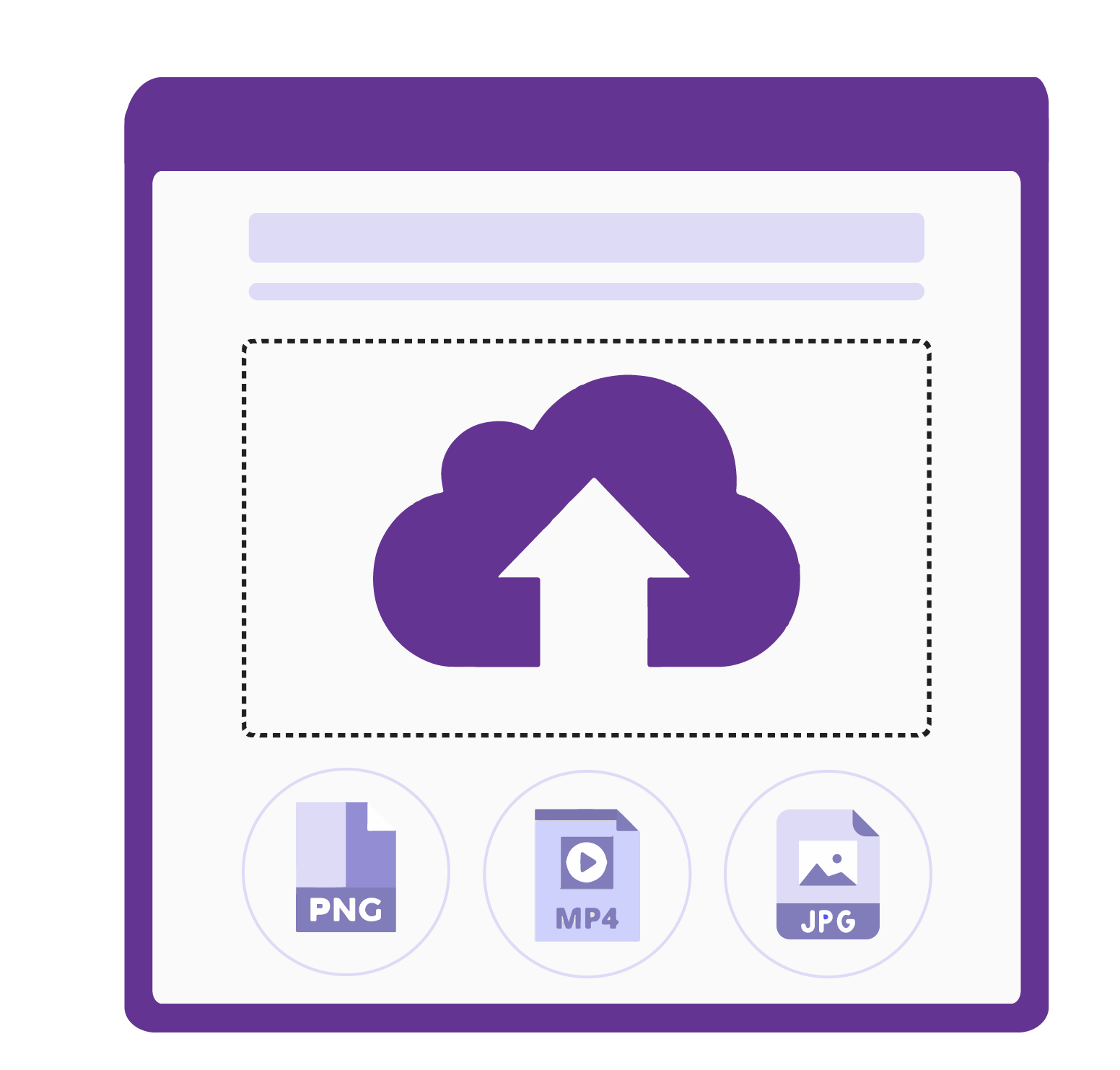
Upload bulk files, folders with drag and drop feature. With the PRO version, you can add extra file types that you want to allow for uploading.
Email Notifications
An option in backend to configure email template. When someone shares a file/folder with a user/users, they will receive an email notification.
Frontend Notifications (PRO)
Users will get a notification on frontend page when a file/folder is shared with them. They can read, delete, and refresh notifications. Clicking on a notification will open that file/folder.
Copy Link (PRO)
Users can copy the link to a file/folder and share it with other users. Pasting the link will open that file or folder if they have access to it.
Share with single user, roles, or all users
Share your files and folders with a single user, multiple users, a particular user role or all users at once.
Secure frontend file manager
Full width front-end file manager and all uploaded files are secure that only allowed users can access.
Inbuilt login form and customizer (PRO)
WordPress file sharing plugin comes with a login form which is fully customizable. You can set labels and fields for the login form via the customizer.
Thumbnails and File View Modes (PRO)
Easily change thumbnails for default and custom file types. You can also set custom thumbnails for folders. As and admin you can control the default file view mode and allow users to toggle between Grid and List view modes.
Toolbar
The frontend dashboard has a powerful toolbar to perform various actions on files and folders. With the PRO version, you can control what to display or hide in the toolbar. Take full control over search, filters, buttons, and labels in the toolbar.
Addons (Premium & Developer)
Extend the functionality of the best file sharing plugin even more by installing the addons – google-drive integration, Custom Fields, and Text Editor.
Best in class Customer Support
We are fully dedicated to the User Private Files plugin and are known by our amazing support that we provide to our customers. We listen to plugin users and add features from time to time keeping the plugin up-to-date. If you have any suggestions or questions, please let us know.
🌟 Shortcodes
[upf_manager]
Use this shortcode in a page to display a full-features file manager dashboard on frontend of your site.
If you are using the classic text editor in your site, you can directly paste this in the page content.
If you are using a page builder like Guttenberg, WPBakery, Elementor etc. then you need to insert a shortcode block and then paste this shortcode in that block’s content.
[upf_upload]
If you like to display only Upload Box to your users, use this shortcode.
[PRO] This shortcode accepts an optional attribute “id”. You can pass a folder ID to it and the file will be uploaded to that folder if the user has upload access to it. If there is no id attribute, the files will be uploaded to all files under the my-files section of that user.
[upf_display]
If you like to display a user’s uploaded and shared files only. This works like a gallery. This will not display any folder but will display all files from the folders.
This is a limited shortcode and doesn’t offer much features. But if you just want to display all files that a user has uploaded and the files that he has given access to, then it’s a good one.
[upf_selected_files] [PRO]
Use this shortcode to display a list of selected files and folders that users have access to.
This shortcode accepts 2 parameters called “id” and “limit_folder_view” where id is a required parameter.
Pass the ids of the files or folders that you want to display and pass the roles to the second parameter separated by commas.
[upf_public_folder] [PRO]
This shortcode is used to display files that are publicly available and are not private. Users can view these files without the need of creating an account on your site.
This shortcode requires one parameter “id”. To display all public files, use the shortcode [upf_public_folder id=”public-files”]. Change the id to a folder/file id to display specific public folders or files.
You can copy this shortcode from the backend file manager. When you click the public files or any files/folders inside, you can see the shortcode on the right sidebar. Public files are only viewable (supported formats) and downloadable. There is no functionality of sharing, editing, comments etc.
📣 Features
Allow your site users to upload their private files.
Users can share their files with other users by using their email addresses or usernames.
Only the allowed users will be able to view/download shared files and unauthentic users or guests will see a permission denied error if they have direct URL to the file.
Users can remove the allowed users anytime they want.
Easy to setup for administrator and easy to use for users.
Front-end dashboard to allow users upload and manage their files.
Full control over uploaded files to site administrator.
2 different designs – Classic and full-width modern design
Filter to group files by their type (Classic design only)
Translation Ready
Folders system – Users can Create/Rename/Delete and Share folders
Users can upload/move files within different folders
Admin can share files with single, all users or users with a specific role
Comments – Users can comment on shared files
Email notification when a file / folder is shared with someone
Backend settings to enable/disable email notification and change email subject/content
Trash folder functionality
Search for files and folders
Interactive Dropbox like design
Download file option
Support for file types – image, pdf, doc, zip, audio, video, txt and CSV
Support image, pdf preview and video play
No page refresh – Fully AJAX
Restore or Delete files & folders from Trash
Beautiful animation & icons
😍 PRO version Features
Backend file manager for admin to manage files
Premade folders from backend file manager
Sync files from Server/FTP folder
Upload Folder from PC, It will create all subfolders and upload files in same hierarchy
Analytics – See count of Views and Downloads for files in backend file manager
Backend file manager to view and control other users files without asking them to share with admin
File preview support for docx, ppt, csv, excel files etc using google doc viewer
Google Drive Integration (Premium & Developer versions)
Display selected files/folders only by their IDs
Custom fields/columns in list view (Premium & Developer versions)
Backend option to hide Search, filters, New folder button for particular user roles
Text Editor Addon to create or edit text files (Premium & Developer versions)
Option to Zip an entire folder and download
Preview support for zip files
Frontend notifications when a file / folder is shared with someone
Frontend notification when a file is uploaded in shared folder with option to turn ON/OFF
Frontend notification when a folder is created in shared folder with option to turn ON/OFF
Email notification when a file/folder is uploaded/created in shared folder with option to turn ON/OFF
Single email notification option for bulk upload
Backend option to enable/disable frontend notifications
Copy link to a folder or file and share with other users who have access
Backend option to allow users to share with role specific & all users
Backend option to enable/disable file uploading functionality based on roles
Backend customizer to update colors, thumbnails, and toolbar options
Grid/List views
Login functionality when user is not logged in
Backend options to customize login form
Shortcode support for Login form to display it anywhere
Option to set redirection for login form
Sort files/folder
Collapsible side panels on frontend
New permission level View and Upload
Additional shortcodes to display selected files, target folder uploading, and public files
Public Files and Folders section in file manager
Add privacy policy link in the right sidebar
Description support for folders
Display total storage used and size of each file in the backend
And many more.
The User Private Files makes use of the .htaccess file to restrict the unauthorized access and makes a file private to the authorized users only. But the .htaccess file is available on Apache servers only. See below documentation for nginx and windows servers:
Configure Windows Server – https://userprivatefiles.com/documentation/configure-windows-server/
Configure nginx Server – https://userprivatefiles.com/documentation/configure-nginx-server/
Full Backend Demo | Frontend Manager | Classic Template | File Uploader | File Gallery | Public Files/Folder
User Private Files will add file sharing functionality on a WordPress website. Plugin designed for users to upload, store, and share files securely. It emphasizes data privacy and user control, allowing individuals to manage their files with ease. Enhancing the overall user experience while safeguarding confidential information.
All Features List | Documentation | Case Studies | Get PRO Version