內容簡介
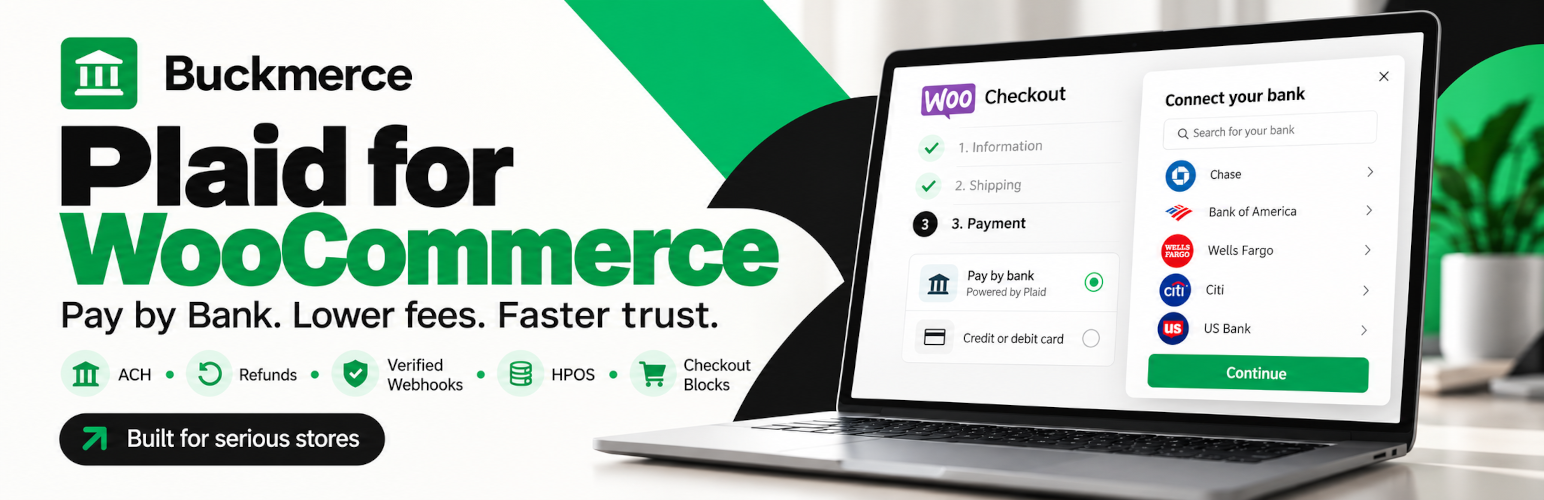
Buckmerce 是一款專為 WooCommerce 設計的外掛,讓顧客可以透過 Plaid 直接從銀行帳戶進行 ACH 付款。此外掛簡化了支付流程,提供安全的銀行支付選項,並自動更新訂單狀態,減少商家手動處理的工作量。
【主要功能】
• 提供 ACH 銀行支付選項
• 自動更新訂單狀態
• 支援全額或部分退款
• 監控銀行支付狀態
• 無需顧客銀行登入資訊
外掛標籤
開發者團隊
② 後台搜尋「Buckmerce – Bank Payments via Plaid for WooCommerce」→ 直接安裝(推薦)
原文外掛簡介
Accept ACH bank payments in WooCommerce and let customers pay straight from their bank account with Plaid.
Plaid Payments adds a Pay by Bank payment method to your WooCommerce checkout. Customers choose their bank in a secure Plaid window, pick the account to pay from and approve the payment. The money is collected from their US bank account by ACH bank transfer. No card is needed, and your store never sees their bank login details.
This is not a manual “direct bank transfer” method where you wait for money to arrive and then match it to an order by hand. Plaid Payments follows every bank payment from checkout until the funds are available, updates the WooCommerce order for you, lets you refund from the normal order screen, and keeps watching for payments that a bank reverses later.
Why add Pay by Bank to your store?
One more way to pay at checkout — offer ACH bank payments next to your other payment methods, for shoppers who prefer to pay from their bank account.
Less manual work — orders move to On hold, Processing or Failed by themselves as the bank payment progresses. No more checking your bank statement to see who has paid.
Refunds where you already work — send full or partial refunds back to the customer’s bank from the standard WooCommerce refund screen.
No surprises after the sale — a bank payment can be reversed days later. Plaid Payments keeps monitoring and alerts you by email, in your WordPress admin and in the orders list.
Private by design — customers sign in to their bank with Plaid. Bank usernames and passwords never touch your site.
Free and complete — no license key, no paid upgrade to unlock features, no trial timer and no usage limits.
How Pay by Bank works for your customers
At checkout the customer selects Pay by Bank and places the order.
They review the order total and click Connect bank and pay.
A secure Plaid window opens. They choose their bank, sign in, select an account and confirm the amount.
They arrive on the order confirmation page, and your store updates the order when the bank payment completes.
If a customer closes the bank window or the bank declines the payment, no payment is made and they can simply try again.
What happens in your store
Payment submitted — the order is placed On hold while the bank transfer is on its way.
Payment confirmed — the order is marked paid (Processing or Completed, exactly as WooCommerce normally decides) once the funds are available. You can choose to confirm earlier, when the transfer is settled.
Payment failed — if the payment fails before any money moves, the customer can pay for the same order again.
Payment returned — if the customer’s bank reverses the payment later, the order is set to Failed, a note is added, and you get an alert and an email. If that order was already refunded, Plaid Payments sends an urgent warning and cancels pending refunds where Plaid still allows it.
Features
WooCommerce ACH payment gateway with a choice of Standard ACH or Same Day ACH.
Checkout Block and Classic Checkout support, for guests and logged-in customers.
Automatic order status updates based on payment information confirmed by Plaid, never on what a browser reports.
Full and partial refunds from the WooCommerce order screen, each one tracked until it reaches the customer’s bank.
ACH return monitoring that continues until the return period of each payment has passed.
Protection against double payments caused by double clicks, page reloads or several open tabs.
Self-healing payment tracking — if a notification from Plaid is missed, Plaid Payments checks again on its own schedule.
Careful handling of unusual cases — for example, a payment that arrives for an order you already cancelled is paused for your review instead of being processed automatically.
A clear order panel with the payment status, key dates, refunds, earlier payment attempts and actions such as Sync with Plaid and Cancel bank payment.
A Pay by Bank column in the orders list, so pending and returned bank payments are easy to spot.
Test mode with Plaid Sandbox: run complete test orders without moving real money.
Guided setup with a status checklist, a one-click connection test, a diagnostics page and WordPress Site Health checks.
Your own wording for the payment method title, the checkout description and the short description shown on the customer’s bank statement.
Compatible with WooCommerce High-Performance Order Storage (HPOS).
Translation ready, with a Russian translation included.
Good to know
Plaid Payments is built for one-time payments in US dollars from US bank accounts. It does not process credit or debit cards, subscriptions, saved bank accounts or other currencies. It works alongside your other WooCommerce payment methods, so you can keep accepting cards as usual.
What you need
WordPress 6.6 or later and WooCommerce 8.7 or later.
PHP 8.1–8.4 with OpenSSL.
A store that sells in US dollars (USD).
A Plaid account with Plaid Transfer enabled.
HTTPS on your site for live payments.
External services
Plaid Payments relies on Plaid, a third-party financial service, to connect customers’ banks and to create, track and refund Pay by Bank payments. The plugin cannot take payments without it.
Plaid API (https://sandbox.plaid.com in test mode or https://production.plaid.com for live payments) — contacted by your server whenever a Pay by Bank payment or refund is created, checked or cancelled, during background status checks and when you test the connection. It receives your Plaid API credentials and the payment and refund details listed below.
Plaid Link (https://cdn.plaid.com/link/v2/stable/link-initialize.js) — loaded in the customer’s browser on the payment page of an order that is being paid with Pay by Bank, so the customer can connect a bank and approve the payment.
Plaid webhooks — Plaid notifies your site when the status of a payment or refund changes.
Information sent to Plaid can include the order amount and currency, the bank statement description, the customer’s billing name and email address, refund amounts and internal order and payment references. Bank login details are entered directly with Plaid and are never sent to your store.
Plaid provides this service under its own terms: Plaid legal terms and Plaid End User Privacy Policy.
Privacy
Plaid Payments does not track you or your customers and sends no usage data to its author. Plaid payment references and payment and refund statuses are stored with your orders and in the plugin’s own records, so that payments can be followed, refunded and audited. Suggested text for your privacy policy is added under Settings → Privacy.
When you delete the plugin, its settings and history are removed only if you turned on Uninstall cleanup. The payment details saved on your orders always stay.
Security
Your Plaid Secret stays on your server. It is never shown again in the settings, never sent to the browser and is removed from logs.
The amount and currency always come from the WooCommerce order, so they cannot be changed in the customer’s browser.
Only the customer who placed an order can open its payment page.
Every notification from Plaid is checked to be genuine before it can change an order.
Payment actions in the admin are limited to users who are allowed to manage WooCommerce.
Source code
The JavaScript and CSS shipped with the plugin are built from readable TypeScript and SCSS source code. The full source and the build tools are public on GitHub: github.com/Buckmerce/Plaid.
The plugin bundles the firebase/php-jwt library (BSD-3-Clause license), which is used to verify that notifications from Plaid are genuine.