外掛標籤
開發者團隊
② 後台搜尋「BrandMeetsCode DataLayer Tracker」→ 直接安裝(推薦)
原文外掛簡介
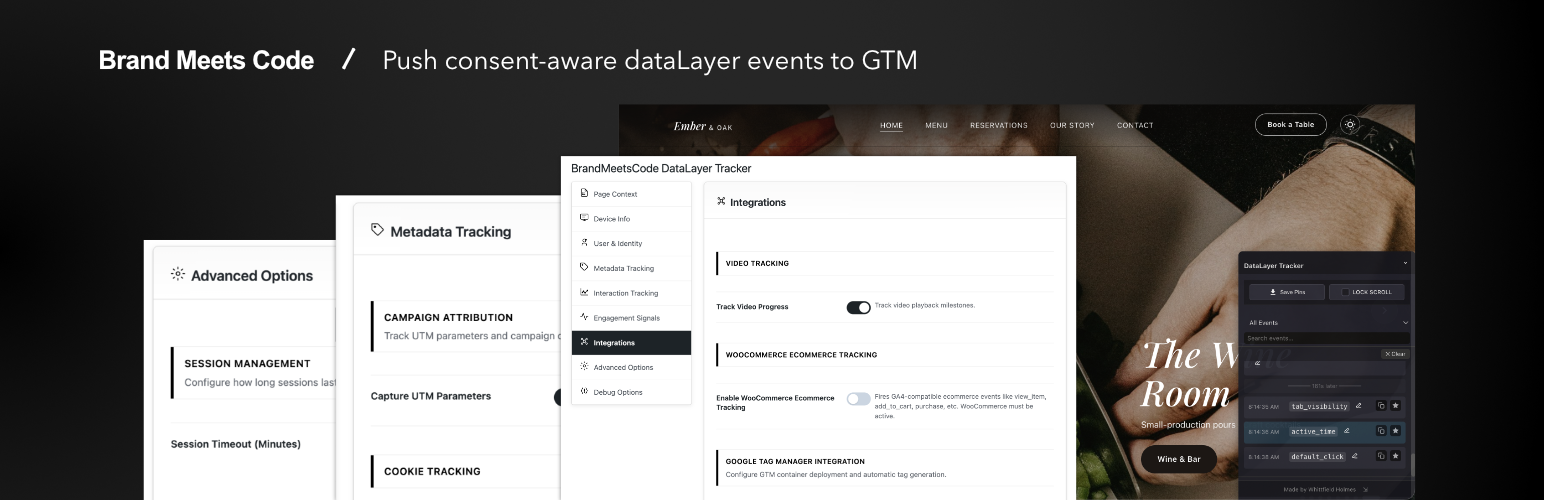
BrandMeetsCode DataLayer Tracker sends structured data to window.dataLayer so Google Tag Manager or your own tags can consume consistent events and page context.
By Whittfield Holmes at Brand Meets Code. Listed on WordPress.org as BrandMeetsCode DataLayer Tracker; the wp-admin menu is DataLayer Tracker.
This plugin is fully functional with no license checks, no trial period, no usage quotas, and no disabled settings in wp-admin.
Included features
Page & content context — page type, IDs, title, URL, slug/path, categories/tags, referrer, UTM parameters
Visitor & device hints — resolution, timezone offset, browser language; optional cookie exposure rules
Logged-in user context — role-style flags and optional hashed user id (modes you configure)
Engagement — scroll depth (modes), scroll back up, focus/blur, time on page, active time, hover intent, video progress, default clicks; optional deeper click/field/section options where listed in Settings
Forms — form_view, form_field_start, form_submit, form_error, form_abandon; optional form-vendor shortcut mode
WooCommerce (when enabled) — browser GA4-style ecommerce events (view_item, add_to_cart, purchase, etc.) when WooCommerce is active
Google Tag Manager — optional container snippet output from settings (you configure tags inside GTM)
Consent-aware loading — delay until consent, CMP preference, TCF option, fallbacks
Page URL filtering — regex exclude list
Sessions — client-side session timeout/heartbeat options
Debugging — console logging levels and admin debug overlay (core panels)
Developer-friendly — hooks/filters; push custom window.dataLayer events from theme or other plugins
Consent Management
Auto-detection and integration patterns vary by CMP; you remain responsible for correct legal configuration on your site.
Google Tag Manager
Optional snippet + consistent dataLayer pushes. Configure tags, triggers, and variables inside GTM.
External Services
Google Tag Manager (optional — only when you configure a container ID)
This plugin includes an optional feature to inject the Google Tag Manager container snippet on your site’s front end. This feature is disabled by default and only activates when you enter a GTM Container ID in the plugin settings and enable the snippet toggle.
What it does: When enabled, the plugin outputs the standard GTM