內容簡介
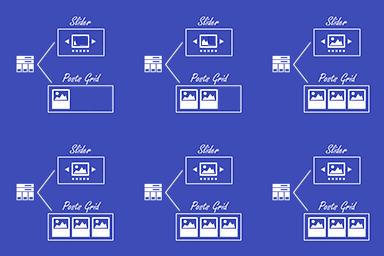
Blockolid Gather 是一個內容聚合工具,允許您使用 shortcode 或 gutenberg 區塊在網格中顯示相關文章、頁面、文章或自訂文章類型。
在傳統的編輯器中,Gather 可以使用簡單的 shortcode,例如:
[blocksolid_gather specificposttitle=”My Post”]
如果您使用 Block Editor / Gutenberg,我們提供的 Gather 區塊可讓您通過某些參數選擇您的相關文章,在您的頁面中提供實時預覽。
如果您正在使用我們獨立的 Blocksolid 外掛作為頁面生成器和 Gutenberg 疊加層,則 Blocksolid Gather 外掛也可以很好地與之整合。
Blocksolid Gather 特點
選擇最大文章數
選擇要返回的第一篇文章
選擇每行的數量
選擇文章類型
選擇特定文章標題
按創建日期、最後修改日期、按字母順序、隨機、作者、相關性、菜單排序排序
升序或降序排序
隱藏列和行之間的邊距
填充不完整的最後一行
按類別篩選
按標籤篩選
相關文章
選擇摘要長度
選擇摘要簽名
選擇摘要簽名
媒體位置上、右、左、右或無媒體
從已註冊的大小(包括已註冊的自訂大小)中選擇媒體大小
如果文章沒有媒體或根本沒有媒體,則選擇默認占位符圖像
僅在媒體網格中顯示媒體
顯示圖像標題
將媒體鏈接到文章
將標題鏈接到文章
添加媒體縮放懸停效果
使用嵌入連結顯示包括 YouTube、Vimeo、隆巴巴和 DailyMotion 的影片
顯示播客,例如 Buzzsprout
可選地在文章下顯示修改日期、作者、類別、標籤
外掛標籤
開發者團隊
📦 歷史版本下載
原文外掛簡介
Blockolid Gather is a content aggregator which allows you to use a shortcode or gutenberg block to display related posts, pages, posts or custom post types in a slideshow or grid.
In the Classic Editor Gather can be conjured using a simple shortcode such as:
[blocksolid_gather specificposttitle=”My Post”]
If you use the Block Editor / Gutenberg our included Gather block allows you to choose your related posts via specified parameters and provides a live-preview of them within your page.
If you are using our separate Blocksolid plugin as a page builder and Gutenberg overlay the Blocksolid Gather plugin also integrates well with this.
Blocksolid Gather Features
Display any content as a slideshow or posts block grid
Choose max posts
Choose first post to return
Choose number per row
Choose post type
Choose specific post title
Order by date created, last modified, alphabetical title, random, author, relevance, menu order
Order ascending or decending
Hide margins between columns and rows
Pad out incomplete final rows
Filter by categories
Filter by tags
Related posts
Choose the excerpt length
Choose the excerpt sign-off
Choose the excerpt sign-off
Position media top, right, left, right or no media
Choose media size from registered sizes including registered custom sizes
Select a default placeholder image if a post does not have media or none at all
Show only the media in a media grid
Show image caption
Link media to post
Link caption to post
Add media zoom hover effect
Display videos including YouTube, Vimeo, Rumble and Dailymotion using their embed links
Display Podcasts e.g. Buzzsprout
Optionally show date last modified, author, categories, tags under post