內容簡介
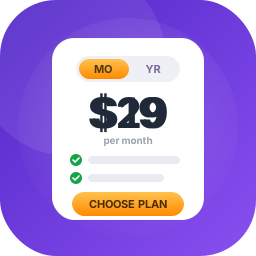
AWC Member Pricing for WooCommerce 讓商店擁有者能為 WooCommerce 產品設定專屬的會員價格。當顧客登入後,會員價格會自動顯示,並可與標準價格一同呈現,提升購物體驗。
【主要功能】
• 為 WooCommerce 產品設定專屬會員價格
• 支援簡單產品及產品變體
• 登入顧客在結帳時享有會員價格
• 支援選擇創建帳號的訪客結帳
• 自動在單一產品頁面及商店循環中顯示會員價格
• 提供會員價格標籤及可選的豐富文本描述
外掛標籤
開發者團隊
② 後台搜尋「AWC Member Pricing for WooCommerce」→ 直接安裝(推薦)
原文外掛簡介
AWC Member Pricing for WooCommerce lets store owners configure a separate member price for WooCommerce products. Standard and member prices can be displayed together, while the member price is applied when the customer is logged in.
The plugin supports simple products and product variations, automatic product and shop displays, Gutenberg, WordPress widgets, the [awcmeprf_member_pricing] shortcode, and WooCommerce product REST API support.
Guests can also receive member pricing during checkout when they select the WooCommerce option to create an account. Both classic checkout and WooCommerce block checkout flows are supported.
How It Works
Open WooCommerce > Settings > Member Pricing and configure the member-price label, automatic display, and optional description.
Edit a simple product and enter its price in the Member Pricing product-data tab.
Edit a variable product and enter member prices on the applicable variations.
Add the Member Pricing Display block, widget, or [awcmeprf_member_pricing] shortcode where the pricing should appear.
Logged-in customers receive the member price when they add an eligible product to the cart.
Main Features
Separate member pricing for WooCommerce products.
Support for simple products and product variations.
Member pricing for logged-in customers at checkout.
Guest checkout support when the customer selects the create-account option.
Automatic member-price display on single-product pages and WooCommerce shop loops.
Member-price badge support for supported shop-card products.
Dynamic standard and member prices when a variation is selected.
Configurable member-price label and optional rich-text description.
Gutenberg block named Member Pricing Display.
Member Pricing Display WordPress widget with container and price-part styling controls.
Why Join widget for member benefits and an optional call-to-action button.
[awcmeprf_member_pricing] shortcode for product-context layouts.
member_price field in the WooCommerce product REST API.
Bundle-product safeguards that preserve bundle extension pricing.
Translation-ready interface using the awc-member-pricing-for-woocommerce text domain.
Usage
Automatic display
When Automatically display pricing block is enabled, the plugin adds member-pricing output to single-product pages and shop loops. Variable products show a prompt until a variation is selected, after which the standard and member prices update dynamically.
Gutenberg block
Insert Member Pricing Display from the WooCommerce product elements block category. The block supports controls for text colour, background colour, border colour, padding, and border radius.
Widgets
Add one of the following widgets from Appearance > Widgets or a compatible page builder:
Member Pricing Display – displays standard and member prices with configurable order and styling.
Why Join – displays configurable member benefits and an optional join button on products with member pricing.
Shortcode
Use [awcmeprf_member_pricing] inside a WooCommerce product context. The shortcode displays the regular price, member price, configured label, and optional description. It returns no output when no current product or member price is available.
Other AWC Plugins
AWC Vehicle Fitment Search – help customers find products that match their vehicle.