
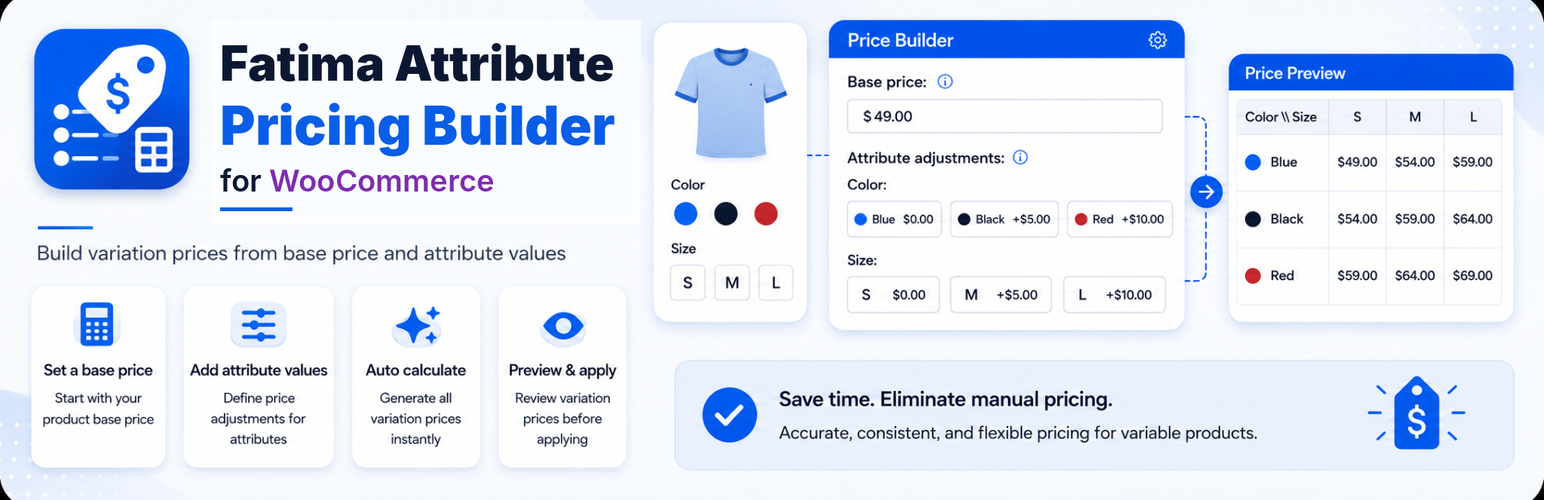
外掛標籤
開發者團隊
② 後台搜尋「Fatima Attribute Pricing Builder for WooCommerce」→ 直接安裝(推薦)
原文外掛簡介
Fatima Attribute Pricing Builder for WooCommerce helps store owners calculate and apply regular prices for existing WooCommerce product variations using a simple pricing formula:
Base price + attribute option values = variation regular price
Instead of manually editing every variation price, you can define a base price for a variable product, set price values for its attribute options, preview the calculated prices, and then apply them to the product variations.
Full setup instructions, examples, and screenshots are available in the English documentation. Arabic documentation is also available for Arabic-speaking store owners: Arabic documentation.
The plugin also lets you set global default prices for WooCommerce global attribute terms. Product option fields can stay empty to use the global defaults, or you can enter product-level overrides for special cases.
It is useful for stores that use repeated option values across many products, such as restaurants, cafes, food stores, gift shops, and customizable product stores.
Key Features
Add a base price for each variable product.
Set global default prices for WooCommerce global attribute terms.
Leave product option fields empty to inherit global defaults.
Override global defaults per product when needed.
Enter 0 when an option should add no extra value.
Reset product option fields back to global defaults.
Preview calculated variation prices before applying them.
View saved variation price, calculated price, difference, and formula.
See a summary of increased, decreased, unchanged, and new prices.
Apply calculated values to existing WooCommerce variation regular prices.
Arabic translation support for plugin admin screens.
Replace variation dropdowns with frontend option buttons on single product pages.
Show attribute price adjustments inside option buttons as a badge, inline text, or hide them.
Choose button style, mobile layout, and active button color with automatic theme color matching.
Control the main variable product price display while keeping WooCommerce defaults available.
Uses AJAX preview and apply actions inside the product editor.
Works with WooCommerce products and variations only; no order data is modified.
What This Plugin Does
This plugin calculates and applies prices to existing WooCommerce variations.
It is designed for repeated option pricing, such as:
Food options
Drink sizes
Milk types
Add-ons
Packaging options
Product upgrades
Custom option price differences
Example:
If the base price is 10 and the attribute option values are:
Large: 5
Oat milk: 3
The calculated variation price becomes:
10 + 5 + 3 = 18
What This Plugin Does Not Do
This plugin does not create product attributes automatically.
This plugin does not generate product variations automatically.
Before using the price builder, create your attributes and variations using the standard WooCommerce product editor.
How It Works
Global Defaults
Go to WooCommerce > Fatima Attribute Pricing Builder to set default price values for global WooCommerce attribute terms.
For example:
Small: 0
Medium: 3
Large: 5
Any product using these attribute terms can inherit the global values automatically.
Product Overrides
Inside a variable product, open the Price Builder tab.
If a product option field is empty and global defaults are enabled, it uses the matching global default value.
If you enter a number in the product option field, that value becomes a product-level override.
If you enter 0, the option adds no extra value for that product.
Preview Before Applying
Use Preview Prices to calculate prices without saving them to the variations.
The preview table shows:
Variation
Saved variation price
Calculated price
Difference
Formula
Apply Prices
Use Apply Prices to save the product pricing rules and write the calculated prices to the regular prices of the listed WooCommerce variations.














