內容簡介
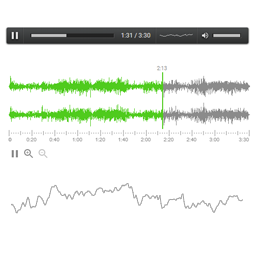
正在尋找 MP3 音樂播放器嗎?AudioIgniter 可讓您創建音樂播放列表並將其嵌入 WordPress 文章、頁面或自定義文章類型中。通過使用標准的 WordPress 媒體上傳功能,您可以在幾分鐘內創建新的音頻播放列表。哦,您還可以使用 AudioIgniter 來流式傳輸您的廣播節目!
現在就查看演示吧!
賣數位音樂嗎?
您可以將AudioIgniter 与 WooCommerce 结合使用以輕鬆地銷售單個曲目。
功能:
支持音頻和廣播流式傳輸
無限播放列表
無限曲目
100%與 Elementor 兼容
100%與 Visual Composer 兼容
100%與 Gutenberg Block 編輯器兼容
響應式佈局
通過短代碼嵌入
每個播放列表的靈活設置
顯示/隱藏曲目清單
在曲目清單中顯示/隱藏曲目編號
倒序顯示數字
在播放列表中顯示/隱藏曲目封面
顯示/隱藏活躍曲目的封面
顯示/隱藏藝術家名稱
自定義“購買曲目”網址字段
自定義“下載”網址字段
“全屏”或“簡單”播放器模式(非常適合播客)
限制曲目清單高度
重複曲目列表選項
最大播放器寬度
自 MP3 文件中自動提取 ID3 標籤
在 WordPress.org 上最受歡迎的 150 個免費主題上進行了大量測試
支持的服務:
Acast
Amazon S3
Anchor
Art19
AudioBoom
Castbox
Captivate
Icecast
Podbean
Radiojar
Shoutcast
Speaker
Stitcher
Libsyn
但等等,還有更多!
也提供專業版!如果您決定升級,您會獲得以下功能:
批量上傳功能
重新排列曲目功能
阻止其他播放器播放曲目(同一頁面中有多個播放器)
曲目跳過功能(您可以調整秒數)
播放速率(1x、1.5x、2x)
每個曲目的歌詞
單獨曲目重複模式
非連續播放(每次播放後停止每個曲目)
可選的自定義曲目之間的延遲時間
隨機播放列表模式
起始曲目選項
默認曲目計時器倒計時模式
固定位置播放器(您的佈景主題必須支持連續播放)
內部分類法進行存檔目的
可以通過自定義器調整顏色
Gutenberg Block 編輯器的自定義塊(可更改每個播放器的顏色)
插件與短碼供應
流服務按鈕鏈接
自動將下載網址與音頻網址進行同步
單曲的獨立短碼(無需創建播放列表)
記住上次播放的曲目和位置
高級技術支援
我們的插件免費版和專業版都提供相同級別的支援。平均反應時間:24 小時。
外掛標籤
開發者團隊
📦 歷史版本下載
原文外掛簡介
Looking for an MP3 music player? AudioIgniter lets you create music playlists and embed them in your WordPress posts, pages or custom post types. By using the standard WordPress media upload functionality, you can create new audio playlists in minutes. Oh, you can use AudioIgniter to stream your radio show too!
Check out the demo now!
Selling digital music?
You can combine AudioIgniter with WooCommerce to easily sell individual tracks.
Features:
Supports audio and radio streaming
Unlimited playlists
Unlimited tracks
100% Compatible with Elementor
100% Compatible with Visual Composer
100% Compatible with Gutenberg Block Editor
Responsive layout
Embed through shortcode
Flexible settings per playlist
Show/Hide track listing
Show/Hide track numbers in tracklist
Show numbers in reverse order
Show/Hide track covers in playlist
Show/Hide active track’s cover
Show/Hide artist name
Custom “Buy track” URL field
Custom “Download” URL field
“Full” or “Simple” player mode (Great for podcasts)
Limit track listing height
Repeat track listing option
Maximum player width
Automatic ID3 Tag extraction from MP3 files
Heavily tested on the 150 most popular free themes on WordPress.org
Supported Services:
Acast
Amazon S3
Anchor
Art19
AudioBoom
Castbox
Captivate
Icecast
Podbean
Radiojar
Shoutcast
Speaker
Stitcher
Libsyn
But wait, there’s more!
A Pro version is also available! Here’s what you get if you decide to upgrade:
Bulk upload functionality
Rearrange tracks functionality
Stop Tracks From Other Players (Multiple Players In One Page)
Track skipping functionality (You can adjust the number of seconds)
Playback rate (1x, 1.5x, 2x)
Lyrics per track
Individual Track Repeat Mode
Non-continuous playback (Stop each track after playing)
Optional customizable delay between tracks
Shuffle playlist mode
Starting track option
Default track timer to countdown mode
Fixed position player (Continuous play must be supported by your theme)
Internal taxonomy for archiving purposes
Customize the colors through the Customizer
Custom block for the Gutenberg Block Editor (With the ability to change colors per player)
Widget & Shortcode available
Streaming service button links
Sync download URL with audio URL automatically
Standalone shortcode for single tracks (without the need to create a playlist)
Remember last played track and position
Per-playlist and per-track analytics
PREMIUM SUPPORT
You can expect the same level of support for both the free and pro version of our plugin. Average response time: 24 hours.
JOIN OUR COMMUNITY
Join our Facebook group to discuss new features and stay up to date on our latest releases.
Contribute
Visit the GitHub repository for full source code and to report any bugs.