內容簡介
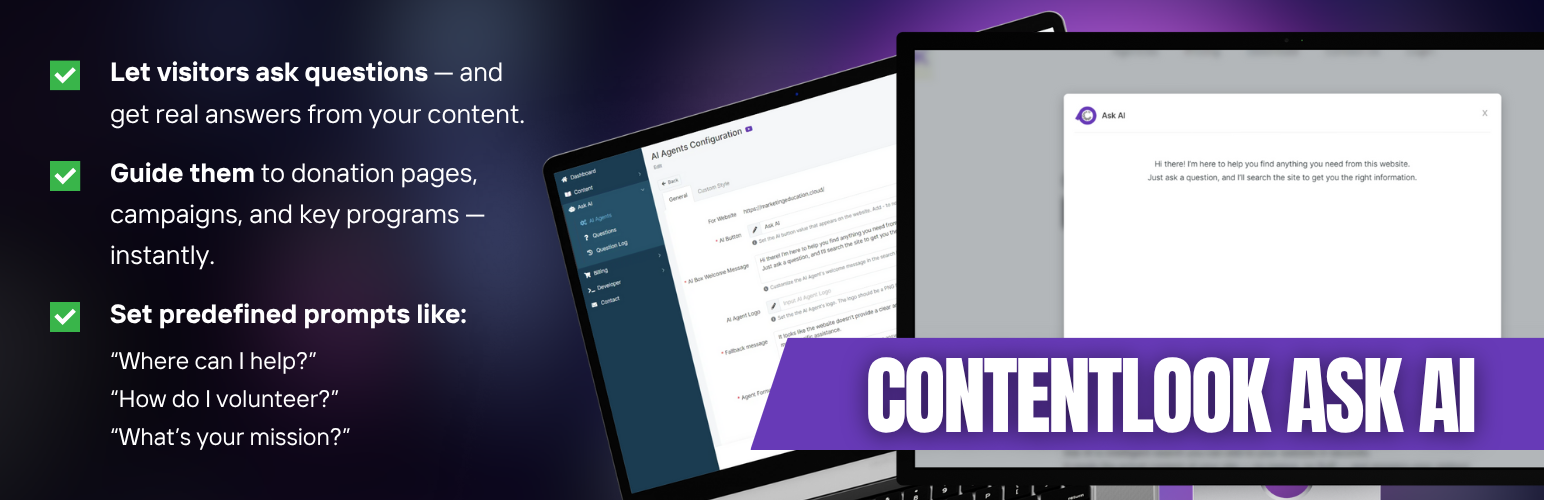
總結:Ask AI 是一個智能助手 WordPress 外掛,讀取您的真實內容並提供訪客即時答案,協助他們在需要時找到所需資訊。這是一個功能強大的 WordPress 外掛,將 AI 技術整合到您的網站中,無需複雜設置,沒有聊天機器人的煩惱。
問題與答案:
1. Ask AI 外掛能做什麼?
- 提供即時由 AI 驅動的搜尋功能,顯示在您選擇的文章類型上。
- 將您的實際內容同步到 AI 引擎。
- 追蹤訪客實際提問的問題,以便您改進內容。
- 與 WPML、Polylang、TranslatePress 等外掛相容。
2. Ask AI 如何運作?
- ContentLook 會爬取您的公開網站並提取內容。
- Ask AI 小工具出現在訪客眼前(無需程式碼)。
- 訪客提問並收到連結至您網頁的答案。
3. 使用方式是什麼?
- 在 https://app.contentlook.ai/ 上建立或登入您的 ContentLook 帳戶以獲取 API 金鑰。
- 選擇要同步的公開文章類型。
- 配置 Ask AI 小工具的顯示位置。
- 外掛開始同步,並啟動對您公開網頁的爬取。
4. 外掛連接到哪些外部服務操作?
- 與 ContentLook 運營的外部服務連接,以回答訪客問題。
- ContentLook API (https://app.contentlook.ai/):
- 功能:管理您網站連接和 AI 代理,觸發公開網頁的爬取,同步狀態。
- 調用時機:從外掛設置中連接您的網站以及開始或監控同步/爬取時。
- 發送的資料:您的網站 ID 和身份驗證標頭;爬取控制參數如最大頁面數和排除 URL 模式;請求創建或列出您的 AI 代理。爬蟲從您的公開內容擷取資料。
外掛標籤
開發者團隊
原文外掛簡介
Ask AI is a smart assistant for your WordPress site. It reads your real content and gives visitors instant answers, helping them find what they need, when they need it. Is a powerful WordPress plugin that integrates AI-powered search capabilities into your website.
No complex setup. No chatbot headaches.
Ask AI helps:
* Ecommerce stores: answer product questions and remove buying friction.
* Nonprofits & churches: guide visitors to donate, volunteer, or learn more.
* Any site with hard-to-find content: PDFs, deep menus, or complex articles.
Why Install Ask AI?
* Instant search powered by AI, shown on the post types you choose
* Syncs your actual content to the AI engine
* Tracks real questions visitors ask so you can improve content
* Works with WPML, Polylang, TranslatePress, and more
How It Works
1. ContentLook crawls your public website and extracts content.
2. The Ask AI widget appears for visitors (no code needed).
3. Visitors ask and receive answers with links to your pages.
Usage
Create or log in to your ContentLook account to obtain your API key at https://app.contentlook.ai/.
Choose which public post types to sync.
Configure where the Ask AI widget appears.
The plugin starts syncing and will trigger a crawl of your public pages.
External services
This plugin connects to external services operated by ContentLook in order to answer visitor questions. Below is a plain-language disclosure of what is called, what is sent, and why.
1) ContentLook API (https://app.contentlook.ai/)
– What it does: Manages your website connection and AI agent, triggers crawling of your public pages, and syncs status.
– When it is called: From the plugin settings when you connect your site and when you start or monitor sync/crawling.
– What data is sent: Your Website ID and authentication headers; control parameters for crawling such as max pages and exclude URL patterns; requests to create or list your AI agents. The crawler retrieves public content from your site to build the index that powers answers. Private, password-protected, or admin pages are not targeted by the plugin’s sync process.
– Provider policies: Terms of Use and Privacy Policy are available on ContentLook’s website. See: https://contentlook.ai/terms-of-use/ and https://contentlook.ai/privacy-policy/ (policies live on contentlook.ai).
– Purpose: Required for the plugin to function, since answers are produced from your indexed public content. :contentReference[oaicite:1]{index=1}
2) Ask AI Widget Script served via Google Cloud Storage
(https://storage.googleapis.com/contentlook/agent/widget.js?key=YOUR_AGENT_KEY)
– What it does: Loads the front-end widget that visitors use to ask questions.
– When it is called: On pages where you enabled the Ask AI widget.
– What data is sent: The agent key in the script URL to load the correct widget. When a visitor asks a question, the widget sends the question text and current page URL to ContentLook so it can generate a relevant reply and provide links back to your site.
– Where it is hosted: The script file is delivered from Google Cloud Storage on ContentLook’s behalf. For information about Google Cloud’s privacy commitments for service delivery, see Google’s Cloud Privacy Notice and Terms. :contentReference[oaicite:2]{index=2}
Data control and removal
– You can exclude paths from crawling in the plugin settings so they are not indexed.
– To disconnect your site, remove your API key in the plugin settings.
– To request deletion of your indexed data from ContentLook, contact support at https://contentlook.ai/contact-us/ or from your account dashboard. :contentReference[oaicite:3]{index=3}
Privacy
The index is built from public content on your site so visitors receive accurate answers with links back to you.
The admin interface calls ContentLook’s API to manage your website and agent connection.
The front-end widget sends visitor questions and the page URL to return answers. If your compliance program requires a notice, add a short line in your privacy policy that you use Ask AI by ContentLook and link to ContentLook’s Terms and Privacy. :contentReference[oaicite:4]{index=4}
Uninstalling
Removing the plugin stops further syncing and widget loading. Your ContentLook account and any previously indexed data remain in your ContentLook account until you request deletion via support.