內容簡介
AnyDress 是一款為 WooCommerce 商店提供 AI 虛擬試衣間的外掛,讓顧客能在購買前使用自己的照片虛擬試穿衣物,同時幫助商店擁有專業的產品圖片,提升轉換率並降低成本。
【主要功能】
• 虛擬試衣間功能
• 一鍵試穿整個商店
• 真實尺寸配合
• AI 產品照片生成
• 自訂尺寸表功能
外掛標籤
開發者團隊
② 後台搜尋「AnyDress – AI Virtual Try-On for WooCommerce & AI Product Photos」→ 直接安裝(推薦)
原文外掛簡介
AnyDress adds an AI virtual fitting room to your WooCommerce store — and an AI photo studio to your dashboard. Shoppers can virtually try on clothes using their own photos before they buy, and store owners can generate professional product images without models, photographers, or physical photoshoots.
One plugin, two revenue levers: higher conversions from confident shoppers, and lower costs from AI-generated catalog photography.
A virtual fitting room for your shoppers
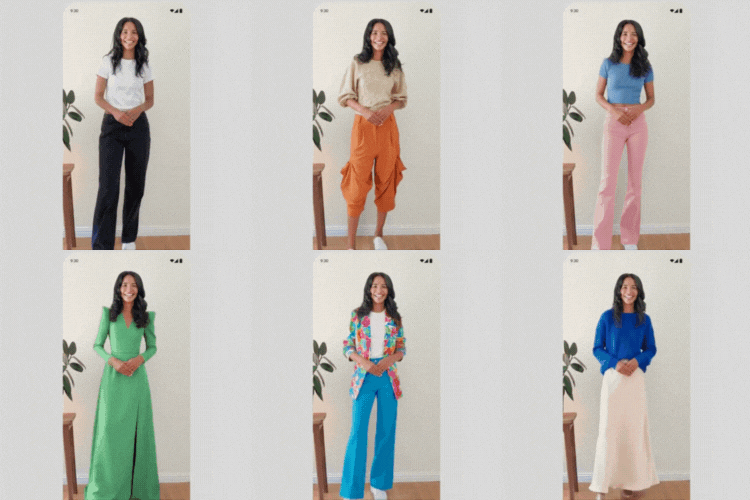
A customizable “Try It On” button appears on your product pages, right next to Add to Cart. Shoppers upload a photo (or reuse their saved Digital Mannequin) and see exactly how the garment looks on their own body — not on a model who looks nothing like them.
1-click try-ons across your whole store — logged-in shoppers securely save face and body photos once, then try on anything.
True-to-size fit — pair try-ons with real garment measurements so shoppers see (or get warned about) sizes that run tight or loose. Fewer sizing mistakes, fewer returns, less bracketing.
Works with your theme — hooks into standard WooCommerce templates automatically.
An AI photo studio for store owners
The Virtual Photoshoot dashboard turns a flat lay, hanger shot, or plain packshot into studio-quality on-model imagery in minutes:
Generate catalog images from your existing WooCommerce product photos or raw garment uploads.
Choose an AI model, upload your own model, or create clean ghost mannequin shots.
Describe any custom background or scene in plain words.
Magic Edit — change pose, aspect ratio, resolution, and photography style after generation.
No studio rental, no model fees, no reshoots when your catalog changes.
Built-in size charts
Create reusable size charts (tops, bottoms, dresses, outerwear, swimwear, eyewear, headwear) with real garment measurements per size. Assign them to products in bulk, override values per product, and let shoppers optionally add their own measurements (cm or inches) for a realistic fit.
Privacy-first by design
Explicit consent checkboxes for both shoppers and admins — no data reaches the AI engine without agreement.
Shopper photos live on your own server, auto-deleted after 7 days; shoppers can delete their data anytime from My Account.
Images are processed in memory and discarded by the API immediately after generation — never used to train AI models.
Perfect for
Apparel & clothing stores
Eyewear & glasses
Baby & kids clothes
Jewelry
Other use cases
All features
Shopper Virtual Try-On: customizable “Try It On” button on WooCommerce product pages.
Digital Mannequin: shoppers securely save photos for 1-click try-ons store-wide.
Admin Virtual Photoshoot: generate product catalog images from products or raw garment uploads.
AI Models & Ghost Mannequins: original model, your own model, a generated AI model, or invisible ghost mannequins.
Custom Backgrounds: describe any scene to place your models in.
Magic Edit: alter pose, aspect ratio, resolution, and photography style.
Size Charts & True-to-Size Fit: reusable charts with per-size garment measurements, bulk assignment, per-product overrides.
Shopper Measurements (optional): private body measurements for realistic fit rendering and sizing advice.
Usage Controls: daily try-on limits to protect your API budget.
Privacy-First Design: built-in legal consent flows for shoppers and admins.
Learn more
How AI virtual try-on works in WooCommerce
Creating product images without models
Reducing clothing return rates
Plans and pricing
External Services
This plugin relies on the AnyDress AI SaaS platform (https://anydress.ai) to process and generate images. An active AnyDress AI API key is required to use this plugin.
What the service is used for: The AnyDress AI API provides the artificial intelligence engine required to “clothe” a digital mannequin with a product image and to generate studio-quality catalog photoshoots.
What data is sent and when:
Shopper Try-On: Only after a logged-in user gives explicit consent via a checkbox, their uploaded photos (Face/Body) and the WooCommerce product image are converted to Base64 and sent to the AnyDress AI endpoint.
Optional Fit Data: If the shopper voluntarily enters body measurements, those numbers (together with the store’s garment measurements for the selected size) are sent alongside the try-on request to render a realistic fit. Measurements are never required.
Admin Photoshoot: Only after the administrator confirms rights to the images, the selected garment and model photos are sent to the API.
Verification & Task Status: The store domain, license key, and generation task IDs are sent to verify subscription status, usage limits, and to retrieve finished images.
Data Handling & Privacy: Images are processed in secure server memory to generate the result and are immediately discarded by the API upon completion. User data is confidential and never used to train AI models.
Terms & Privacy Links:
Terms of Service: https://anydress.ai/terms-of-service/
Privacy Policy: https://anydress.ai/privacy-policy/