
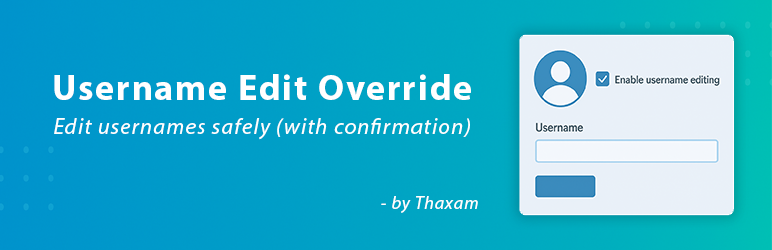
內容簡介
總結:Allow Username Edit 外掛提供了一個安全且使用者友善的方式,讓 WordPress 管理員編輯使用者帳號名稱。它覆蓋了 WordPress 預設防止更改使用者名稱以維護數據完整性的限制,並添加了一個重要的安全功能:啟動核選方塊。
問題與答案:
1. Allow Username Edit 外掛的主要功能有哪些?
- 安全的帳號名稱編輯:需要勾選啟動核選方塊,以防止意外編輯。
- 使用者友善的介面:與 WordPress 使用者個人資料和編輯畫面無縫整合。
- 動態說明文字:在帳號名稱欄下的描述會動態更新,以通知管理者是否啟用或保護編輯。
- 設定頁面:在「設定 > 帳號名稱編輯」下包含一個專用設定頁面,提供外掛資訊、使用說明,以及支援未來開發的連結。
- 安全與合規:遵循 WordPress 最佳實踐,包括使用 nonce、正確的權限檢查,以及一致的文字域以進行國際化。
2. 誰適合使用 Allow Username Edit 外掛?
- 需要彈性修正帳號名稱錯誤或依據使用者要求更新帳號名稱的網站管理者。
外掛標籤
開發者團隊
原文外掛簡介
The Allow Username Edit plugin provides a secure and user-friendly way for WordPress administrators to edit user usernames. By default, WordPress prevents username changes to maintain data integrity. This plugin overrides that limitation but adds a crucial safety feature: an activation checkbox.
The username field is read-only by default, protecting it from accidental edits. To make a change, an administrator must explicitly check the “Activate username editing” box. This two-step process ensures that every username change is intentional.
Key Features:
* Safe Username Editing: Prevents accidental edits by requiring an activation checkbox to be checked.
* User-Friendly Interface: Integrates seamlessly into the WordPress user profile and user edit screens.
* Dynamic Help Text: The description below the username field updates dynamically to inform the admin whether editing is enabled or protected.
* Settings Page: Includes a dedicated settings page under “Settings > Username Edit” with plugin information, usage instructions, and a link to support future development.
* Secure and Compliant: Follows WordPress best practices, including the use of nonces, proper permission checks, and a consistent text domain for internationalization.
This plugin is ideal for site managers who need the flexibility to correct username typos or update usernames upon user request, without compromising on safety.











