內容簡介
這是 WordPress 的第一個外掛程式,擁有以下主要需求:
區塊元素選擇、拖曳圖像到區塊、禁止右鍵複製/貼上、阻擋 Console / Inspect Element 偵錯工具
外掛程式特色
區塊元素選擇
拖曳圖像到區塊
禁止右鍵複製/貼上
阻擋 Console / Inspect Element 偵錯工具
外掛標籤
開發者團隊
② 後台搜尋「All in One Content Protector & Security」→ 直接安裝(推薦)
原文外掛簡介
All in One Content Protector & Security checks how secure your WordPress site really is. It explains each problem in plain language, shows the evidence it found and how to fix it, and can fix many problems for you once you confirm.
It is built to be safe on a live site:
Scans only read your site.
Nothing is changed until you confirm a fix, and every fix can be undone.
Every protection is off until you switch it on.
Your files, database and plugin list never leave your server.
Security overview
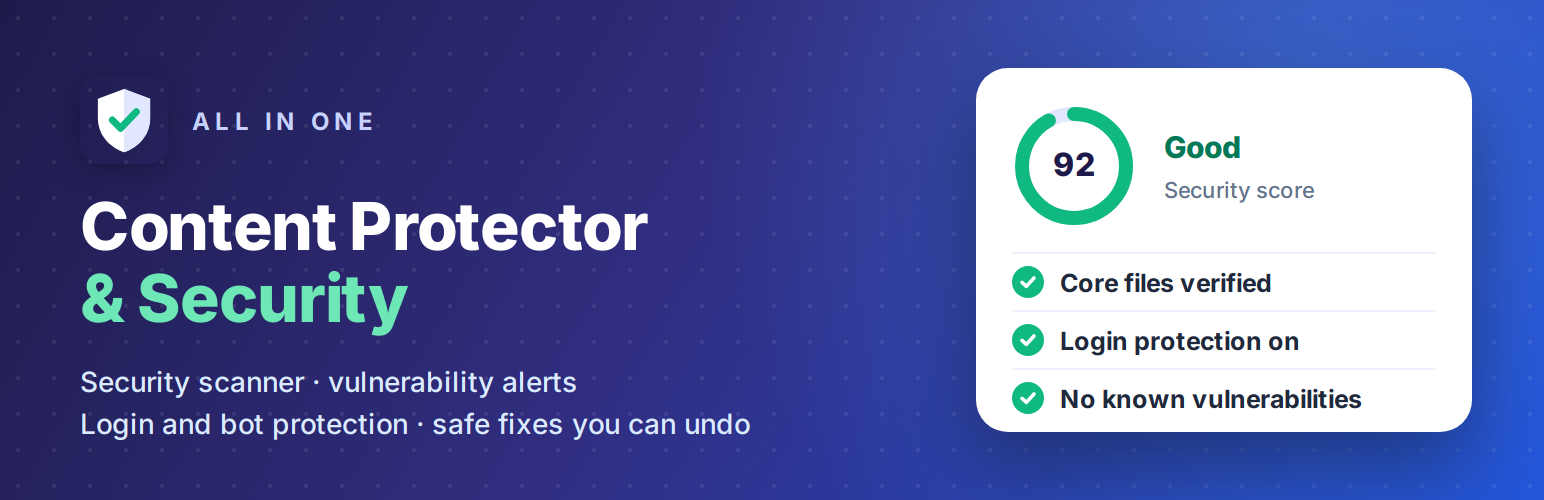
A security score out of 100, with its history.
Open issues by severity (critical, high, medium, low) and the number of passed checks.
The status of WordPress, PHP, the database and HTTPS.
Recent security events and suspicious traffic.
Recommended next steps.
Every issue has its own page with:
what was found, and the evidence
why it matters
step-by-step instructions, with links to official documentation
the issue’s history
An issue is marked as solved only when a new scan confirms the problem is gone. You can also accept a risk with a note; it reopens automatically if the evidence changes.
Security scanner
77 read-only checks in eight areas:
WordPress:
updates and automatic security updates
core files compared with the official WordPress.org checksums
keys and salts, debug settings and the file editor
user registration with privileged roles
user name exposure
PHP:
supported version (end-of-life detection)
error display, dangerous settings and functions
whether PHP can run in the uploads folder
Database:
server version and connection encryption
excessive privileges of the database user
administrators hidden from the user list or created outside WordPress
malicious code stored in settings
Passwords are never displayed.
Files:
wp-config.php permissions and exposure
writable files and PHP files in uploads
suspicious .htaccess and .user.ini rules
downloadable backups and database dumps
forgotten phpinfo pages and database tools
File changes:
Plugins from WordPress.org are compared with their official checksums.
Themes, premium plugins, must-use plugins and drop-ins are compared with a baseline.
Changes made by updates are accepted automatically.
Plugins and themes:
available updates
known vulnerabilities, with the version that fixes them
plugins closed on WordPress.org, and unmaintained or unused extensions
A plugin is never called vulnerable just because it is old or inactive.
Web server:
HTTPS and certificate expiry
security headers and CORS settings
directory listings and version disclosure
Traffic: ongoing login attacks, XML-RPC abuse, and proxies that are not set up.
Scans run in short steps, so they never time out. You can cancel and resume them, and they continue in the background. Run a quick scan, a full scan or a scan of one area, or schedule daily or weekly scans. A check that cannot run is reported as “could not check”, never as passed.
Vulnerability alerts
Add a free Wordfence Intelligence API key and the plugin downloads the vulnerability database once a day. It compares the database with your plugins, themes and WordPress version on your server, so your plugin list is not sent anywhere. Developers can add other data sources.
Login, bot and traffic protection
All of these are off until you switch them on:
Login protection. Temporary blocks after repeated failed logins, longer for repeat offenders. Blocks always expire, unless you add one yourself.
XML-RPC control. Disable pingbacks, block system.multicall, or turn XML-RPC off completely. This works on every server, including Nginx.
Bot blocking. Block repeated probing for sensitive files, floods of “page not found” requests, known attack tools and fake search engine crawlers. Crawlers are checked by their published addresses or by reverse DNS, never by the user agent alone.
Security headers. Sent by PHP on every server. The Content-Security-Policy starts in report-only mode and comes with a compatibility check against your home page.
Hardening. Disable the file editor, hide PHP errors, and hide user names and the WordPress version from visitors.
Allowlist and manual blocks. Cloudflare and proxy support, and an emergency safe mode.
The plugin takes care not to block real visitors:
Logged-in administrators and allowlisted addresses are never blocked.
If another website makes a visitor’s browser send requests to your site, those requests never get the visitor blocked.
A proxy or CDN address shared by many visitors is never blocked automatically.
These protections work inside WordPress and reduce automated attacks. They cannot stop network floods (DDoS); that needs protection from your host or CDN.
Safe fixes you can undo
Many issues have an Apply fix button. Before anything changes you see:
the problem and the exact change
the expected impact
the backup that will be made, and how to undo the change
You have to confirm before anything is changed.
Changes to .htaccess are backed up, tested with a request to your site, and reverted automatically if the site returns an error.
Every fix can be undone from the change history.
The plugin never changes file permissions, PHP versions, database privileges, or plugin and theme files.
Alerts and reports
E-mail alerts for new issues (each issue only once), new administrator accounts and repeated login attacks.
Daily or weekly summaries.
A printable report.
CSV exports of issues and events, and JSON exports of scans.
A Site Health test.
WP-CLI commands (wp aowpcs).
Content protection
Block text selection, image dragging, right-click and the browser console. You can choose not to apply these to logged-in editors and administrators.
This makes casual copying less convenient. Anything a browser shows can still be saved by a determined visitor, so treat it as a deterrent, not a security measure.
External services
The plugin contacts these services only when the related feature is turned on.
WordPress.org (api.wordpress.org, downloads.wordpress.org)
Used for: official checksums of WordPress and of WordPress.org plugins, plugin and theme directory information, and WordPress’ own update checks.
Data sent: your WordPress version and language, and the names and versions of your installed plugins and themes.
Turned on by: “WordPress.org lookups” in Security → Settings.
Privacy policy
Wordfence Intelligence (www.wordfence.com)
Used for: the vulnerability database. It is downloaded and compared on your server.
Data sent: your API key and, as with any download, your server’s IP address.
Turned on by: entering an API key.
Terms · Privacy policy
Google and Bing (developers.google.com, www.bing.com)
Used for: the published address ranges of their crawlers. Nothing about your site is sent.
Turned on by: crawler verification.
Google privacy policy · Microsoft privacy statement
Cloudflare (www.cloudflare.com)
Used for: Cloudflare’s published address ranges. Nothing about your site is sent.
Turned on by: the Cloudflare preset.
Privacy policy
Your DNS resolver
Used for: reverse DNS lookups of addresses that claim to be search engine crawlers.
Turned on by: crawler verification.
Your own site
Used for: checking what visitors can reach (exposed files, headers, directory listings), by requesting your own pages.
Privacy
Traffic monitoring is off by default. When you turn it on, the plugin stores the following, for suspicious requests only:
the time
the IP address, shortened by default
the request method, and the path without the query string
the HTTP status
the user agent
why the request was flagged
For failed logins it stores only whether the account exists, never the user name or password. Passwords, cookies, authorization headers and request bodies are never stored.
Events are deleted after 30 days; you can change this. Administrator logins are recorded with the user ID; you can turn this off.