內容簡介
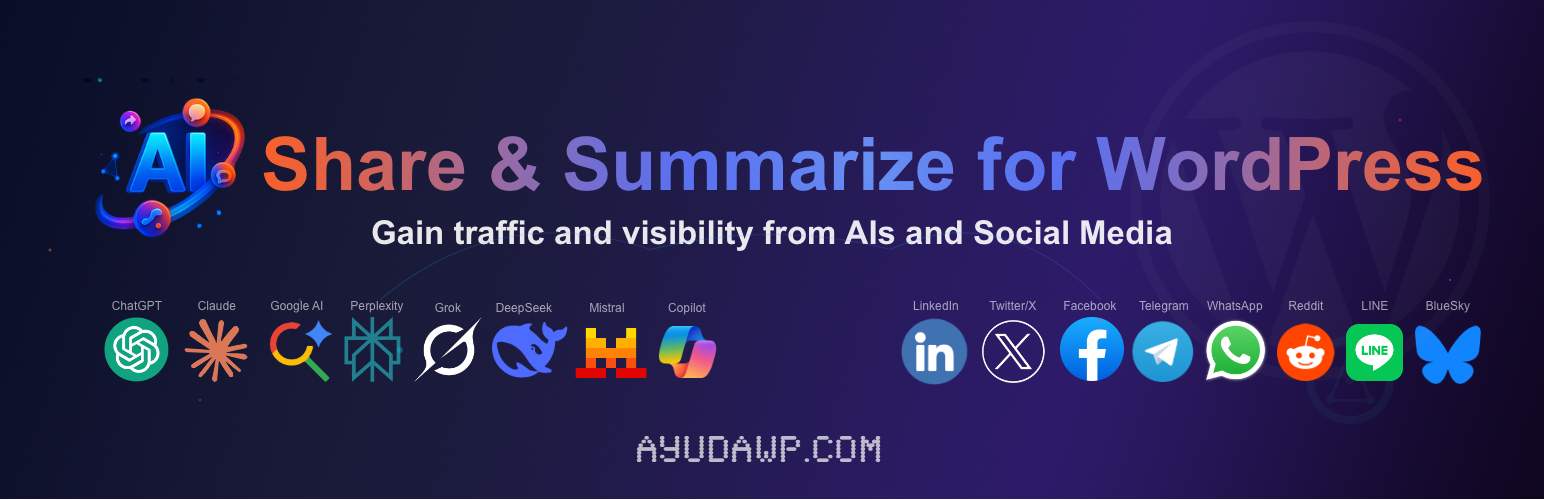
AI Share & Summarize 是一款免費的 WordPress 外掛,結合傳統社交媒體分享與生成摘要的創新功能,並引用來源於頂尖人工智慧,幫助用戶擴大內容的影響力。
【主要功能】
• 支援多種社交媒體平台分享
• 整合多種人工智慧生成摘要
• 自訂按鈕樣式與顏色選擇
• 點擊分析儀表板追蹤數據
• CSV 匯出分析數據
• 智能自動插入按鈕位置
外掛標籤
開發者團隊
📦 歷史版本下載
原文外掛簡介
AI Share & Summarize is the first free plugin published in WordPress.org that combines traditional social media sharing with the innovative functionality of generating summaries while citing the source in the top artificial intelligences.
Main features
Social networks: X (Twitter), LinkedIn, Facebook, Telegram, WhatsApp, Email, Raindrop, Reddit, Bluesky, LINE, Mastodon, Threads, Pinterest
Artificial intelligences: Claude, ChatGPT, Google AI, Gemini, Grok, Perplexity, DeepSeek, Mistral AI, Microsoft Copilot, Qwen, Meta AI
Official brand icons: High-quality SVG icons sourced from Simple Icons for accurate brand representation
Visual customization: 6 button styles, 4 sizes, custom colors via color picker, and configurable button order
Section titles: Optional separate headings for AI and Social button groups
Individual exclusion: Hide buttons on specific posts or pages using a simple meta box
Click analytics dashboard: Track button clicks by platform and content with timeline charts
Period comparison: Compare analytics with previous period, same period last year, or custom dates
CSV export: Download analytics data or timeline summaries as CSV files for analysis in Excel or Google Sheets
Dashboard widget: Quick stats overview with 7-day sparkline directly on the WordPress dashboard
VigIA integration: Cross-reference click data with AI crawler visits when VigIA plugin is active
SEO plugin integration: Automatically exclude noindex content (Yoast, Rank Math, All in One SEO, SEOPress, The SEO Framework, NoIndexer)
SEO optimization options: Choose between links with nofollow or
Why use this plugin?
This plugin helps you:
Generate natural backlinks: When users summarize your content with AI, they cite your source
Increase your reach: Combine traditional social sharing with AI power
Build authority: Your content becomes a reference source for future queries
Boost engagement: Users can interact with your content in multiple ways
Optimize SEO: Choose the HTML element type that best fits your SEO strategy
Stay ahead: Be among the first to leverage AI for content distribution
Modern appearance: Icons-only mode provides a sleek, professional look
Global reach: Support for LINE, Mastodon, and Threads brings access to diverse communities
Fine control: Exclude specific pages or noindex content automatically
Brand consistency: Custom colors and official brand icons match any site design
Advanced configuration
Smart automatic insertion: Choose exactly where to insert buttons (before, after, both, or disabled)
Content type control: Select specific post types from all registered in your WordPress
Individual exclusion: Hide buttons on any post or page using a meta box checkbox
SEO integration: Automatically hide buttons on noindex content
Custom AI prompt: Optimize the message sent to AIs for better summaries with citation
Custom title text: Configure the text shown before buttons or hide it completely
Section titles: Set separate headings for AI and Social button groups
Title style control: Choose between h3, h4, h5, h6 or span for the title element
SEO optimization: Choose between traditional links or button elements for better link profile control
X (Twitter) mentions: Configure your profile for automatic mentions in shares
Mastodon instance: Set your Mastodon server for federated sharing
Custom additional text: Add personalized text to AI prompts
Visual styles: 6 predefined styles including outline and custom colors
Button sizes: Compact, normal, large, or fluid width
Custom colors: Background and text color picker for full brand control
Advanced icon system: Show icons with text, icons-only mode, circular or square icons
Button ordering: Organize buttons as social first, AI first, or mixed, with drag & drop reordering within each group
Button alignment: Choose left or centered alignment for a cleaner design
Data management: Configure retention period (1 month to forever), manual data deletion, and optional cleanup on uninstall
Shortcode flexibility: Use [ayudawp_share_buttons] anywhere with extensive parameters
SEO features
Link element control: Choose between links with nofollow or
Analytics features
Click tracking: Every button click is recorded with platform, post, and date
Timeline chart: Visualize total clicks over time with a daily breakdown
Per-platform timeline: See each platform’s performance in the same chart with brand colors and interactive legend
Period comparison: Compare current data with the previous period, same period last year, or a custom date range
Comparison indicators: Stat cards show percentage change with color-coded arrows when comparison is active
Comparison chart: Timeline switches to total view with a dashed overlay line and a detailed two-column tooltip
Platform breakdown table: Ranked list of platforms by total clicks with paginated navigation
Content performance table: Ranked list of posts and pages by total clicks with direct links and paginated navigation
Platform type badges: Visual distinction between Social and AI platforms in all tables
Date range filters: Filter data by 7, 15, 30, 90, 180, 365 days or a custom date range
CSV export dropdown: Export the full dataset (current period) or a daily timeline summary, with comparison columns when active
Dashboard widget: 7-day sparkline chart and top platforms summary on the WordPress admin homepage
VigIA integration: When VigIA plugin is active, cross-reference your share clicks with AI crawler visits
Cached queries: Analytics queries are cached for 5 minutes and compatible with Redis and Memcached
REST API: Lightweight endpoints power all analytics views without full page reloads
Icon system features
Official brand icons: Accurate SVG paths from Simple Icons for recognizable platform representation
Icons-only style: Modern button design showing only platform icons
Icons with text: Add recognizable icons to the left of button text in any style
Responsive design: Icons automatically adapt size and layout for mobile devices
Lightweight SVG: Ultra-optimized icons for minimal performance impact
Smart tooltips: Platform names appear on hover for ALL buttons
Flexible shapes: Choose between circular or square corners for icons-only buttons
Consistent sizing: Same dimensions for both link and button elements
Special AI features
Multiple AI platforms: Support for 11 different AI services
Gemini integration: Automatically copies prompt to clipboard and opens Gemini
DeepSeek integration: Automatically copies prompt to clipboard and opens DeepSeek
Copilot integration: Automatically copies prompt to clipboard and opens Copilot
Qwen integration: Copies prompt to clipboard and opens Alibaba’s AI assistant
Meta AI integration: Copies prompt to clipboard and opens Meta’s AI assistant
Optimized prompts: Pre-configured messages for best summary results with citation
Direct links: Each AI opens with the complete prompt ready to process
Source citation: All prompts automatically include your content URL as source
Language support: Configure prompts to request responses in any language
Compatibility
Supports any WordPress theme following standards
Works with Custom Post Types automatically
Optimized for WooCommerce products
Compatible with page builders (Elementor, Gutenberg, etc.)
Multi-language ready with automatic translations
No external dependencies or conflicts
Compatible with major SEO plugins
Advanced Usage
Shortcode parameters
The [ayudawp_share_buttons] shortcode accepts several parameters:
buttons: Comma-separated list of buttons to display
– Example: [ayudawp_share_buttons buttons="claude,chatgpt,deepseek,twitter,mastodon"]
– Available: twitter, linkedin, facebook, telegram, whatsapp, email, raindrop, reddit, bluesky, line, mastodon, threads, pinterest, claude, chatgpt, google_ai, gemini, grok, perplexity, deepseek, mistral, copilot, qwen, meta_ai
style: Visual style to use
– Example: [ayudawp_share_buttons style="outline"]
– Options: minimal, brand, outline, dark, custom, icons-only
size: Button size preset
– Example: [ayudawp_share_buttons size="compact"]
– Options: compact, normal, large, fluid
show_icons: Show icons with text (for non-icons-only styles)
– Example: [ayudawp_share_buttons show_icons="true" style="brand"]
– Options: true, false
icon_style: Icon corner style (for icons-only mode)
– Example: [ayudawp_share_buttons style="icons-only" icon_style="circular"]
– Options: circular, square
alignment: Button alignment
– Example: [ayudawp_share_buttons alignment="center"]
– Options: left, center
show_title: Show or hide the section title
– Example: [ayudawp_share_buttons show_title="false"]
– Options: true, false
title_text: Custom title text
– Example: [ayudawp_share_buttons title_text="Share this content"]
title_style: Title HTML element
– Example: [ayudawp_share_buttons title_style="h3"]
– Options: h3, h4, h5, h6, span
ai_title: Section title for AI buttons group
– Example: [ayudawp_share_buttons ai_title="Summarize with AI"]
social_title: Section title for social buttons group
– Example: [ayudawp_share_buttons social_title="Share on social media"]
Combined examples:
[ayudawp_share_buttons buttons="claude,deepseek,twitter" style="brand" show_icons="true"]
[ayudawp_share_buttons style="icons-only" icon_style="circular"]
[ayudawp_share_buttons show_title="true" title_text="Share or Summarize" title_style="h3"]
[ayudawp_share_buttons ai_title="Summarize with AI" social_title="Share" style="outline" show_icons="true"]
[ayudawp_share_buttons buttons="chatgpt,qwen,meta_ai,mastodon,threads" size="compact" style="brand"]
[ayudawp_share_buttons style="icons-only" icon_style="square" size="large"]
[ayudawp_share_buttons size="fluid" style="outline" show_icons="true"]
CSS Customization Guide
Since version 1.6.0, the plugin uses CSS custom properties for all brand colors. You can override these in your theme to change any platform color globally:
Override platform colors:
.ayudawp-share-buttons {
–ayudawp-claude: #ff0000;
–ayudawp-chatgpt: #00ff00;
}
Main container classes:
– .ayudawp-share-buttons – Main wrapper container
– .ayudawp-buttons-container – Direct container for all buttons
– .ayudawp-title – Title element before buttons
– .ayudawp-section-title – Section title with extra top margin
– .ayudawp-aiss-centered – Applied when centered alignment is enabled
Button classes:
– .ayudawp-share-btn – Base class for all buttons (both and
Hide only the top separator:
.ayudawp-share-buttons {
border-top: none;
}
Replace with your own style:
.ayudawp-share-buttons {
border-top: 2px dashed #ccc;
border-bottom: 2px dashed #ccc;
}
Important notes:
– Since v1.6.0, !important is no longer needed for most overrides
– Use CSS custom properties to change brand colors cleanly
– Test on both desktop and mobile viewports
– Icons-only buttons have fixed dimensions (44px default, 36px compact, 54px large)
Technical Details
System requirements
WordPress 5.0 or higher
PHP 7.4 or higher (compatible up to PHP 8.4)
Theme compatible with wp_head() and wp_footer()
Performance features
Modular file structure for maximum efficiency
Selective loading of resources (CSS/JS only where buttons display)
No external dependencies
Optimized CSS with custom properties and minimal specificity
Lightweight SVG icons (under 1KB each)
Minimal database impact: analytics queries are cached (5 min) and compatible with persistent object cache (Redis, Memcached)
Smart responsive layouts
REST API for lightweight analytics data retrieval
Developer features
Clean, documented code
WordPress coding standards compliant
Hook-based architecture
Modular class structure in /includes folder
Extensible icon system using Simple Icons
Translation ready
Comprehensive shortcode API
SEO-friendly markup options
Post meta for individual exclusions
Centralized platform color definitions
Support
Need help or have suggestions?
Official website
WordPress support forum
YouTube channel
Documentation and tutorials
Love the plugin? Please leave us a 5-star review and help spread the word!
About AyudaWP
We are specialists in WordPress security, SEO, and performance optimization plugins. We create tools that solve real problems for WordPress site owners while maintaining the highest coding standards and accessibility requirements.