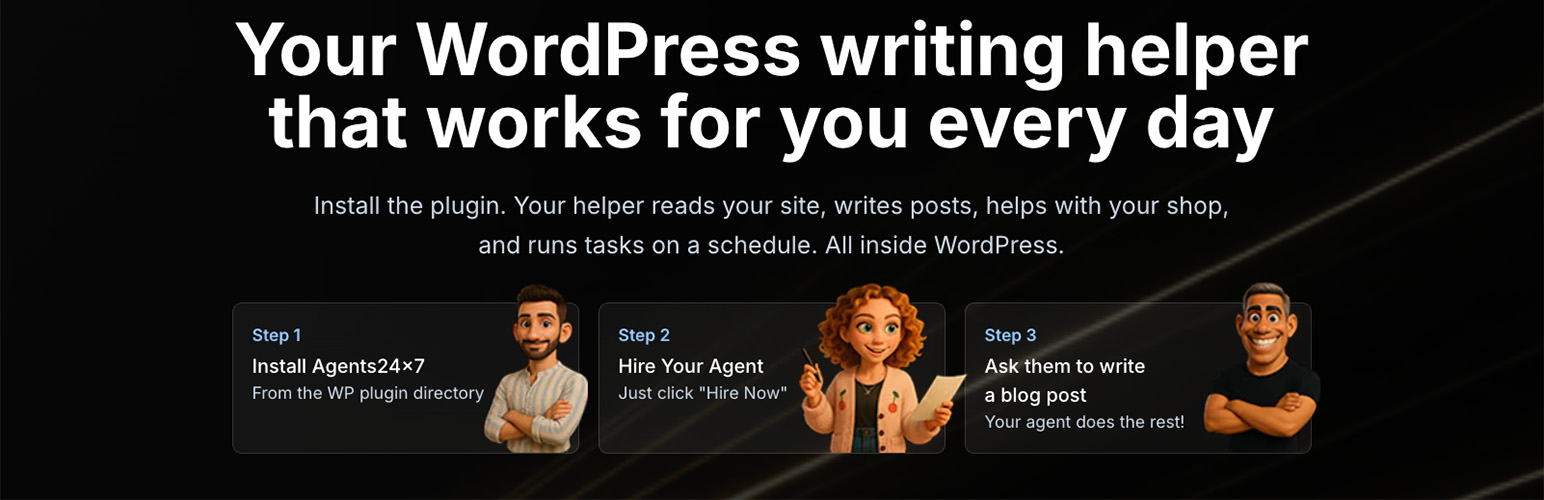
內容簡介
```html
<ul>
<li><strong>智能 AI 助手</strong>:能夠全天候協助您建立、管理和優化內容,讓您的 WordPress 站點煥然一新。</li>
<li><strong>不需技術技能</strong>:只需安裝、連接,即可與您的數位助手開始對話,無需任何技術技能。</li>
</ul>
```
### 問題與答案:
1. 問:Agents24x7 提供了什麼功能?
答:Agents24x7 的 AI 助手可以進行以下任務:
- 選擇您喜歡的主題撰寫部落格文章
- 研究您行業中的熱門話題
- 優化內容以提高 SEO,吸引更多訪客
- 管理您的 WooCommerce 商店,包括商品、訂單和庫存
- 記住您的喜好並自動遵循您的規則
- 按計劃工作:設定重複任務,自動完成工作
- 隨時回答有關您網站的問題
- 在您遇到困難時提供內容創意幫助
2. 問:為什麼您會喜歡上這個 AI 助手呢?
答:以下是一些您將喜歡的原因:
- 簡單易用的設置程序:只需 3 個簡單點擊即可完成:
1. 安裝外掛
2. 註冊免費帳戶
3. 與您的新 AI 助手見面
- 與 AI 助手交談:像與朋友發短信一樣與您的 AI 助手對話,用簡單易懂的英語提問立即獲得有用的答案
- 在您睡覺時工作:AI 助手不停止工作,設定晚上的任務,早上醒來就能看到新鮮內容等待您查看。設定重複任務,您的助手將自動處理它們。
- 記住所有事情:告訴您的助手您的喜好一次,它將永遠記住。例如:「始終以友好的口吻撰寫」、「永遠不要提及競爭對手」或「自動於星期二發佈部落格文章」- 您的助手會學習並遵循您的規則
- 完全安全與保密。
外掛標籤
開發者團隊
② 後台搜尋「Agents24x7: store evidence and draft work for WordPress」→ 直接安裝(推薦)
原文外掛簡介
Agents24x7 connects your WordPress site to an AI agent in the WordPress dashboard. Ask questions about available site information, request article or product copy, and review proposed work before it changes your site.
Articles are saved as drafts and wait for your approval. Proposed store changes also wait for approval. You stay in control of what is applied or published.
Features
Chat with your agent from the WordPress dashboard.
Use available WordPress and WooCommerce information as context for questions and content requests.
Prepare article and product copy drafts for review.
Connect Google Search Console to include available search evidence in recommendations.
Connect Telegram as an additional chat channel.
View usage as a percentage in the plugin.
Offer shopper support chat on your site when a Support Agent is set up. The plugin adds the chat automatically, with a switch in WordPress to turn it off.
Suspend, resume, or remove your agent from WordPress.
Plans
Free: one approved work item for your organisation
Starter: $19 a month or $120 billed yearly
Growth: $49 a month or $240 billed yearly
Pro: $99 a month or $600 billed yearly
Payments are not refundable. Cancel any time; your plan runs to the end of the period you paid for. Yearly subscriptions are not refunded pro rata.
Usage is displayed as a percentage.
Try These Prompts
“Draft an article about {topic} in a friendly, practical tone.”
“Review this product description and suggest improvements.”
“What does the available search evidence say about my site?”
“Summarise the available information about my WooCommerce orders.”
WordPress AI and MCP
Works with WordPress AI and any MCP client.
On WordPress 6.9 or later, a connected site provides three abilities:
agents24x7/list-agents, agents24x7/ask-agent and agents24x7/pending-drafts.
Older WordPress versions continue to work without these abilities.
The abilities are private by default. To use them from an MCP client, install and
configure the WordPress MCP Adapter with authenticated administrator access. Ask
your site developer to opt in each desired ability using the
wp_register_ability_args filter: for that exact ability name, set
$args[‘meta’][‘mcp’][‘public’] = true. Opt in only the abilities you need, then
connect your MCP client to the adapter’s authenticated endpoint. Each call still
requires manage_options and the site’s existing Agents24x7 connection.
Messages request work as the site owner. They cannot approve, publish or make live
site changes. Review drafts and approve proposed changes in Agents24x7.
Privacy
This plugin connects to Agents24x7 services to provide agent features. Site information needed for a request is sent to the service to perform that request. No payment card details are stored by this plugin. See the Agents24x7 privacy policy for more information.