
內容簡介
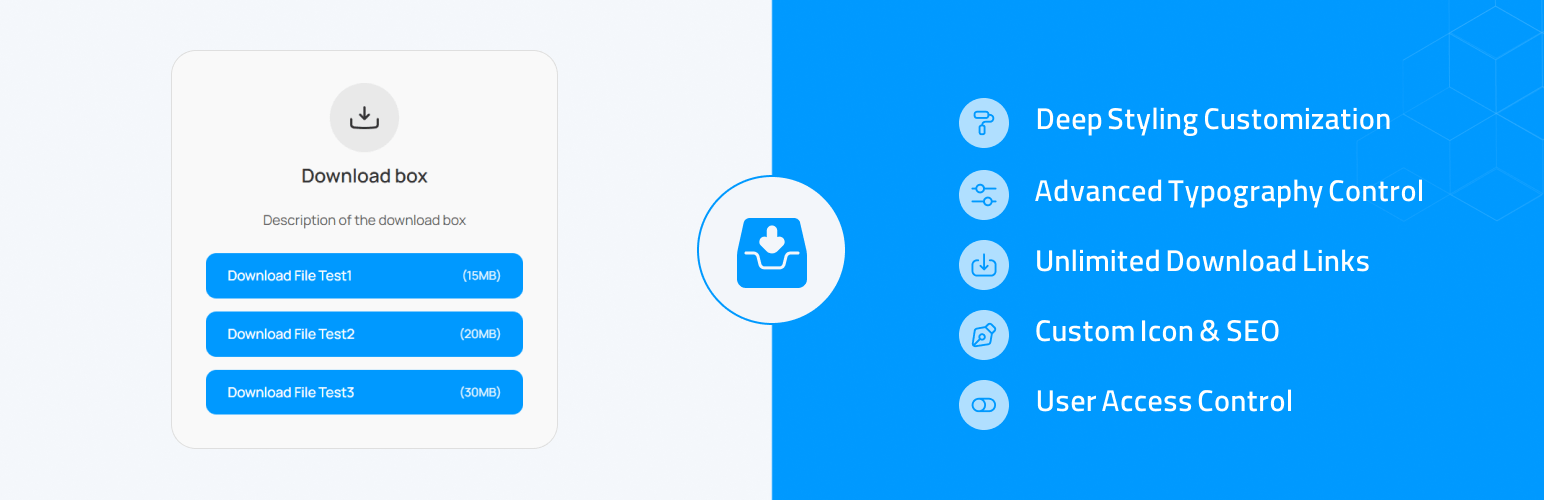
總結:Advanced Download Box 是一個功能強大且靈活的外掛,可以讓您在任何文章或頁面上添加專業外觀的下載框。
擺脫了簡單的、未設計風格的連結時代。透過直觀的設置面板,您可以控制下載框的外觀的每個方面—從顏色和邊框到字體和圖標—完美配合您的網站設計。
不管您是想提供可下載的資源、PDF 檔案或是任何其他類型的檔案,這個外掛提供了一個乾淨且用戶友好的解決方案。
您可以在單一框中添加多個連結,加入描述,甚至要求使用者登入才能看到下載連結。
HTML 要求:
<ul>
<li>擴展式樣式控制:自訂下載框的顏色、邊框、填充(分為桌面和行動裝置),以及半徑。</li>
<li>進階排版:個別設置框標題、描述和下載按鈕的字體大小和粗細。</li>
<li>靈活內容:</li>
<ul>
<li>使用重複器字段,添加具有自訂標題和 URL 的無限下載連結。</li>
<li>在每個下載連結旁邊添加可選的檔案大小。</li>
<li>在下載框中撰寫自訂描述。</li>
</ul>
</ul>
外掛標籤
開發者團隊
原文外掛簡介
Advanced Download Box is a powerful and flexible plugin that allows you to add professional-looking download boxes to any post or page.
Gone are the days of simple, unstyled links. With an intuitive settings panel, you can control every aspect of the download box’s appearance—from colors and borders to typography and icons—to perfectly match your website’s design.
Whether you want to offer downloadable resources, PDF files, or any other type of file, this plugin provides a clean and user-friendly solution.
You can add multiple links to a single box, add descriptions, and even require users to log in before they can see the download links.
The plugin gives you the choice of automatically displaying the box at the end of your posts or placing it anywhere you like with a simple shortcode.
Key Features:
Extensive Styling Controls: Customize colors, borders, padding (separate for desktop and mobile), and radius for the download box.
Advanced Typography: Set the font size and weight for the box title, description, and download buttons individually.
Flexible Content:
Add unlimited download links with custom titles and URLs using a repeater field.
Add an optional file size next to each download link.
Write a custom description inside the download box.
Customizable Icon: Upload your own SVG icon, and control its background color, padding, and size.
A default download icon is included.
SEO Friendly: Choose the HTML tag for the box title (H2, H3, H4, etc.) to match your site’s heading structure.
User Access Control: Optionally restrict download links to be visible only to logged-in users, with a customizable message for guests.
Dual Display Modes: Display the download box automatically at the end of posts or manually place it anywhere with the [advanced_download_box] shortcode.
Modern Admin Interface: A clean, tabbed interface for the settings page makes management easy and intuitive.
Secure & Optimized: Built with WordPress coding standards, security best practices, and performance in mind.










