內容簡介
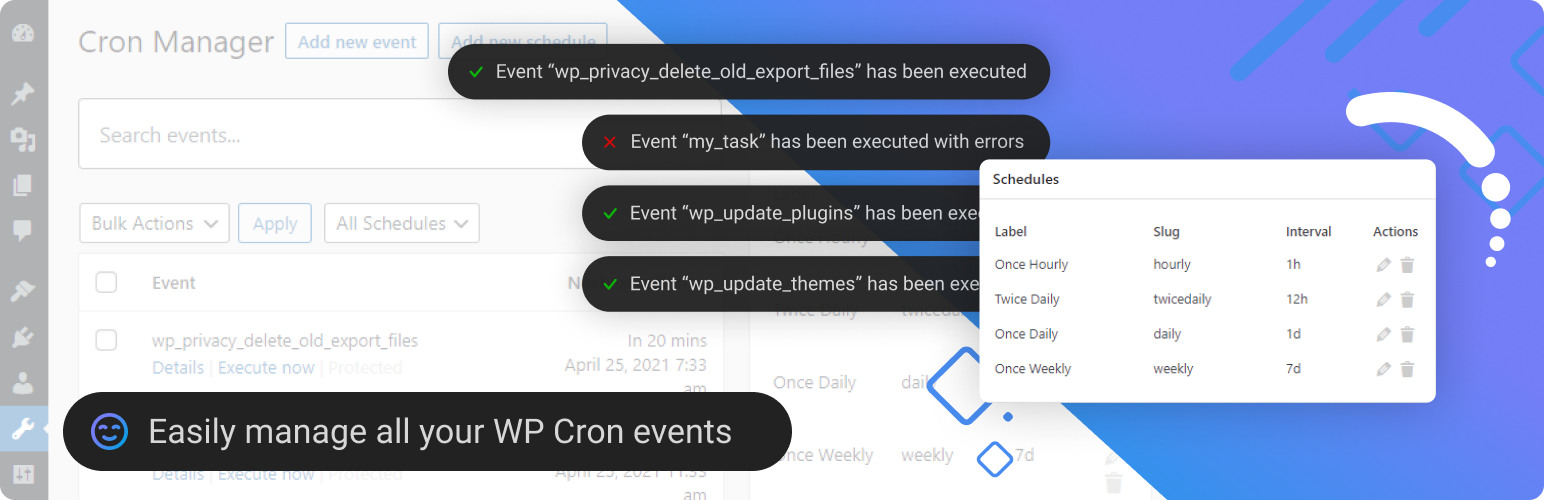
Advanced Cron Manager 讓您全面掌控 WordPress 的排程系統,提供每個排程任務的完整可視化,幫助您發現問題、修正錯誤,確保網站順利運行。
【主要功能】
• 查看所有排程事件
• 快速搜尋與過濾
• 手動執行事件
• 暫停與恢復事件
• 新增與移除事件
• 批次管理功能
外掛標籤
開發者團隊
② 後台搜尋「Advanced Cron Manager – debug & control」→ 直接安裝(推薦)
📦 歷史版本下載
原文外掛簡介
Take full control of your WordPress cron system. Advanced Cron Manager gives you complete visibility into every scheduled task running on your site — so you can find problems, fix them, and keep your site running smoothly.
WordPress relies on WP-Cron for critical background tasks: sending emails, publishing scheduled posts, running backups, syncing data, and more. But by default, you have zero visibility into what’s happening. Events fail silently, schedules pile up, and debugging is guesswork. Advanced Cron Manager changes that.
What you can do with the free version:
See every scheduled event — view all registered cron events with their hooks, arguments, schedules, and next execution times, all in one clean dashboard
Search and filter — quickly find the event you’re looking for, even on sites with hundreds of cron jobs
Run events manually — trigger any cron event on demand to test it or force an immediate execution
Pause and resume events — temporarily disable events without losing their configuration, perfect for troubleshooting
Add and remove events — create new cron events or unschedule ones you no longer need
Copy-paste PHP implementation — get ready-to-use code snippets for each event’s action hook and callback
Bulk actions — manage multiple events at once: remove, pause, or unpause in batch
Manage schedules — view, add, edit, and remove custom cron schedules (intervals)
Server Scheduler — disable WP-Cron’s default page-load triggering and get instructions for setting up a real server cron job for more reliable execution
Advanced Cron Manager PRO
The free version shows you what’s scheduled. PRO shows you what actually happened.
Without logging and diagnostics, cron issues are invisible until something breaks. PRO gives you the tools to monitor, debug, and optimize every cron job on your site.
Cron Logger — full execution history with timestamps and status for every event. Know exactly what ran, when it ran, and whether it succeeded or failed.
Performance Stats — execution time and peak memory usage tracked per event. Spot slow or resource-heavy cron jobs before they become a problem.
Error Catcher — automatically catches fatal errors thrown by cron callbacks and displays them in the log. No more silent failures.
Debug Tool — log custom data from inside your cron callbacks using do_action('advanced-cron-manager/log'). Get full visibility into what your code is doing during cron execution.
Event Rescheduling — change the next execution date and schedule of any event. Shift heavy tasks away from peak hours to balance server load.
Event Listeners — see every function and method hooked into each cron event. Understand exactly what code runs behind each hook.
Advanced Scheduling (Schyntax) — go beyond simple intervals. Schedule events for specific times like noon on the last day of the month, only on weekdays, every Tuesday and Friday, and more.
14-day money-back guarantee — no risk, no questions asked.
Get Advanced Cron Manager PRO
Good to know about WP-Cron
WordPress Cron is triggered by page visits, which means scheduled tasks may not run exactly on time on low-traffic sites. For precise timing, use the Server Scheduler feature to set up a real system cron job. Note: custom schedules added by this plugin are only available while the plugin is active. Events you create will continue to exist after deactivation.
Custom Development
BracketSpace — the company behind this plugin — provides custom WordPress plugin development services. We can build any custom plugin for you.