
前言介紹
- 這款 WordPress 外掛「WP Adminify – Custom WordPress Dashboard, Login and Admin Customizer」是 2021-02-17 上架。
- 目前有 6000 個安裝啟用數。
- 上一次更新是 2025-03-18,距離現在已有 45 天。
- 外掛最低要求 WordPress 4.0 以上版本才可以安裝。
- 外掛要求網站主機運作至少需要 PHP 版本 5.3 以上。
- 有 86 人給過評分。
- 論壇上目前有 15 個提問,問題解答率 80% ,不低,算是個很有心解決問題的開發者團隊了!
外掛協作開發者
jwthemeltd | litonice13 | masteraddons |
外掛標籤
admin columns | media folders | custom dashboard | login customizer | white label WordPress |
內容簡介
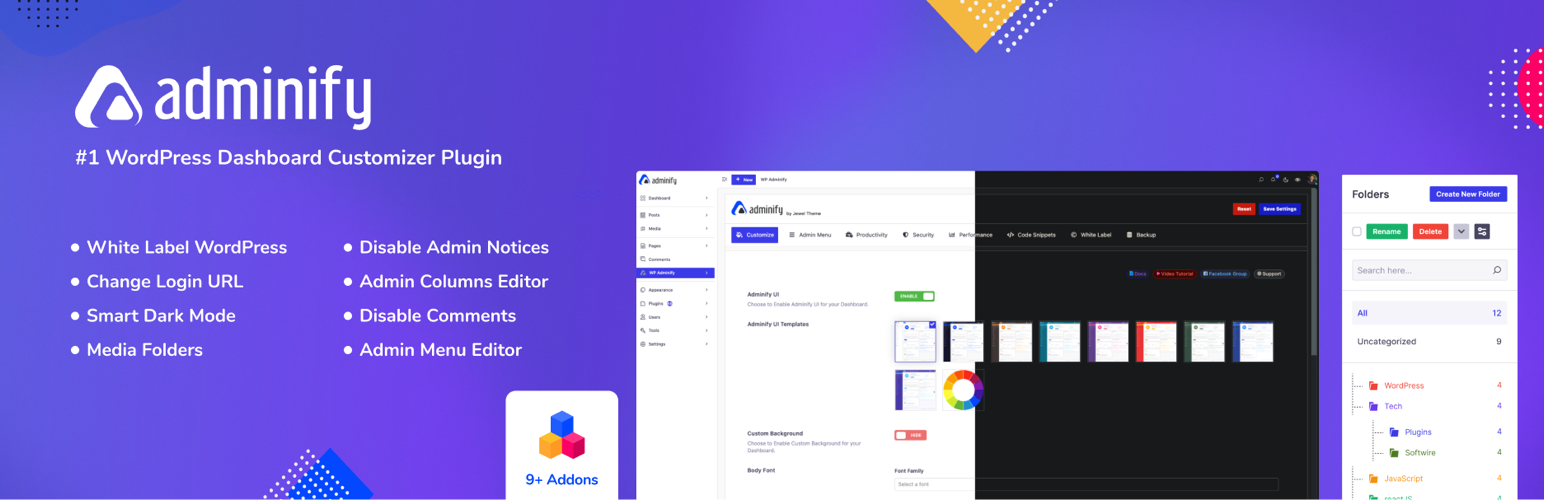
WP Adminify 這個外掛增強了 WordPress 控制台自定義的功能,並帶有20個以上的模組,如媒體文件夾、登錄頁面自定義、菜單編輯、管理欄、活動日誌、禁用管理員通知、WordPress 白標籤、管理頁面、Google Pagespeed Insights、自定義 CSS/JS 等等。它可以成為你最佳的選擇,因為它具有多個儀表板 UI 模板和輕量級的體積(4MB)。
WP Adminify 還附帶了一些預建的儀表板模板。只需點擊一個按鈕,即可更改 WordPress 管理區域的整個顏色方案。它還配有完美的設置嚮導,讓你可以啟用或禁用所有必要的模組、定義你網站的標誌等。
這個插件還有以下一些完善的功能:
- WordPress Dashboard White Label:這個免費的 WordPress 儀表板白色標籤模組可以幫助你更改管理面板和登錄畫面,通過隱藏或自定義它來控制你的管理頁尾版權文字,如果需要,可以添加自定義管理菜單並對現有的菜單項目進行特定用戶或用戶角色的限制。這個品牌插件通過幫助你添加自定義儀表板小部件或修改默認的歡迎面板來增強你的網站界面。你還可以控制儀表板的背景,添加客戶標誌,隱藏 WordPress 或其他插件的版本,更改頂部管理欄,設置忽略用戶對任何管理菜單項目的條件等等。這是在 WordPress 中創建極簡後端的完美解決方案。
- Adminify UI:使用 WP Adminify 插件,你可以獲得 10 個現代化的 WordPress 儀表板 UI 模板,可以使用選項面板創建自己的 WP 管理面板模板。你可以更改管理菜單顏色、背景顏色、字體、正文背景色和許多其他設置,還可以更改任何按鈕的顏色和懸停效果。
- 文章類型和媒體文件夾:這個文件夾插件可以幫助你組織媒體文件、文章、頁面、產品、音樂、照片、作品集、服務和任何文章類型。在 WordPress 中組織媒體庫是一個挑戰。現在你可以輕鬆管理不同文件夾中的無限照片。在安裝這個 WordPress 文件夾模組之後,你會看到真正媒體庫的強大功能。你可以創建無限的文件夾,並上傳無限量的項目到文件夾中,當然,這取決於你的服務器空間和速度。還可以輕鬆更名和刪除所有不需要的文件夾。在組織媒體或文章類型後,你可以使用文件夾排序系統篩選和查找所需的文件夾,還可以在父文件夾下創建子文件夾。
- 管理欄自定義:使用這個插件管理 WordPress 管理欄。你可以訪問一些自定義欄位,例如文章 ID、文章計數器、字數、特色圖像、在管理員上顯示 ID,以及 in 文章等。
原文外掛簡介
The Best WordPress Custom Dashboard Plugin with White Label, Media Folders, Dark Mode, Login Customizer and so much more!
Live Demo | Docs | Request Feature | Upgrade Pro
Tired of a dull WordPress dashboard? Meet WP Adminify, your solution for a custom WordPress dashboard that transforms your admin experience. With 60+ powerful features, this intuitive plugin lets you create a custom admin panel, custom login pages, improve performance, boost productivity, and improve admin security – all from one intuitive dashboard customizer plugin.
WP Adminify lets you:
Personalize your WordPress admin area or a client dashboard
Organize content effortlessly with media folders
Enhance site security with login redirects
Optimize performance with disable embeds
Improve productivity with custom dashboard widgets
Create custom admin pages for tailored functionality
Create custom menu with role-based visibility for a more personalized experience
Design custom login pages to match your brand identity
WP Adminify transforms your WordPress dashboard to reflect your unique brand identity. Its intuitive interface and dashboard customization options modernize your workflow, boosting overall productivity and create a custom WordPress dashboard. Present a professional image to clients and users with a custom admin panel that works for you. WP Adminify is a premium dashboard customizer that can completely transform your client dashboard and help them establish their brands. Oh! And you can rebrand WordPress with it as well!
WP Adminify offers the following features :
Say goodbye to the one-size-fits-all Dashboard and embrace a personalized environment that aligns with your vision. It’s time to customize your WordPress Admin Dashboard with WP Adminify – where every detail extends your digital strategy.
WordPress Dashboard White Label: Rebrand the admin panel and design custom login screen to your taste. Add custom admin menus, change howdy text or remove howdy text, and create a streamlined backend for complete WordPress Dashboard Customization.
Adminify UI: Access 10 modern dashboard UI templates with extensive customization options to transform your WordPress dashboard’s look and feel.
Post Type & Media Library Folders: Organize media and post types with folders and subfolders, making media management easy and efficient with Media Library Folders.
Admin Columns Customizer: Customize admin columns with support for ACF, Metabox, and Pods, ensuring your Admin Columns display the most relevant information.
Smart Dark Mode & Light Mode: Switch between light and dark modes automatically, with customizable logos, for a personalized WordPress Dashboard Customization experience.
Hide Admin Notices: Manage and hide promotional notices and updates in one place, keeping your admin panel clean and focused.
URL Path and Slug Display: Easily identify the URL path and slug for all posts and pages in the WordPress admin dashboard, streamlining content management and SEO.
Login Redirects: Redirect users to specific pages after login or logout, customizing the user experience and enforcing security measures.
Admin Menu Editor: Rearrange and create custom menu, with role-based visibility, for advanced WordPress Dashboard Customization.
Custom Admin Pages: Create custom admin pages for both top-level or sub-level menu configuration with support for popular page builders like Gutenberg, Elementor, Bricks, Oxygen, and Divi.
Dashboard Widget Customizer: Add custom dashboard widgets with varied content options and control their visibility based on user roles.
Quick Floating Menu: Create accessible floating menus with customizable icons and URLs, enhancing navigation and user experience.
WordPress Post Duplicator: Easily duplicate posts, pages, or custom post types, streamlining content creation.
Disable Comments for WordPress: Manage comment form fields and disable links to reduce spam, ensuring a cleaner commenting experience.
Post Type Order: Order posts, pages, or custom post types with drag-and-drop functionality, keeping content organized.
Menu Duplicator for WordPress: Duplicate entire menus or specific items to simplify menu management.
Dashboard Custom CSS / JS: Apply custom CSS and JS for specific devices, pages, or posts to create a custom WordPress dashboard.
Who is WP Adminify for?
WP Adminify can provide value to anyone looking to increase productivity through dashboard customization. However, the plugin is especially suited for users who need specific admin panel modifications or customizations. Below are some ideal users of WP Adminify.
Agencies looking for client dashboard customization
Client Dashboard: Customize and brand the dashboard for clients.
Admin Menu Editor: Create custom menus for easier client navigation.
Login Page Customizer: Personalize login pages to match client branding.
Custom Admin Pages: Create custom admin pages for specific roles.
For power users needing a admin panel customization
Admin Menu Editor: Create custom admin menus and improve user workflow.
Custom Post Status Colors: Set distinct post status background colors to differentiate at a glance.
Widget Customizer: Tailor the dashboard with custom widgets.
For users needing redirect URL and admin redirect customization
Redirect URL After Login: Direct users to the right pages upon login.
Admin Page Redirect: Redirect admin users to custom pages based on their roles.
For users focused on productivity
Quick Access Links: Set up easy navigation through custom admin menus.
Bulk Actions: Disable comments, reorder menus, or clean up media files quickly.
Media Folders: Easily organize and manage media files for faster content management.
Smart Dark Mode: Use the automated dark mode toggle reduce strain on eyes.
Admin Notices Manager: Remove admin notices to keep your dashboard clean.
Menu Editor: Arrange your admin menu to your liking with our powerful menu customizer.
Upgrade to WP Adminify Pro
Do more with WP Adminify Pro
WP Adminify Pro is a premium custom dashboard plugin that offers advanced features to create your own custom WordPress Dashboard. Enhance the user experience with personalized settings and layouts. It’s the perfect upgrade for a more efficient and personalized admin interface.
Custom Admin and Custom Backgrounds
Custom Admin Panel UI Templates: Choose from a wider range of pre-designed dashboard layouts to match your preferred style or create a unique look for your admin area.
Custom Background: Create a WordPress custom dashboard with your own background image or color for a more engaging workspace.
Body Font: Select a font that improves readability and matches your branding.
Admin Favicon: Create a custom tab icon for your client dashboard, enhancing brand recognition.
Schedule Dark Mode: Automatically switch between light and dark mode based on your preference or time of day.
Post Status Background Colors Customization: Easily differentiate post statuses with custom background colors for better organization.
Login Page Customizer: Create your own unique custom login pages that stand out and convey brand authority.
Admin Menu Editor
Menu Editor: Gain full control over your admin menu by creating a custom menu, and removing, or rearranging menu items.
User Info Display: Choose whether to show or hide user information and avatar on the admin menu for a cleaner look.
Menu Item Style: Customize the appearance of menu items on client dashboard to match their branding or preferences.
Dropdown Toggle Icon: Change the icon used to expand dropdown menus.
Top Menu Links: Create additional links in the top menu for quick access to important pages.
Bubble Icon: Add eye-catching bubble icons to menu items for emphasis.
Break Long Lists: Prevent long menu lists from overwhelming users by automatically breaking them into smaller sections.
Admin Notices Manager
Hide Admin Notices: WP Adminify hides update notices to declutter your dashboard.
Remove Welcome Panel: Disable the default WordPress welcome panel to create a cleaner and more focused dashboard.
Screen Options and Help Tab: Remove the screen options and help tab to create a cleaner workspace.
Admin Pages: Create admin pages with role based accessibility features for your WordPress dashboard menu.
Security and Performance
Redirect URLs: Control where users are sent after logging in or out based on their user role for enhanced security using login redirects.
Disable Automatic Updates Emails: Stop receiving unwanted emails about WordPress updates.
Disable Login Screen Language Switcher: Remove the language switcher from the login screen for a streamlined login process.
Disable Embeds: Prevent content from being embedded from external sources to improve security and performance.
Control Heartbeat API: Optimize website performance by adjusting the frequency of the heartbeat API or disabling it in specific areas.
Control Revisions: Prevent database bloat by limiting the number of post revisions saved.(Upcoming)
WP Adminify V4.0 Addons
With the release of WP Adminify V4.0, we’ve made a few massive changes to the structure of the plugin. We’ve removed several features and turned them into their standalone plugins(Addons). This will allow users to only use the ones they need selectively which helps overall plugin performance and speed.
Admin Bar Editor:
Transform your WordPress Admin Bar (Toolbar) into a tool that works the way you do. The Admin Bar Editor addon lets you fully customize the toolbar, enhancing your WordPress Dashboard Customization experience by allowing you to add, remove, or reorder items for quick access to what matters most.
Loginfy:
Create a unique and personalized Custom Login Screen with ease. The Loginfy addon allows you to customize the WordPress login experience, making it consistent with your brand or style, and ensuring a professional appearance for both administrators and users.
RoleMaster Suite:
Gain precise control over user roles and capabilities with the RoleMaster Suite. This powerful addon provides a comprehensive User Role Editor, enabling you to fine-tune access and permissions, ensuring that each user has the appropriate level of control within your WordPress site.
Activity Logs:
Keep track of every action on your WordPress site with detailed Activity Logs. Monitor user activities, changes, and updates, providing you with the transparency and insights needed to maintain a secure and well-managed site.
Header & Footer Scripts:
Easily add scripts to your site’s header or footer without touching the code. This addon simplifies the process of integrating tracking codes, custom styles, or scripts into your WordPress site.
Admin Columns Editor:
Customize the admin columns displayed in your dashboard with the Admin Columns Editor. This addon allows you to rearrange, remove, or add columns, ensuring that your Admin Columns show the most relevant information for your workflow.
Google Pagespeed:
Optimize your site’s performance with the Google Pagespeed addon. This tool integrates directly with your WordPress dashboard, providing insights and recommendations to improve your site’s loading times and overall performance.
Sidebar Generator:
Create and manage custom sidebars with the Sidebar Generator addon. Easily assign different sidebars to different pages, posts, or custom post types, giving you more control over the layout and content of your site.
Why Use WP Adminify?
Premium Dashboard Customizer: Change every aspect of your WordPress dashboard to match your brand and workflow.
Intuitive User Interface: Access to modern UI templates and an option panel for creating your own admin panel designs.
Enhanced Productivity: Organize media and posts with media folders, customize admin columns, create custom menu and admin pages and update your admin tasks.
White Label WordPress Solution: Rebrand the WordPress Dashboard and login screens to reflect your agency or business identity.
User Role Management: Fine-tune user roles and capabilities with upcoming features for precise access control.
Advanced Dashboard Custom Widgets: Add and manage custom dashboard widgets to display the content that matters most.
Performance Insights: Integrated Google Pagespeed Insights to monitor and enhance your website’s performance.
Security Enhancements: Customize login URLs and disable comments to protect your site from unauthorized access and spam.
Seamless Integration: Works well with various plugins & themes, allowing for a cohesive experience across your site management tools.
Developer Friendly: Add custom CSS/JS directly through the dashboard without editing theme files, and set rules for specific devices or pages.
Responsive Support: Dedicated support and regular updates to ensure compatibility and new feature additions.
Liked WP Adminify Plugins?
Rate us on WordPress Forum 🙂
Support
Support & Pre-Sale Questions
✋Want More –
If you like our WP Adminify plugin then why not check some other plugins that developed by us:
🚀 Master Addons: – One of the best Elementor Addon plugin that packed with 70+ elements and extensions. You will get all essential elements to design any type Website.
🚴🏻♂️ Image Comparison for Elementor: – This plugin dedicatedly made for image comparison element. You will get a multiple variation for image comparison. Showcase your before after work easily with the help of this plugin.
🍡 Master Accordion: – If you are a default WordPress user and need a proper accordion plugin then Master Accordion is for you. You can add as much accordion as you need in multiple way.
各版本下載點
- 方法一:點下方版本號的連結下載 ZIP 檔案後,登入網站後台左側選單「外掛」的「安裝外掛」,然後選擇上方的「上傳外掛」,把下載回去的 ZIP 外掛打包檔案上傳上去安裝與啟用。
- 方法二:透過「安裝外掛」的畫面右方搜尋功能,搜尋外掛名稱「WP Adminify – Custom WordPress Dashboard, Login and Admin Customizer」來進行安裝。
(建議使用方法二,確保安裝的版本符合當前運作的 WordPress 環境。
4.0 | 1.0.0 | 1.0.1 | 1.0.2 | 1.0.3 | 1.0.4 | 1.0.5 | 1.0.6 | 1.0.7 | 1.0.8 | 1.0.9 | 2.0.0 | 2.0.1 | 2.0.2 | 2.0.3 | 2.0.4 | 2.0.5 | 2.0.6 | 2.0.7 | 2.0.8 | 2.0.9 | 3.0.0 | 3.0.1 | 3.0.2 | 3.0.3 | 3.0.4 | 3.0.5 | 3.0.6 | 3.0.7 | 3.0.8 | 3.0.9 | 3.1.0 | 3.1.1 | 3.1.2 | 3.1.3 | 3.1.4 | 3.1.5 | 3.1.6 | 3.1.7 | 3.1.8 | 3.1.9 | 3.2.0 | 3.2.1 | 3.2.2 | 3.2.3 | 3.2.4 | 4.0.1 | trunk | 2.0.9.1 | 3.0.0.1 | 3.1.0.1 | 3.2.4.1 | 3.2.4.2 | 3.2.4.3 | 3.2.4.4 | 3.2.4.5 | 4.0.1.1 | 4.0.1.2 | 4.0.1.3 | 4.0.1.4 | 4.0.1.5 | 4.0.1.6 | 4.0.1.7 | 4.0.1.8 | 4.0.1.9 | 4.0.2.0 | 4.0.2.1 | 4.0.2.2 | 4.0.2.3 | 4.0.2.4 | 4.0.2.5 | 4.0.2.7 | 4.0.2.8 | 4.0.2.9 | 4.0.3.0 | 4.0.3.1 | 4.0.3.2 | 4.0.3.3 | 4.0.3.4 | 4.0.3.5 | 4.0.3.6 | 4.0.3.7 | 4.0.1.6.1 |
延伸相關外掛(你可能也想知道)
 Ultimate Dashboard – Custom WordPress Dashboard 》打造定制化 WordPress 控制台的首選外掛!, Ultimate Dashboard 讓您為自己和客戶創建一個定制化的 WordPress 控制台。, 使用自己的內容替換默認的 WordPress...。
 Branda – White Label & Branding, Free Login Page Customizer 》使用 Branda,這個獨特的免費白牌 WordPress 外掛,自定每個 WordPress 網站的各個方面,以符合您的品牌風格。透過轉換控制台、自訂系統(預設)電子郵件、快...。
 AGCA – Custom Dashboard & Login Page 》r />, 這個外掛可以讓你輕鬆地微調 WordPress 管理面板、登錄頁面、管理選單、管理列等等。, , 管理列:隱藏或更改管理列項目,從管理列中刪除 WordPress 的...。
 White Label – WordPress Custom Admin, Custom Login Page, and Custom Dashboard 》您可以使用我們的白領 WordPress 外掛為客戶打造自訂管理體驗。您可以建立自訂的登入頁面、建立自訂的儀表板元素,修改管理員選單等等。, , 建立自訂管理體驗...。
 UiPress lite | Effortless custom dashboards, admin themes and pages 》UiPress 是一個完整的解決方案,可定制您的 WordPress 管理員使用體驗。, 從自定義控制台、個人資料頁面到整個管理員框架,uiBuilder 可以應有盡有。預製的直...。
 Frontend Admin by DynamiApps 》這個外掛讓你可以在前端編輯及新增文章、頁面、使用者、專有名詞欄位等等。 (之前稱為 ACF Frontend), 這個外掛允許你在網站上顯示前端管理表單,讓使用者可...。
 Ultimate Client Dash 》h your own brand name throughout the plugin, Create a custom video tutorial section for your clients, Show or hide the WordPress toolbar for specif...。
 Default Admin Color Scheme 》選擇新舊使用者的預設管理員顏色配置。選擇性地禁用顏色配置選擇器以強制所有使用者使用相同的顏色配置。, 預設情況下,WordPress 使用「預設」顏色配置,除...。
 Custom Dashboard Page 》登入 WordPress 管理面板後,首頁會包含很多元件框和自訂內容,看起來很醜陋。因此,我的外掛會移除這些不美觀的東西。你可以在外掛設定中設定特定的頁面在儀...。
 WP Frontend Admin – Display WP Admin Pages in the Frontend 》WP Frontend Admin 是一個能夠在前端管理網站、在前端顯示 WP Admin 頁面並創建自訂前端儀表板的外掛程式。, 當你在 wp-admin 中時,你會在工具列上看到「在...。
 Custom Dashboard 》Custom Dashboard 外掛能夠完全改變你的 WordPress 預設風格,讓你看到漂亮的儀表板介面。, 此外掛的功能包括:, , WordPress 全新的儀表板顏色介面。, 變更...。
 WP Custom Admin Dashboard 》自定義管理介面插件描述, 一個基本的萬能插件,允許用戶自定義 WordPress 管理介面。可以改變大部分選項,包括:儀表板小工具、登入頁面、頂部標題欄、底部欄...。
 White Label Builder 》總結:這是一個簡單且輕量的WordPress外掛,可以自定義以符合您的品牌。輕鬆地設置White Label並自定義客戶網站,改變登入畫面、替換標誌、網站名稱、管理頁...。
 WP White Label 》WP White Label 外掛的設計初衷是提供給開發人員在 WordPress 上建立品牌風格的網站,讓他們的客戶在使用網站管理系統時感到更加親切且易於使用。, White Lab...。
 Wp MagicBox 》WP MagicBox是一種插件,可以將您的網站轉換為專業的CMS系統。, , 它具有多種功能,包括SMTP、聯繫按鈕、表單生成器、大量郵件、懶散加載、數據庫修復、緩存...。