內容簡介
此外掛在您有許多層級的類別(或自訂分類)時非常有用。
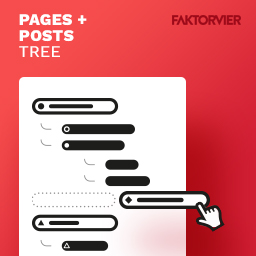
它有助於首先只顯示第一層級的類別。您可以通過點擊+按鈕打開子菜單。
功能:
* 支援古騰堡編輯器和經典編輯器
* 子菜單默認收合,除非有選擇的子項目
* 顯示子項目數量
* 通過+ / – 按鈕開啟/關閉子菜單
* 如果有子項目,字體將加粗
* 它也適用於任何自訂分類
注意事項:
這是一款非常輕量級的外掛,通過將幾行CSS和JS添加到管理區域來提供簡單的解決方案。程式碼更少,工作更簡單。 😉
發現漏洞或有任何問題或需求嗎?請留下評論或提交錯誤和補丁至https://github.com/nos3b3ar/admin-category-tree
外掛標籤
開發者團隊
原文外掛簡介
This plugin is very useful if you have a lot of categories (or custom taxonomies) in more then one level.
It helps to see the only the first level categories at first. You can open the submenus by click on the +buttons
Features:
* Supports Gutenberg-Editor and Classic-Editor
* Submenus are collapsed-in by default, except they have selected sub-items
* The number of sub-items are displayed
* Toggle (open/close) the submenus by + / – buttons
* The font is bold if there are sub-items
* It works with any custom taxonomy too
Notes:
It’s very lightweight plugin. A simple solution by adding few lines of CSS an JS to the admin-area. less code, simple work. 😉
You found a bug or have any questions or wishes? Please let me comment there OR submit bugs and patches to https://github.com/nos3b3ar/admin-category-tree