
內容簡介
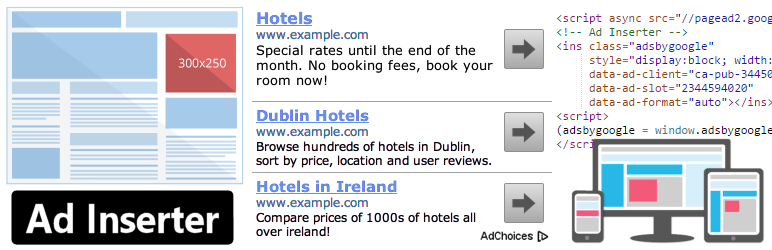
Ad Inserter 是一款強大的廣告管理外掛,提供多種進階功能,讓使用者能在最佳位置插入廣告代碼。它支援各種廣告形式,包括 Google AdSense 和 Google Ad Manager,並能靈活地插入各類代碼,提升網站的廣告效益。
【主要功能】
• 支援 Google AdSense 和 Google Ad Manager
• 自動在文章和頁面中插入廣告
• 可自定義插入位置及條件
• 視覺化 HTML 元素選擇器
• 廣告輪播功能(伺服器端與客戶端)
• 支援 GDPR 同意檢查
外掛標籤
開發者團隊
② 後台搜尋「Ad Inserter – Ad Manager & AdSense Ads」→ 直接安裝(推薦)
原文外掛簡介
Ad management plugin with many advanced advertising features to insert ad codes at optimal positions.
Supports all kinds of ads including Google AdSense, Google Ad Manager (DFP – DoubleClick for publishers), Media.net , Infolinks and rotating banners.
This plugin is more than AdSense plugin or plugin for ads. It provides many advanced options to insert opt-in forms, header scripts, Javascript, CSS, HTML, PHP, analytics, tracking or advert code anywhere on the page.
Insert ads where other plugins fail.
It’s all about the settings.
Plugin reviews:
I’ve been using another ad placement manager for a couple years and just recently started using Ad Inserter.
I’m blown AWAY with the power and flexibility of it.
I can HIGHLY recommend this plugin to anyone looking for an easy way to manage ads within WordPress.
Difficult to choose, but certainly top 3 plugins I’ve ever used in WordPress, ever.
Features – check documentation for the complete list
AdSense integration
Support for Google Ad Manager (DoubleClick for publishers)
Syntax highlighting editor
Plain JavaScript code on front-end – no library dependencies
Code preview with visual CSS editor
Automatically inserts ads on posts and pages
Insert before or after post
Insert before or after content
Insert before or after paragraph
Insert before or after random paragraph
Insert before or after multiple paragraphs
Insert before or after image
Insert before or after comments
Insert before or after excerpt
Insert near any element on the page (using CSS selectors)
Insert above the header (after
Insert in the footer (before tag)
Insert at relative positions in posts
Insert between posts on blog pages (in-feed AdSense)
Insert between excerpts on blog pages
Insert between comments
Insert at custom hook positions (do_action () WP function)
Insert before or after any HTML element using CSS selectors
Visual HTML element selector (DOM explorer)
Avoid inserting ads near images or headers (AdSense TOS)
Disable ads on individual posts or pages
Insert header ( section) and footer code
Insert raw HTTP response header lines
Insert Google Analytics, Matomo (Piwik) or any other tracking code
Insert images, HTML, CSS, Javascript or PHP code
Insert into Ajax, RSS and REST requests
Insert with Gutenbeg blocks
Code generator for banners and placeholders
AdSense code generator
Support to detect, hide or replace blank AdSense blocks
Visual advert editor – create adverts from scratch
Manual insertion: widgets, shortcodes, PHP function call
Sticky (fixed) widgets (sticky sidebar – the sidebar does not move when the page is scrolled)
Custom alignments and styles
Insert different ad codes on AMP pages
Custom CSS class name for wrapping divs to avoid ad blockers
Use shortcodes from other plugins
Use custom fields as defined in posts
Use post title, tags or category names to create contextual adverts
PHP code processing
Ad labels – show customized label above adverts
ads.txt editor
Global custom fields
Support for GDPR consent checks
Support for IAB TCF 2.0 GDPR consent API (used by Quantcast Choice)
Ad rotation (server-side and client-side – works with caching)
Timed ad rotation – define times to rotate adverts in a single ad block
Create rich media ads with standard WordPress TinyMCE editor
Ad blocking detection – popup message, page redirection
Desktop/mobile device detection (server-side and client-side – works with caching)
Blacklist/Whitelist categories, tags, taxonomies, post IDs, urls, url query parameters, cookies, referrers, browsers, operating systems
Easy copying and pasting ads or settings using internal clipboard
Use it with Google Site Kit or replace it to have more control over ad placement
Simple troubleshooting with many debugging functions
Function to visualize inserted blocks
Function to visualize AdSense ads with ad names and IDs
Function to visualize available insertion positions
Function to visualize HTML tags
You name it 🙂
Review on WP Mayor
The Best WordPress Ad Management Plugin?
Review on ShoutMeLoud
Both Google and Amazon recommend this plugin for inserting ads, which is a testament to its quality
Endorsed by Google – How to insert ad code in your WordPress site
If you’re new to AdSense, one of your first tasks is to connect your site to AdSense. This requires you to copy the code on your AdSense homepage and paste it into the HTML of your page, between the
and tags.👉 Pro version supports additional advanced features:
Geolocation using internal or MaxMind databases (works also with caching)
Country, state, region and city level geotargeting
Blacklist/Whitelist IP addresses or countries/cities (works also with caching)
Ad impression and click statistics (works also with