內容簡介
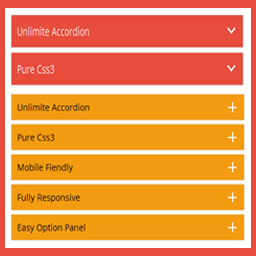
Accordion Blocks 是一個簡單的外掛程式,可為您的頁面新增如手風琴般的下拉式選單的 Gutenberg 區塊。
手風琴選單可以與您的佈景主題無縫結合。不過,您可能需要在佈景主題中加入自訂樣式。
功能
新增一個 Gutenberg 區塊,用於在您的網站中加入手風琴選單。
支援多個手風琴選單,每個手風琴選單項目都有個別設置。
完全響應式。
支援項目 ID 和直接連結。
支援巢狀手風琴選單。
容易使用(對於需要使用鍵盤導覽控制的使用者)。
選用功能
預設開啟單獨的手風琴選項。
停用手風琴選項的自動關閉。
透過再次點選標題,手動關閉項目。
當標題被點開時,捲動頁面到標題位置(包括設定捲動偏移位置)。
設置標題元素的 HTML 標題標籤(h1–h6、button)。
設置預設值,以套用到所有新的手風琴選單項目,或重設特定手風琴選單項目的預設值。
支援使用 wp.blocks.registerBlockStyle 新增自訂區塊樣式。
輸出
此外掛程式最終會輸出以下 HTML(簡化為此範例):
<div class="wp-block-pb-accordion-item c-accordion__item js-accordion-item" data-initially-open="false" data-click-to-close="true" data-auto-close="true" data-scroll="false" data-scroll-offset="0">
<h2 id="at-76840" class="c-accordion__title js-accordion-controller" tabindex="0" role="button" aria-controls="ac-76840" aria-expanded="false">
標題與 H2 標籤
</h2>
<div id="ac-76840" class="c-accordion__content" style="display:none" aria-hidden="true">
<p>內容</p>
</div>
</div>
自訂 CSS
您可以使用以下 CSS 類別來自訂手風琴選單的外觀。
.c-accordion__item {} /* 手風琴項目容器 */
.c-accordion__item.is-open {} /* 已開啟的手風琴項目加入 is-open 類別 */
.c-accordion__item.is-read {} /* 至少開啟過一次的手風琴項目加入 is-read 類別 */
.c-accordion__title {} /* 手風琴項目標題 */
.c-accordion__title--button {} /* 使用 <button> 標籤的手風琴項目標題 */
.c-accordion__title:hover {} /* 滑鼠移至手風琴項目標題要修改的樣式 */
.c-accordion__title:focus {} /* 手風琴項目標題有瀏覽器焦點時要修改的樣式 */
.c-accordion__content {} /* 手風琴項目內容容器 */
外掛標籤
開發者團隊
📦 歷史版本下載
原文外掛簡介
Accordion Blocks is a simple plugin that adds a Gutenberg block for adding accordion drop-downs to your pages.
The accordions should blend seamlessly with your theme. However, you may want to add custom styles to your theme.
Features
Adds a Gutenberg block for adding accordions to your site.
Supports multiple accordions with individual settings for each accordion item.
Fully responsive.
Support for item IDs and direct links.
Supports nesting accordions.
Accessible (for users requiring tabbed keyboard navigation control).
Optional Features
Open individual accordion items by default.
Disable auto closing of accordion items.
Manually close items by clicking the title again.
Scroll page to title when it’s clicked open (including setting a scroll offset position).
Set the HTML heading tag for the title element (h1–h6, button).
Set defaults to be applied to all new accordion items or reset a specific accordion item to the defaults.
Supports adding custom block styles using wp.blocks.registerBlockStyle.
Output
The plugin will ultimately output following HTML (simplified for this example):
Title with H2 tag
Custom CSS
You can use the following CSS classes to customize the look of the accordion.
.c-accordion__item {} /* The accordion item container */
.c-accordion__item.is-open {} /* is-open is added to open accordion items */
.c-accordion__item.is-read {} /* is-read is added to accordion items that have been opened at least once */
.c-accordion__title {} /* An accordion item title */
.c-accordion__title--button {} /* An accordion item title that is using a `