內容簡介
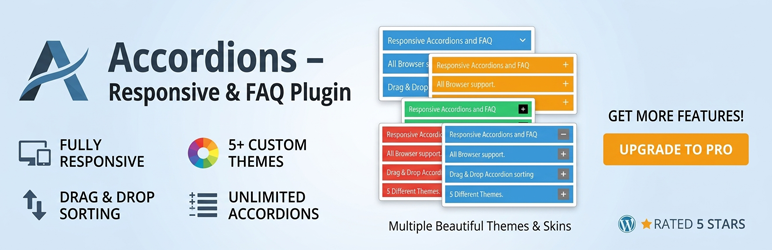
Accordions 外掛可讓使用者輕鬆創建美觀且響應式的手風琴式內容和常見問題區域,具備多種樣式和進階自訂選項,適合組織內容並提升使用者體驗。
【主要功能】
• 完全響應式設計
• 支援無限個手風琴
• 拖放排序手風琴項目
• 自訂標題背景顏色
• 簡單使用短碼插入
外掛標籤
開發者團隊
② 後台搜尋「Accordions – Responsive Accordion & FAQ Plugin for WordPress」→ 直接安裝(推薦)
📦 歷史版本下載
原文外掛簡介
Create beautiful, responsive accordions and FAQ sections with multiple styles, skins, and advanced customization—perfect for organizing content and improving UX.
Useful Links
Upgrade to Pro
Live Preview
Documentation
Plugin Features
Fully responsive.
All Browser support.
Unlimited Accordions anywhere in the theme.
Use via short-code.
5 Different Themes.
Drag & Drop Accordion sorting.
WP Editor for accordion content.
Custom Title background color.
Custom Title Font color.
Custom Title Font Size & Line Height options.
Title Text Alignment (Left, Center, Right).
Show/Hide and Position Accordion Icons (Left, Right).
Custom Content Background Color.
Custom Content Font Color.
Custom Content Font Size, Line Height & Letter Spacing options.
Content Padding & Accordion Margin Options.
Add and remove accordion item from backend.
Highly customized for User Experience.
And Many More…
Pro Version Features
All Features of the free version.
Fully responsive.
8+ different Themes.
Widget Ready.
Unlimited Domain.
Support wysiwyg text editor.
Create accordions by group.
Cross-browser compatibility.
Drag & Drop accordion items sorting.
Add and remove accordion item from backend.
Use via short-codes.
Accordion header title font size.
Accordion header title font color.
Accordion header title text position.
Accordion header title background color.
Show/Hide Accordions expand/collapse icons options.
Accordion header closeAble true or false Options.
Expand/collapse Slide speed of Animation Options.
Accordion content font size.
Accordion content font color.
Accordion content background.
Custom Accordion Padding Options.
Accordion area background image Options.
Accordions Area Padding Options.
Support Any videos (Ex: youtube, vimeo )
Valid HTML5 & CSS3 layout.
Highly customized for User Experience.
Clean Design & Code.
Unlimited accordion anywhere in the themes or template.
Work in all browsers and mobile devices.
Life Time Self hosted auto updated enable.
24/7 dedicated support forum.
Well Documentation.
And much more!
Activation
Once the accordion-wp folder has been uploaded, you can activate the plugin. Go to your WordPress admin panel and select the ‘Plugins’ menu option. You should see a new plugin listed, Accordion-Wp. Click Activate to activate the plugin.
Using the Plugin
Once the plugin has been activated, a new menu called Accordion will appear in menu section. There are Three menu options: ‘Accordion’, ‘Add New Accordion’ & ‘Help & Support’.
Creating First Accordion
Click the Accordion submenu entry entitled ‘Add New Accordion’. This will take you to the accordion creation and editing page, Then click Add New Item to add accordion.
Begin by entering a title & description for your accordion. Description Content can be entered using the Visual or HTML content editors. Any valid HTML content (e.g. images, video etc.) can be displayed inside accordion.
To add a new accordion, Just click the ‘Add New Item’ button & fill all the data .
To remove a Accordion, click the ‘Remove’ button located top right side of the accordion title or visual editor.
Inserting Accordion into a Post/page or Widget
After Publish your accordion, you’ll see a notification that the accordion has been Published, then go to ‘Accordion Configure ’ change your own settings & Shortcode tab copy the shortcode & paste into any where into your post/page or text widgets. save your post/page or widgets and browse to see your accordion.
Note :
Some features is not available in free version . Upgrade Premium!» to unlock all amazing features.