外掛標籤
開發者團隊
② 後台搜尋「AN Submission Manager for Contact Form 7」→ 直接安裝(推薦)
原文外掛簡介
AN Submission Manager for Contact Form 7
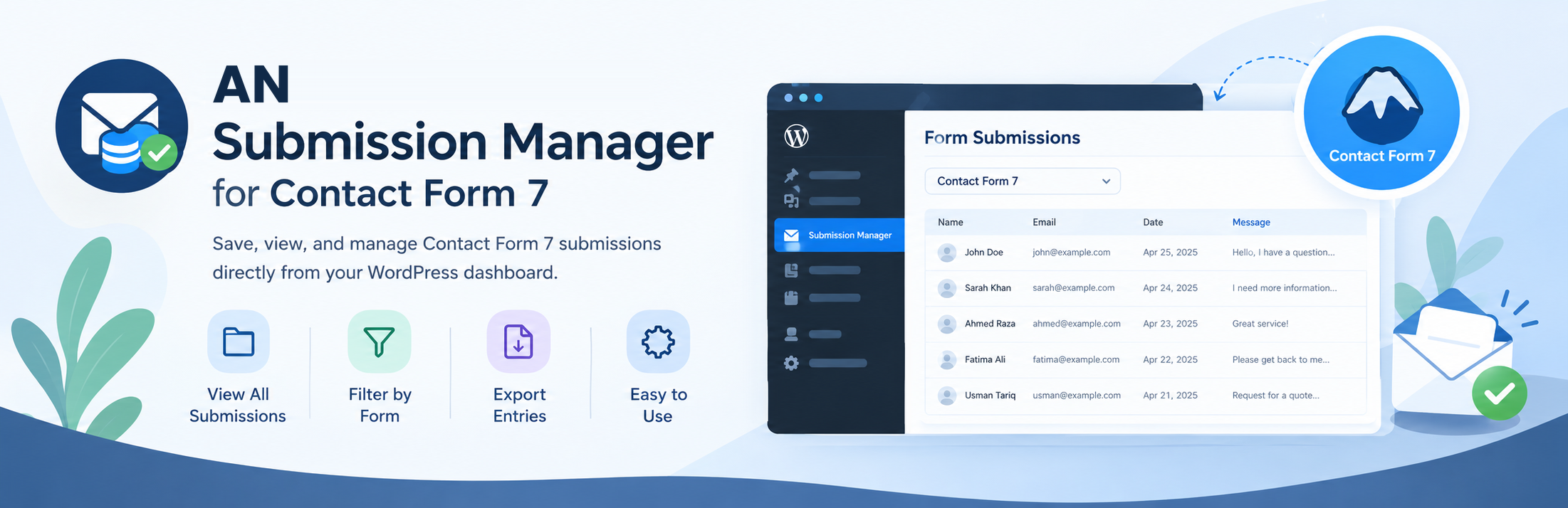
allows administrators to view and manage saved form submissions
directly from the WordPress dashboard.
Instead of searching through different forms or dealing with raw database records, you can view your Contact Form 7 forms first, select a form, and then view the submissions belonging to that specific form.
Features
📋 List all Contact Form 7 forms
📥 View submissions by form
📄 Export all entries for a form or one individual entry as CSV
🔢 Submission count for each form
🗃️ Store submissions in a dedicated database table
🆔 Associate submissions with the Contact Form 7 form ID
🕒 Record submission date and time
🎨 Clean and modern WordPress admin interface
📱 Responsive admin layout
🔒 WordPress capability-based admin access
⚡ Lightweight and simple
🧩 Works with existing Contact Form 7 forms
🛠️ No complicated configuration required
How It Works
= 1. Open Submission Entries =
After installation, you’ll find a new menu in your WordPress dashboard:
AN Submission Entries
The plugin provides a dedicated interface for managing your form submissions.
2. Select a Form
The first screen displays your available Contact Form 7 forms.
Each form shows:
Form name
Contact Form 7 form ID
Number of stored submissions
View Entries button
3. View Form Entries
Click View Entries to see submissions belonging to that specific form.
The entries list displays:
Entry ID
Submission date and time
A short preview of the submitted data
Open an entry to see all submitted fields and values. Use Export All CSV on the entries list to download that form’s submissions, or Export This Entry CSV on an individual entry page to download just that submission.
This keeps submissions organized and prevents entries from different forms from being mixed together.
Admin Interface
The plugin is designed around a simple workflow:
Forms → Select a form → View entries → Open an individual entry or export CSV
This makes it easy to manage submissions even when your website contains multiple Contact Form 7 forms.
Requirements
Before using the plugin, make sure your website has:
WordPress 6.5 or higher
PHP 7.4 or higher
Contact Form 7 installed and activated
The plugin is designed to work alongside Contact Form 7 and stores submissions when forms are submitted.
Usage
After activating the plugin:
Create or use an existing Contact Form 7 form.
Add the form to a page.
Submit the form from the frontend.
Open:
WordPress Dashboard → AN Submission Entries
Select the form.
Click View Entries.
Open an entry to review its submitted information, or export all entries for the form as CSV.
No shortcode or additional configuration is required for the WordPress admin submission manager.
Data Storage
The plugin stores submissions in a dedicated WordPress database table:
wp_cf7_submissions
The actual table prefix depends on your WordPress installation.
For example:
wp_cf7_submissions
or:
wp123_cf7_submissions
The table stores information such as:
id: Unique submission ID
form_id: Contact Form 7 form ID
form_title: Contact Form 7 form title
submitted_data: Submitted form data
submit_time: Submission date and time
The plugin uses WordPress’s database API and dbDelta() for database management.
Security
AN Submission Entries uses WordPress security practices including:
WordPress capability checks
Sanitized form IDs
Escaped admin output
Prepared database queries
WordPress database APIs
Serialized submission data for structured storage
Only users with the appropriate WordPress administrative capability can access the submission management interface.
Why Use AN Submission Entries?
Contact Form 7 focuses on creating and processing forms, while AN Submission Entries provides a convenient way to keep and review submitted entries inside WordPress.
Instead of building a custom submission management system for every website, you can use one dedicated interface:
Forms → Select Form → View Entries
It’s intentionally lightweight and focused on making submission management easier.
Roadmap
Future versions may introduce additional submission management features, including:
🔍 Submission search
📄 Pagination
🗑️ Delete submissions
☑️ Bulk actions
📅 Date filtering
🔔 New/unread submission indicators
📊 Submission statistics
📎 File attachment handling
📧 Submission notifications
📤 Advanced export options
Privacy
This plugin stores form submission data in your WordPress database.
The type of information stored depends on the fields included in your Contact Form 7 forms.
Website administrators should review their site’s privacy policy and ensure that storing submitted information complies with applicable privacy requirements.
If your forms collect personal information, clearly inform visitors about how their submitted data is stored and used.
External Services
Submission data is stored in your WordPress database. The plugin also includes Appsero, an optional diagnostics and usage tracking service. Tracking data is sent only if a site administrator opts in. See the Appsero privacy policy for details.
Contact Form 7 is a separate plugin and is required to capture submissions.
License
AN Submission Entries for Contact Form 7 is licensed under the:
GNU General Public License v2.0 or later
GPL-2.0-or-later
You are free to use, modify, and distribute the plugin according to the terms of the license.
Author
Abdullah Naseem
GitHub:
https://github.com/abdullahnart/
Support and Contributions
Found a bug, have an idea, or want to contribute?
You can open an issue or submit improvements through the project’s GitHub repository:
https://github.com/abdullahnart/an-submission-entries
About
A lightweight way to turn Contact Form 7 submissions into an organized, easy-to-manage WordPress dashboard experience.
Create forms. Receive submissions. Manage entries.
Privacy Policy
AN Submission Manager for Contact Form 7 uses Appsero SDK to collect some telemetry data upon user’s confirmation. This helps us to troubleshoot problems faster & make product improvements.
Appsero SDK does not gather any data by default. The SDK only starts gathering basic telemetry data when a user allows it via the admin notice. We collect the data to ensure a great user experience for all our users.
Integrating Appsero SDK DOES NOT IMMEDIATELY start gathering data, without confirmation from users in any case.
Learn more about how Appsero collects and uses this data.
Disclaimer
This is an independent plugin and is not affiliated with or
endorsed by the Contact Form 7 project or its developers.