內容簡介
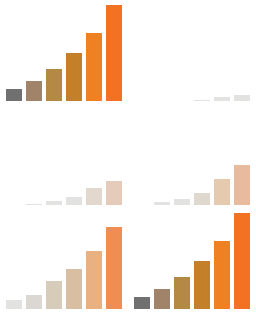
Zluck AI Traffic Insights 外掛能夠幫助網站擁有者追蹤來自 AI 助手的流量,提供詳細的訪問數據分析,並在 WordPress 控制台上顯示流量概況,讓使用者了解 AI 助手對網站流量的影響。
【主要功能】
• 記錄來自 AI 助手的訪問數據
• 提供流量概覽與比較表
• 顯示 AI 助手的訪問來源與行為
• 支援 WooCommerce 訂單分析
• 提供 CSV 匯出功能
• 在控制台顯示本週流量變化
外掛標籤
開發者團隊
原文外掛簡介
AI assistants now send people to websites. Some of those visits arrive with a referrer that names the assistant. Many arrive with no referrer at all and look like direct traffic. This plugin records your visits in your own database, works out which ones came from an AI assistant, and puts them next to everyone else on the same metrics. A small AI Traffic box on your WordPress Dashboard shows this week’s numbers at a glance. It is built to be light: under 1 ms added to a page render, one script under 3 KB, nothing about your site or your visitors sent anywhere, and nothing extra at all on pages served from a cache. The only outside downloads are the public crawler lists described under Privacy.
What you get
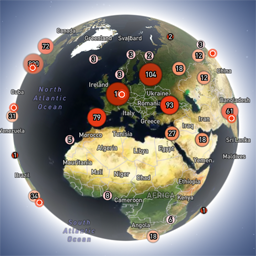
Overview. How much of your traffic comes from AI assistants, day by day, and which assistants.
Comparison. One table: Confirmed AI, Likely AI and everyone else, side by side on sessions, bounce rate, pages per session, engaged time, scroll depth and, on WooCommerce, adds to cart, orders and revenue. This table is the point of the plugin.
Pages. Which pages and products AI assistants send people to.
Crawlers. Which AI crawlers read your site, checked against the operator’s published addresses. Crawler hits are shown on their own screen and are never counted as visitors.
AI lookups. How often ChatGPT, Claude or Perplexity read a page on your site to answer someone’s question, and which pages they read. Shown on the Dashboard, the Overview screen and the Crawlers screen, verified requests only.
WooCommerce. Each order shows the assistant, if any, that sent the buyer, in the orders list and on the order screen.
CSV export on every screen, producing exactly what is on the screen for the chosen dates.
Dashboard box. This week’s Confirmed and Likely AI visits against the week before, the top assistants and pages, and on WooCommerce the orders they brought, right on the WordPress Dashboard.
Confirmed and Likely are two different numbers
A visit is Confirmed AI when its referrer or a UTM tag names an assistant. A visit is Likely AI when it arrived with no referrer, on a first visit, landing straight on an inner page that a verified AI crawler had read within the past 7 days. It is an estimate, so it is always kept apart from Confirmed AI; when in doubt a visit is counted as not AI. Every Likely visit shows its reason in plain words. The two are never added into one number without saying so, and a small sample is marked “Too few sessions” instead of showing a percentage. When in doubt, the plugin classifies down.
Assistants recognised
ChatGPT, Perplexity, Gemini, Claude, Microsoft Copilot, DeepSeek, Grok, Meta AI, Mistral, You.com and Poe. The list is a data file inside the plugin; see “Source list” below.
What Google Analytics already shows
If you use GA4, visits that arrive with an assistant referrer already appear in your referral reports with the assistant’s domain as the source. What this plugin adds is the Likely layer for visits that arrive with no referrer, the reason for each one, the crawler report, the WooCommerce order link, and the fact that everything stays on your own server.
Limitations, stated plainly
Visits are recorded by a small script in the page, so a visitor with JavaScript off is not counted. The same is true of every JavaScript-based analytics tool.
Crawler hits are recorded by PHP when a page is built. A crawler that reads a page served from a full page cache is not seen. This applies to AI lookups too: a page served from a full page cache can be read by an assistant without the plugin seeing it.
Likely AI is an estimate. That is why it is kept as a separate number.
In cookieless mode, visits are grouped by a code that changes every day at midnight UTC. A visit that crosses midnight counts as two, visitors who share one address and the same kind of browser can be merged for that day, and a WooCommerce order is linked only to a visit on the same day.
Performance
If page speed is why you hesitate to add another plugin, here is what this one costs on a visit, measured with the plugin’s own benchmark script on WordPress 7.1, PHP 8.4, with WooCommerce active, over four runs of 50 to 200 page renders each:
Under 1 ms added to an uncached page render at the median (0.2 to 1.7 ms across the runs, on a 190 ms render). At the 95th percentile the difference was inside the test machine’s own run-to-run noise.
No extra server work on cached pages. The script is part of the cached page, so a full page cache serves it with the plugin doing nothing.
One script under 3 KB, nothing else. The script is printed inline, loads no other file, makes no request to any outside service and does not block the page from drawing. It sends one small request to your own site when the visitor leaves the page.
No database write while the page is built. The visit is recorded by that one request afterwards, and the work of deciding which visits came from an AI assistant runs later in a scheduled job, never while a visitor waits.
The crawler check is the only code on every request. It lets an ordinary browser through in less than a thousandth of a millisecond, before any database or file access.
Nothing runs for logged-in administrators, and admin assets load only on the plugin’s own screens.
Source list
The addresses of the assistants and crawlers live in a data file shipped inside the plugin and are refreshed by plugin updates. The Settings screen shows the version in use and what it covers.
Built by Zluck Solutions. Support is on this plugin’s wordpress.org forum.
Privacy
Everything this plugin records stays in your own WordPress database. It sends nothing to Zluck or to anyone else. The one optional exception, off by default, is downloading the crawlers’ public IP lists; see External services.
What it stores about a visit: the page, the time, the referring website, UTM tags if present, coarse device type (phone, tablet or desktop), time on page and scroll depth, and the plugin’s own verdict on whether the visit came from an AI assistant.
What it never stores: IP addresses, names, email addresses, WordPress user accounts, or the browser’s full identification string. It does not fingerprint visitors and cannot recognise a visitor from one day to the next without the cookie.
The cookie: by default the plugin sets one first-party cookie, aitraf_s, holding a random value, so that page views can be grouped into a visit and a WooCommerce order can be matched to the visit that led to it. It is set by your own site, never by a third party. Cookieless mode in the settings turns it off; visits are then grouped by a code that changes every day and cannot be traced back to anyone.
Opting out: the plugin honours the Global Privacy Control signal. A visitor whose browser sends it is not recorded and gets no cookie.
WooCommerce: when a visitor places an order, the plugin keeps the order number together with the AI verdict for that visit. This is the only value that can be linked to a person, because the order itself has the buyer’s details. The plugin registers with WordPress’s personal-data export and erase tools, so a request under Tools → Export Personal Data or Erase Personal Data includes and removes this link. Removing personal data from an order in WooCommerce removes the link too.
Crawlers: requests from known AI crawlers are counted by the crawler name and the page. The crawler’s address is checked against the operator’s published list in memory and only the result is kept. AI lookups are counted from the same crawler records: the crawler name and the page, nothing else.
Outbound requests: the plugin downloads the public IP-address lists that crawler operators publish, once a week, only for crawlers that actually visit, for verification. Each request is a plain download of a public file and carries nothing about your site or your visitors. Nothing else is fetched. The lists are: https://openai.com/gptbot.json, https://openai.com/searchbot.json, https://openai.com/chatgpt-user.json, https://claude.com/crawling/bots.json, https://www.perplexity.com/perplexitybot.json, https://www.perplexity.com/perplexity-user.json, https://developers.google.com/static/crawling/ipranges/common-crawlers.json, https://www.bing.com/toolbox/bingbot.json, https://index.commoncrawl.org/ccbot.json and https://search.developer.apple.com/applebot.json.
Deleting the plugin: turn on “Delete all data on uninstall” in the settings before deleting, and every table and setting the plugin created is removed.
External services
Opt-in, off by default. Nothing is downloaded unless an administrator ticks “Verify AI crawlers” on the plugin’s Settings screen. While it is off, the plugin makes no outside request at all, and crawler visits are shown as “Unverified (not checked)” instead of “Verified”.
When the setting is on, this plugin connects to outside services only to check that a visit from an AI or search crawler really came from the company it claims. Each company publishes a public file listing the IP addresses its crawlers use. The plugin downloads that file and compares it with the crawler’s address. Without it, a visit could only be shown as “claimed”, never “verified”.
What is sent: a plain request for a public file. It carries no data about your site, your visitors or your account: no site address, no cookies, no query string, no IP address of a visitor. The company that hosts the file sees the IP address of your web server, as with any download, and the plugin’s name and version in the user agent (for example zluck-ai-traffic-insights/1.0).
When: at most once a week per file, and only for a crawler that has actually visited your site. A crawler that never visits is never looked up. Nothing is downloaded when you view a screen, and no visitor can cause a download from the page itself.
The files, by company:
OpenAI (GPTBot, OAI-SearchBot, ChatGPT-User). Files: https://openai.com/gptbot.json, https://openai.com/searchbot.json, https://openai.com/chatgpt-user.json. Terms of use, privacy policy.
Anthropic (ClaudeBot, Claude-User, Claude-SearchBot). File: https://claude.com/crawling/bots.json. Terms, privacy policy.
Perplexity (PerplexityBot, Perplexity-User). Files: https://www.perplexity.com/perplexitybot.json, https://www.perplexity.com/perplexity-user.json. Terms of service, privacy policy.
Google (Googlebot). File: https://developers.google.com/static/crawling/ipranges/common-crawlers.json. Terms of service, privacy policy.
Microsoft (Bingbot). File: https://www.bing.com/toolbox/bingbot.json. Services agreement, privacy statement.
Common Crawl (CCBot). File: https://index.commoncrawl.org/ccbot.json. Terms of use, privacy policy.
Apple (Applebot). File: https://search.developer.apple.com/applebot.json. Terms of use, privacy policy.
The plugin does not use any other outside service. Visitor statistics are never sent anywhere; they stay in your own database.
External resources
The report screens draw their charts with Chart.js version 4.5.1, released under the MIT License. The plugin ships the official build file vendor/chartjs/chart.umd.min.js, unchanged, with its license. Source code: https://github.com/chartjs/Chart.js/tree/v4.5.1. It is loaded only on the plugin’s own admin screens, never on your site’s front end.
The plugin makes no other use of external code or services. The public IP-address lists it downloads for crawler verification are listed under External services.