內容簡介
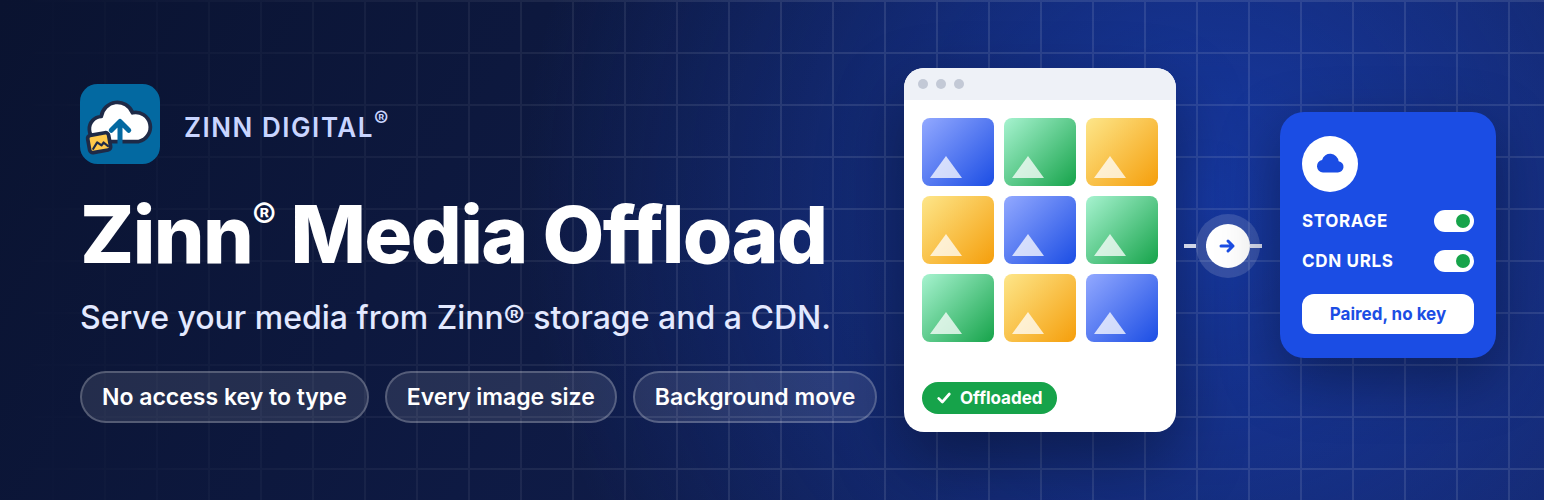
Zinn® Media Offload 外掛能將您的媒體庫轉移至物件儲存並透過 CDN 提供服務,顯著提升 WordPress 網站的載入速度,並確保安全性,因為不會在 WordPress 中儲存任何存取金鑰。
【主要功能】
• 將新媒體上傳至 Zinn® 儲存
• 重新寫入圖片 URL 至 CDN 地址
• 背景移動現有媒體庫
• 可選擇成功上傳後移除本地副本
外掛標籤
開發者團隊
原文外掛簡介
Images and video are usually the largest thing a WordPress site serves, and the slowest. This plugin moves your media library to object storage and serves it from a CDN, so your web server stops sending the bytes and your pages get faster everywhere in the world.
You never enter an access key. Your storage keys are never saved in WordPress, so they are not in your database, your migration exports or your backups.
You turn media offload on in your Zinn Digital® dashboard, paste a short pairing code here once, and this plugin holds a token that works for this site’s folder and nothing else. Before each upload it asks Zinn Digital® for a one-time signed link, and the file goes straight from your web server to storage. If the token is ever exposed, you revoke it from your dashboard in one click.
What it does
Uploads new media — the original and every thumbnail size WordPress generates — to your Zinn® storage.
Rewrites image URLs, including srcset responsive images, to your CDN address.
Moves your existing media library in the background, a few files at a time, picking up where it left off.
Optionally removes the local copies once every size has uploaded successfully.
What it does not do
It adds no REST endpoint, no shortcode, no script and no stylesheet.
The one thing it does change on a public page is the address of an image or file that has
been offloaded: wp_get_attachment_url and wp_calculate_image_srcset are filtered so the
markup points at your bucket instead of this server. Nothing is added to the page, and while
Serve from Zinn® storage is off the addresses are left exactly as WordPress wrote them.
It never deletes anything from storage. Retention is decided in your dashboard.
It does not delete local files after a partial upload — if any size fails, every local copy stays.
It never asks for a storage key or a bucket name. Which bucket this site uses is decided in your Zinn Digital® dashboard. Whether addresses are rewritten and whether local copies are removed start as your dashboard’s choices when you pair, and you can change them afterwards on the plugin’s How media is served tab.
What it needs
A Zinn Digital® account with object storage enabled for this site.
Outbound HTTPS from your web server.
External services
This plugin moves your media library to Zinn® object storage and serves it from a CDN. It
requires a Zinn Digital® account and does nothing without one.
What is sent, and when
Pairing (once, from your Zinn® dashboard). The plugin calls
https://api.zinndigital.com/v1/media-offload/claim to obtain its own scoped credential. No
access key is ever typed into WordPress or stored in your database in plain form.
Uploads (when you add media). Files you upload to the media library are transmitted to
Zinn® object storage via /v1/media-offload/uploads, and their public URLs are rewritten to the
CDN. This is the plugin’s purpose; the files are your own media.
Reporting. /v1/media-offload/report returns offload status and storage usage for the
dashboard.
No post content, user accounts or visitor data are transmitted. Until the site is paired the
plugin makes no outbound requests.
Service terms: https://zinndigital.com/legal/terms
Privacy policy: https://zinndigital.com/legal/privacy
Support diagnostics (only when you press send). If you ask us for help, the plugin can send
a support report to https://api.zinndigital.com/v1/connector/diagnostics. You are shown the
exact payload first, already redacted, and nothing leaves your site until you press send.
Credentials are excluded by declaration rather than by matching key names, and render as
[not sent — credential]. The plugin never sends this on its own initiative.
Translations
Every string this plugin adds to your admin is translated into 57 languages — labels, notices,
errors and settings, not a subset. The catalogues are bundled in the plugin, so they work as soon
as you set your site language; there is no separate language pack to install.
Every user-visible string is complete in every one of the 53 languages WordPress can serve
today:
Amharic (am), Arabic (ar), Azerbaijani (az), Bulgarian (bg_BG), Bengali (Bangladesh)
(bn_BD), Czech (cs_CZ), German (de_DE), Greek (el), Spanish (Spain) (es_ES), Persian
(fa_IR), French (France) (fr_FR), Gujarati (gu), Hebrew (he_IL), Hindi (hi_IN), Croatian
(hr), Hungarian (hu_HU), Armenian (hy), Indonesian (id_ID), Italian (it_IT), Japanese
(ja), Georgian (ka_GE), Kazakh (kk), Khmer (km), Kannada (kn), Korean (ko_KR), Lao (lo),
Malayalam (ml_IN), Mongolian (mn), Marathi (mr), Malay (ms_MY), Myanmar (Burmese)
(my_MM), Nepali (ne_NP), Dutch (nl_NL), Panjabi (India) (pa_IN), Polish (pl_PL), Pashto
(ps), Portuguese (Brazil) (pt_BR), Romanian (ro_RO), Russian (ru_RU), Sinhala (si_LK),
Albanian (sq), Serbian (sr_RS), Swahili (sw), Tamil (ta_IN), Telugu (te), Thai (th),
Tagalog (tl), Turkish (tr_TR), Ukrainian (uk), Urdu (ur), Uzbek (uz_UZ), Vietnamese
(vi), Chinese (China) (zh_CN)
A further 4 ship complete in the plugin — Hausa (ha), Somali (so_SO), Tajik (tg), Yoruba (yo) — but
WordPress core does not currently provide a locale for them, so WordPress cannot load them.
Right-to-left
Arabic, Persian, Hebrew, Pashto and Urdu are right-to-left. Every screen this plugin adds was
rendered in a real WordPress install in each of those languages and checked, not assumed.
For translators
languages/ holds the `.pot` template plus a `.po`, `.mo` and `.l10n.php` for every language, so
corrections and new languages can be contributed directly.