內容簡介
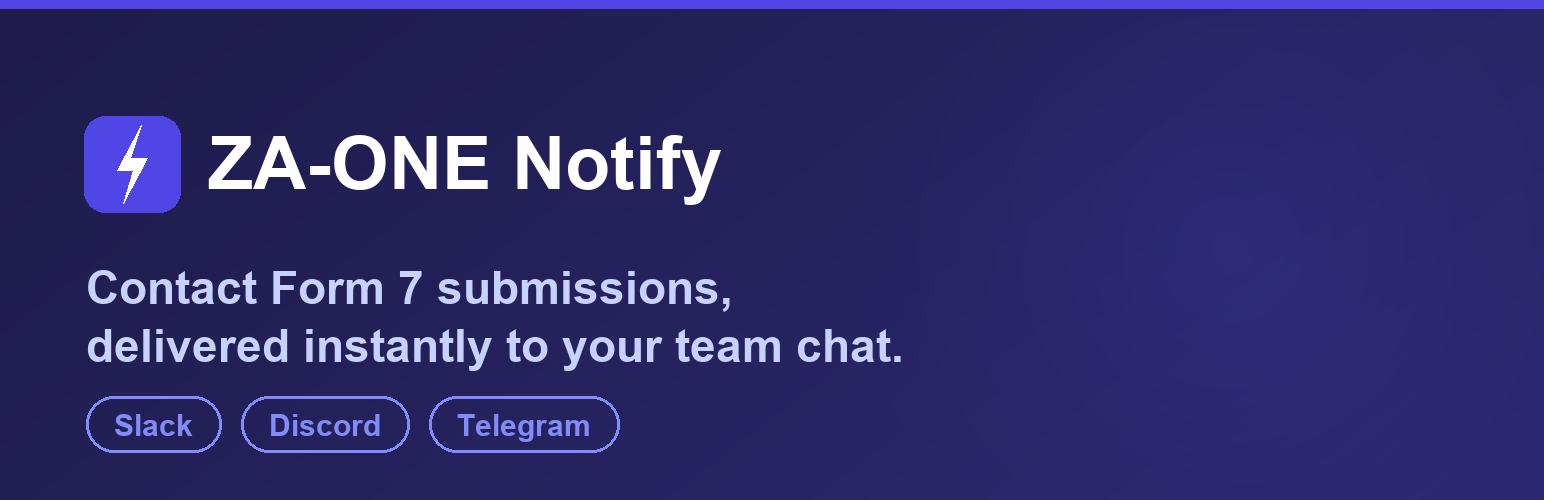
ZA-ONE Notify for Contact Form 7 外掛可即時將 Contact Form 7 的提交通知推送至您團隊常用的聊天工具,如 Telegram、Slack 或 Discord,確保不會錯過任何潛在客戶。
【主要功能】
• 即時通知,反應時間不到一秒
• 無需影響表單運作,非同步發送
• 自動重試,確保可靠性
• 自訂通知訊息模板
• 免費版支持單一頻道推送
• Pro 版提供多頻道及提交收件箱功能
外掛標籤
開發者團隊
② 後台搜尋「ZA-ONE Notify for Contact Form 7」→ 直接安裝(推薦)
原文外掛簡介
Stop missing leads from your contact form. Email notifications get buried, filtered as spam, or noticed hours too late. ZA-ONE Notify pushes every Contact Form 7 submission straight to the chat tool your team already watches — Slack, Discord, or Telegram — the instant it arrives.
Real-time — notifications are delivered in well under a second.
No impact on your form — sending runs asynchronously, so visitors never wait.
Reliable — if the first attempt fails, the plugin automatically retries in the background (up to two times with backoff).
Sends even when your site email fails — if Contact Form 7 reports mail_failed, the notification still goes out, so a broken SMTP setup no longer means a silently lost lead.
No code — paste a Webhook URL (or a bot token), pick your template, done.
Readable errors + test button — a built-in test send tells you exactly what is wrong if a channel is not configured correctly (for example “Slack returned HTTP 404 — check that the Webhook URL is correct and still exists”).
No account, no sign-up, no phone-home — the plugin never contacts our servers. It only talks to the messaging service you configure yourself.
The free edition delivers to one channel of your choice. That is all most small sites need, and it works forever with no limits, no trial period and no license key.
Customizable message template
Build your own notification text using your form’s field tags, for example [your-name], [your-email], [your-message], plus the special tags [_site_title], [_date] and [_time]. Unknown tags simply resolve to an empty string, so a template never breaks a notification.
Privacy and data
Submission content is sent only to the messaging service you configure, and only after you enter that service’s credentials and select it as the active channel. The plugin does not create database tables and does not retain submission content on your site — the built-in delivery log stores status lines (channel, HTTP result, timestamp), not form field values. See the “External services” section below for exactly what is sent where.
Want more?
ZA-ONE Notify Pro (the paid version) adds the safety net that businesses need:
Submission Inbox — every entry is saved to your own site, so you never lose a lead even if email and a notification fail.
Delivery-failure alerts with one-click resend.
Multiple channels at once, plus Microsoft Teams, LINE and Chatwork.
Per-form routing and per-channel templates, CSV export, and email support.
Built by
ZA-ONE builds and maintains WordPress sites and inquiry-handling automation for small businesses. If your inbox has grown past the point where a human can triage every enquiry by hand, we also build custom AI first-response systems for Contact Form 7 sites — see zone-web.jp/ai.
External services
This plugin sends your form submission data to the third-party messaging service you choose and configure. Nothing is sent until you enter that service’s Webhook URL or bot token and select it as the active channel. The plugin contacts only the service you configure — it does not phone home or send data anywhere else, and it makes no outbound request at all until you configure a channel.
What is sent: the notification message produced by your own template. By default that is the site title, the date and time of the submission, and the Contact Form 7 field values you referenced in the template (typically name, email, subject and message). You control exactly which fields are included by editing the template.
When it is sent: once per Contact Form 7 submission, plus once each time you press the “Send test notification” button, plus up to two automatic retries if a delivery fails.
Slack — the message is sent to the Slack Incoming Webhook URL you provide (hooks.slack.com). See the Slack Privacy Policy and Slack Terms of Service.
Discord — the message is sent to the Discord Webhook URL you provide (discord.com). See the Discord Privacy Policy and Discord Terms of Service.
Telegram — the message is sent to the Telegram Bot API (api.telegram.org) using the bot token and chat ID you provide. See the Telegram Privacy Policy and Telegram Terms of Service.
日本語
本プラグインは、フォーム送信内容を 利用者ご自身が設定した サードパーティのメッセージングサービスに送信します。Webhook URL またはボットトークンを入力し、送信先チャンネルとして選択するまでは、いかなる外部通信も発生しません。送信先は設定したサービスのみで、開発元のサーバーへの通信(いわゆる phone home)や利用状況の収集は一切ありません。
送信される内容は、利用者が編集したテンプレートから生成された通知本文です(既定ではサイト名・送信日時・テンプレートで参照した Contact Form 7 のフィールド値)。送信タイミングは、フォーム送信時、テスト送信ボタン押下時、および送信失敗時の自動リトライ(最大 2 回)です。
Slack — 設定した Slack Incoming Webhook URL(hooks.slack.com)宛。プライバシーポリシー / 利用規約
Discord — 設定した Discord Webhook URL(discord.com)宛。プライバシーポリシー / 利用規約
Telegram — 設定したボットトークンとチャット ID を用いて Telegram Bot API(api.telegram.org)宛。プライバシーポリシー / 利用規約