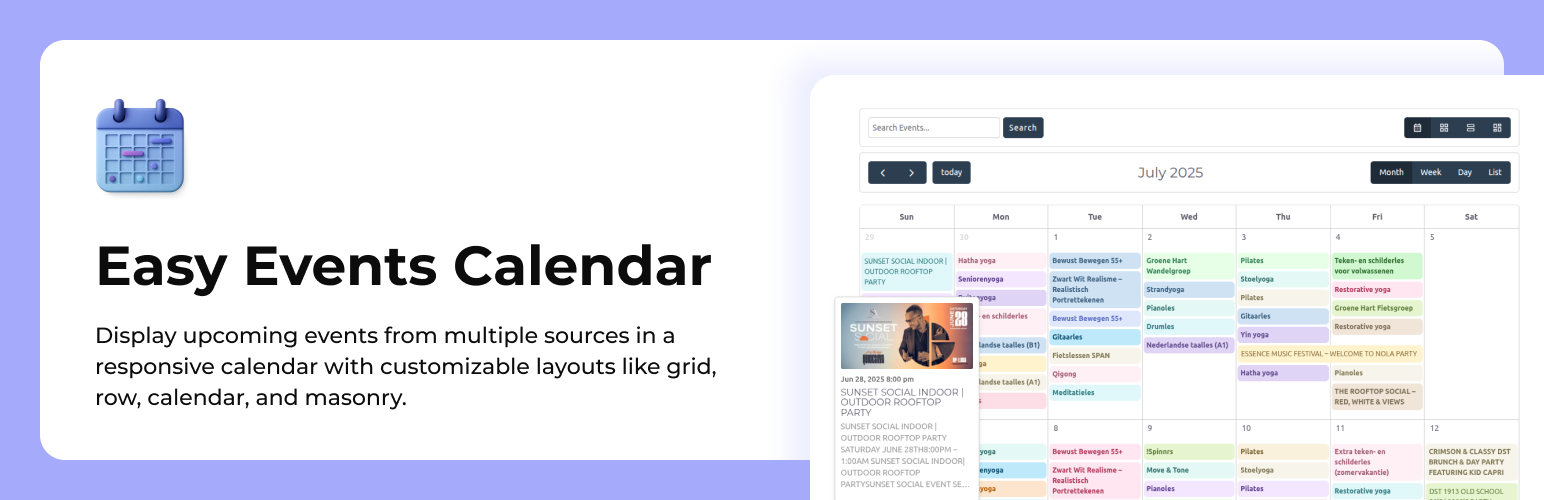
內容簡介
Easy Events Calendar 是一款強大且靈活的 WordPress 活動管理外掛,能輕鬆創建、管理及顯示各類活動,無論是內部活動或從 Eventbrite、Meetup 等平台匯入的活動,皆可快速上手。
【主要功能】
• 支援內部及外部活動管理
• 進階重複事件功能
• 實時 AJAX 活動篩選
• 迷你日曆小工具
• 一鍵加入日曆功能
• 支援多種日曆格式匯出
外掛標籤
開發者團隊
② 後台搜尋「Easy Events Calendar : All-in-One Events Calendar with Social Event, Eventbrite, Meetup, Google & iCal Import Support」→ 直接安裝(推薦)
原文外掛簡介
✨ Easy Events Calendar is a powerful, modern, and flexible event management plugin for WordPress.
Create, manage, and display events with ease — whether they are internal events or imported from platforms like Eventbrite, Meetup, or Facebook.
⚡ Includes advanced recurring events, real-time AJAX event discovery, Mini Calendar widgets, and seamless “Add to Calendar” integration for a premium user experience.
📖 Documentation | 🔗 Plugin Website
🚀 Why Choose Easy Events Calendar?
✔ No coding required
⚡ Fast and performance optimized
🔗 Supports internal + external events
📱 Fully responsive design
🔍 Advanced AJAX filtering system
📆 Built-in Mini Calendar & “Add to Calendar” Sync
🚀 Core Features
🗂️ Internal Event Management
Create and manage events using custom post type (eec_events)
Clean and user-friendly admin interface
No dependency on third-party tools
🔁 Advanced Recurring Events
Supports Daily, Weekly, Monthly, and Yearly schedules
Automatically generates future event instances
Ideal for classes, webinars, and recurring events
🔍 Smart Event Discovery (AJAX Powered)
Real-time event filtering without page reload
Filter by Category, Tag, Venue, Organizer, Date Range, Day, and Time
Fast and smooth user experience
Option to display past events when upcoming events are not available
👉 Shortcode:
[eec_events_discovery]
🏷️ Event Organization
Categories and Tags support
Venue management 📍
Organizer management 👤
Dedicated archive pages
📅 Calendar Export & Sync
“Add to Calendar” buttons for individual events
Support for Google Calendar, Yahoo Calendar, and iCalendar (.ics) downloads
Global iCal feed link for syncing all upcoming events
🗓️ Mini Calendar & Tools
Compact Mini Calendar view for sidebars
Includes a dedicated Mini Calendar widget
Built-in Feedback form for user engagement
👉 Shortcode:
[easy_event_calendar_mini]
🎨 Modern UI Design
Clean and professional layouts
Smooth animations and transitions
Modern glass-style interface
⚡ High Performance
Optimized SQL queries
Handles large event data efficiently
Fast pagination system
📱 Fully Responsive
Mobile-friendly layouts
Compact pagination for small screens
Works perfectly on all devices
🎨 Available Views
📅 Calendar View – Full month layout
🧱 Grid View – Card-based modern layout
📋 List View – Clean listing format
🧩 Staggered (Masonry) – Dynamic layout
🎞️ Slider View – Interactive event slider
🗓️ Mini Calendar – Compact sidebar calendar view
🔗 Supported External Sources
Easy Events Calendar also works seamlessly with the following third-party plugins:
Import Eventbrite Events
Import Social Events
Import Meetup Events
WP Event Aggregator
EventON
Events Manager
⚙️ Installation
Upload the plugin folder to /wp-content/plugins/ or install via dashboard
Activate the plugin
Go to Settings > Easy Events Calendar
Start creating events from “Easy Events” menu
📌 Shortcodes:
Use the following shortcodes to display events on your website:
[eec_events_discovery] – Displays AJAX-powered event discovery with filters.
[easy_events_calendar] – Shows the classic events calendar view.
[easy_event_calendar_mini] – Displays the compact Mini Calendar.
📜 Changelog
1.1.4
ADDED: Event location map on the event details page.
1.1.3
FIXED: Grid, Row, Slider, and Masonry layouts switching to Month view on mobile.
FIXED: Mini Calendar active date highlighting and event fetching.
IMPROVED: Better support for EventON, MEC, Meetup, and Eventbrite in the Advanced Filters.
1.1.2
FIXED: Issue with past events not displaying when navigating to previous months in the calendar view.
FIXED: Mobile layout responsiveness and text overlapping issues in the Mini Calendar event list.
FIXED: Empty description tooltip fallback text in the calendar view.
IMPROVEMENTS: The event search bar now correctly filters by the selected event source.
IMPROVEMENTS: Strengthened AJAX security with stricter data sanitization and nonce verification.
IMPROVEMENTS: Resolved PHPCS warnings for better code quality and WordPress coding standards compliance.
1.1.1
ADDED: Custom Recurring events Option.
ADDED: “Add to Calendar” integration with Google Calendar, Yahoo Calendar, and iCalendar (.ics) file download.
ADDED: iCal feed link for all upcoming events.
ADDED: Mini Calendar view.
ADDED: Mini Calendar widget for sidebars.
ADDED: Feedback form.
ADDED: Advanced event filters including Category, Tag, Location, Organizer, Date From, Date To, Day, and Time.
ADDED: Option to display past events when no upcoming events are available.
IMPROVEMENTS: Completely modernized and premium admin GUI, replacing basic design settings.
IMPROVEMENTS: Enhanced security through improved data sanitization.
1.1.0
ADDED: New “Related Events” support with term-based matching (Category, Tag, Venue, Organizer) to automatically display related events.
ADDED: Advanced “Upcoming Events” widget with 10 unique styles (Timeline, Masonry, List, Card Grid, Badge, etc.), fully customizable from the admin panel.
ADDED: AJAX filtering and layout toggle in [eec_events_discovery] shortcode with live search and Grid/List view switching.
ADDED: Custom post type for internal events.
ADDED: Custom taxonomies — Category, Tag, Organizer, and Venue.
ADDED: Full support for recurring events with instance-based date handling.
ADDED: Randomized professional placeholder images for events without featured images.
ADDED: Design customization settings including Colors, Typography, and Header visibility controls.
FIXED: Tooltip positioning and visibility issues.
FIXED: Security and input sanitization improvements across all inputs.
IMPROVEMENTS: Enhanced metadata support including venue addresses, Google Maps (latitude/longitude), and organizer contact details.
IMPROVEMENTS: Organizer taxonomy changed to hierarchical for better admin experience.
IMPROVEMENTS: Unified event data retrieval logic for improved performance.
IMPROVEMENTS: Added compatibility support for WordPress 7.0.
1.0.3
ADDED: New slider layout.
ADDED: Support for multiple widgets.
ADDED: Option to hide the header.
ADDED: Category parameter support in the shortcode.
IMPROVEMENTS: Security and code quality improvements.
1.0.2
ADDED: Support for EventOn plugin.
ADDED: Support for Events Manager plugin.
FIXED: Issue with event ordering in Masonry(Staggered) layout.
1.0.1
Updated plugin branding and improved overall presentation.
1.0.0
Initial release
Display support for Eventbrite, Meetup, Facebook Events, and WP Event Aggregator
Includes 4 unique views: Calendar, Grid, Row, and Masonry
Load More feature with pagination settings
Button text and colour customisation options
🚀 Upgrade Notice
1.1.0
Major update with Internal Events, Recurring System, and AJAX Event Discovery.