內容簡介
總結:
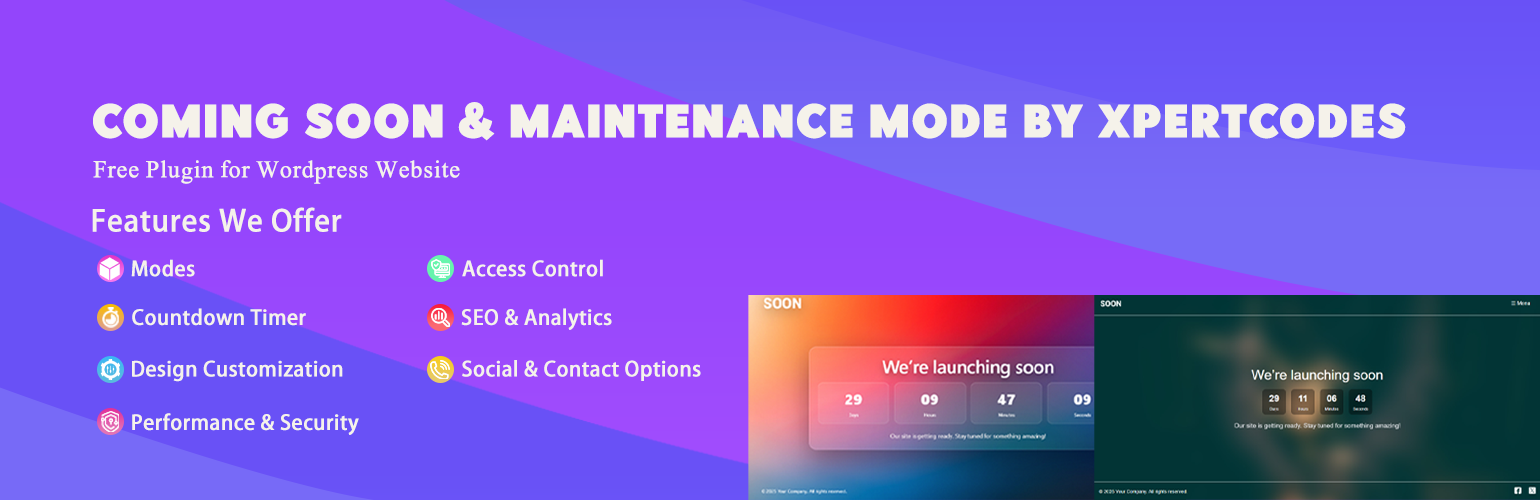
透過 XpertCodes 的「即將推出」與「維護模式」外掛,您可以為您的WordPress網站打造專業的即將推出頁面和維護模式畫面!這是為新網站上線、執行維護,或創建令人讚嘆的登陸頁面的終極解決方案。
問題與答案:
1. 為什麼使用 XpertCodes 的「即將推出」與「維護模式」外掛?
- 建立期待:在推出前建立話題,收集電子郵件
- 專業外觀:用令人讚嘆的品牌設計給訪客留下深刻印象
- 降低跳出率:藉由美麗布局吸引訪客,避免錯誤頁面
- 手機優先設計:各種設備和螢幕尺寸上完美體驗
- SEO友好:為維護模式正確處理HTTP狀態碼
2. 關鍵功能:
- 智慧模板系統
- 多個專業模板:選擇精美設計的模板
- 模板特定選項:每個模板都有量身定制的自定選項
- 即時預覽:在自定時即時看到更改
- 完全自定
- 品牌控制:上傳您的標誌,設定顏色,自定背景
- 背景選項:選擇圖像背景或純色
- 字體控制:自定字體、顏色和文字內容
- 倒數計時器:用可自定的啟動倒數建立激動
- 進階布局功能
- 導航選單:添加自定菜單項目,帶有個別顏色和URL
- 社交媒體整合:連接社交檔案與自定圖示
- 響應式設計:所有設備和螢幕尺寸上無懈可擊的顯示
- 行動菜單切換:帶有可自定切換的優化行動導航
- 智慧功能
- 一鍵啟用/停用:立即在即將推出模式上/下
- 管理員訪問受保護:已登錄的管理員看到正常網站
- 模板切換:在不喪失設置的情況下更改設計
- 必填字段驗證:確保頁面在上線前完美呈現
3. 適用對象:
- 新網站推出:建立期待,收集潛在客戶
- 網站維護:專業的維護頁面
- 登陸網頁:創建令人讚嘆的單頁佈局
- 營銷活動:以獨特風格推出產品
- 作品集網站:在完整推出前展示您的作品
呈現方式:
<!DOCTYPE html>
<html lang="zh-tw">
<head>
<meta charset="UTF-8">
<title>Coming Soon & Maintenance Mode by XpertCodes</title>
</head>
<body>
<h3>問題與答案:</h3>
<ul>
<li><strong>為什麼使用 XpertCodes 的「即將推出」與「維護模式」外掛?</strong>
<ul>
<li>建立期待:在推出前建立話題,收集電子郵件</li>
<li>專業外觀:用令人讚嘆的品牌設計給訪客留下深刻印象</li>
<li>降低跳出率:藉由美麗布局吸引訪客,避免錯誤頁面</li>
<li>手機優先設計:各種設備和螢幕尺寸上完美體驗</li>
<li>SEO友好:為維護模式正確處理HTTP狀態碼</li>
</ul>
</li>
<br>
<li><strong>關鍵功能:</strong>
<ul>
<li>智慧模板系統</li>
<ul>
<li>多個專業模板:選擇精美設計的模板</li>
<li>模板特定選項:每個模板都有量身定制的自定選項</li>
<li>即時預覽:在自定時即時看到更改</li>
</ul>
<br>
<li>完全自定</li>
<ul>
<li>品牌控制:上傳您的標誌,設定顏色,自定背景</li>
<li>背景選項:選擇圖像背景或純色</li>
<li>字體控制:自定字體、顏色和文字內容</li>
<li>倒數計時器:用可自定的啟動倒數建立激動</li>
</ul>
<br>
<li>進階布局功能</li>
<ul>
<li>導航選單:添加自定菜單項目,帶有個別顏色和URL</li>
<li>社交媒體整合:連接社交檔案與自定圖示</li>
<li>響應式設計:所有設備和螢幕尺寸上無懈可擊的顯示</li>
<li>行動菜單切換:帶有可自定切換的優化行動導航</li>
</ul>
<br>
<li>智慧功能</li>
<ul>
<li>一鍵啟用/停用:立即在即將推出模式上/下</li>
<li>管理員訪問受保護:已登錄的管理員看到正常網站</li>
<li>模板切換:在不喪失設置的情況下更改設計</li>
<li>必填字段驗證:確保頁面在上線前完美呈現</li>
</ul>
</ul>
</li>
<br>
<li><strong>適用對象:</strong>
<ul>
<li>新網站推出:建立期待,收集潛在客戶</li>
<li>網站維護:專業的維護頁面</li>
<li>登陸網頁:創建令人讚嘆的單頁佈局</li>
<li>營銷活動:以獨特風格推出產品</li>
<li>作品集網站:在完整推出前展示您的作品</li>
</ul>
</li>
</ul>
</body>
</html>
外掛標籤
開發者團隊
② 後台搜尋「Coming Soon & Maintenance Mode」→ 直接安裝(推薦)
原文外掛簡介
🚀 Coming Soon & Maintenance Mode by XpertCodes
Transform your WordPress site with professional coming soon pages and maintenance mode screens! Coming Soon Pro is the ultimate solution for launching new websites, performing maintenance, or creating stunning landing pages that captivate your audience from the first visit.
🌟 Why Use Coming Soon & Maintenance Mode by XpertCodes?
A well-designed coming soon page is crucial for:
– Build Anticipation: Create buzz and collect emails before your launch
– Professional Appearance: Impress visitors with stunning, branded designs
– Reduce Bounce Rates: Engage visitors with beautiful layouts instead of error pages
– Mobile-First Design: Perfect experience on all devices and screen sizes
– SEO Friendly: Properly handle HTTP status codes for maintenance mode
🎨 Key Features
🎯 Smart Template System
Multiple Professional Templates – Choose from beautifully designed templates
Template-Specific Options – Each template has tailored customization options
Live Preview – See changes in real-time as you customize
🎨 Complete Customization
Branding Control – Upload your logo, set colors, and customize backgrounds
Background Options – Choose between image backgrounds or solid colors
Typography Control – Customize fonts, colors, and text content
Countdown Timer – Build excitement with customizable launch countdown
📱 Advanced Layout Features
Navigation Menu – Add custom menu items with individual colors and URLs
Social Media Integration – Connect social profiles with custom icons
Responsive Design – Flawless display on all devices and screen sizes
Mobile Menu Toggle – Optimized mobile navigation with customizable toggle
⚡ Smart Functionality
One-Click Enable/Disable – Turn coming soon mode on/off instantly
Admin Access Protected – Logged-in administrators see the normal site
Template Switching – Change designs without losing your settings
Required Field Validation – Ensures your pages look perfect before going live
🛠 Template Features Comparison
Feature
Template 1
Template 2
Logo Support
✅ Yes
✅ Yes
Background Image/Color
✅ Both
✅ Image Only
Title & Subtitle
✅ Both
✅ Title Only
Countdown Timer
✅ Yes
❌ No
Navigation Menu
✅ Up to 10 items
✅ Up to 3 items
Social Icons
✅ 2 Social Links
✅ 2 Social Links
Mobile Menu Toggle
✅ Yes
❌ No
Copyright Text
✅ Yes
✅ Yes
🎯 Perfect For
🚀 New Website Launches – Build anticipation and collect leads
🔧 Site Maintenance – Professional maintenance pages
🎯 Landing Pages – Create stunning single-page layouts
📈 Marketing Campaigns – Launch products with style
🎨 Portfolio Sites – Showcase your work before full launch
Roadmap
Additional template designs
Email list integration (Mailchimp, ConvertKit, etc.)
Advanced animation options
A/B testing capabilities
Scheduled activation/deactivation
Multi-language support
Template marketplace
Analytics integration
Support
For support, feature requests, or bug reports, please contact the plugin author through the WordPress.org support forums or visit the official plugin page.
Credits
Developed with ❤️ by Adnan Hyder Pervez, following WordPress coding standards and best practices for security, performance, and user experience.