內容簡介
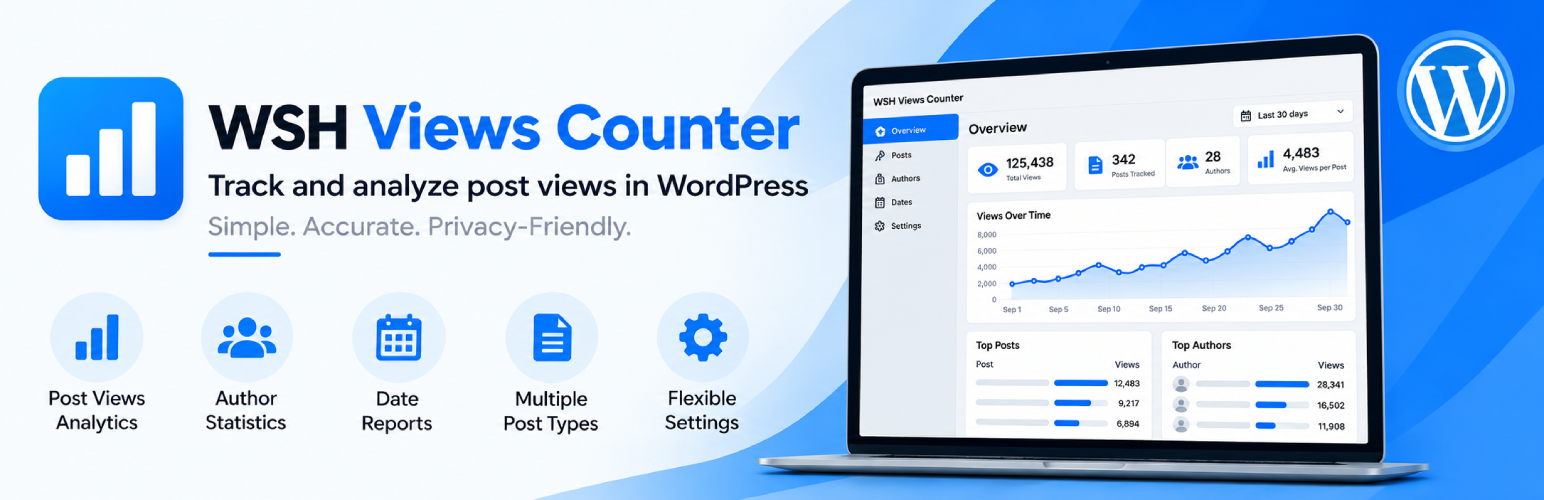
WSH Views Counter 是一款輕量級的 WordPress 文章瀏覽次數計數器,具備內建統計與報告功能。它能直接在 WordPress 中追蹤文章、頁面、WooCommerce 產品等公開文章類型的瀏覽次數,幫助用戶分析哪些內容和產品最受關注。
【主要功能】
• 追蹤文章和頁面的瀏覽次數
• 支援 WooCommerce 產品的瀏覽統計
• 提供按日期、作者和分類的報告
• AJAX 基礎的瀏覽追蹤
• 可選擇自動顯示瀏覽次數
• 本地 WordPress 資料庫儲存數據
外掛標籤
開發者團隊
原文外掛簡介
WSH Views Counter is a lightweight WordPress post views counter with built-in statistics and reporting.
Track views for posts, pages, WooCommerce products, and other public post types directly inside WordPress. Analyze views by post, author, date, taxonomy, and WooCommerce product category to understand which content and products attract the most attention.
View statistics are stored locally in your WordPress database. The free plugin does not require an external account, license, or third-party analytics service.
WordPress Post Views Counter
WSH Views Counter provides a simple way to track how often your WordPress content is viewed.
It supports posts, pages, WooCommerce products, and other public post types. View totals can be analyzed directly from the WordPress admin area without relying on an external analytics dashboard.
The plugin uses a dedicated database table for statistics and also maintains the total view count as post meta, allowing view totals to be accessed efficiently from WordPress.
Free Features
Track views for posts and pages
Track WooCommerce product views
WooCommerce product view statistics
Product view reports by WooCommerce product category
Views by taxonomy for products
Support for other public custom post types
AJAX-based view tracking
Works with cached pages
Daily view totals
Mobile and desktop view statistics
Logged-in visitor statistics
Reports by post
Reports by author
Reports by date
Views by taxonomy
Sort and filter view reports
Optional automatic view-count display
Shortcode [wshub_vc_views]
Views column in the WordPress Posts screen
View-count controls on the post edit screen
Exclude administrators from counting
Exclude selected WordPress roles
Optionally exclude guest views
Bot filtering
IP address exclusions
Configurable repeat-view interval
Import existing view counts
Tools for managing collected data
Local WordPress database storage
No external account required
No license required
Cache-Friendly View Tracking
Many WordPress sites use page caching for better performance. Traditional server-side counters can miss views when a cached version of a page is served without executing WordPress again.
WSH Views Counter uses AJAX-based tracking after the page loads, allowing a view to be recorded even when the page itself was delivered from a cache.
This makes the counter suitable for WordPress sites that use page caching.
Built-In View Reports
View statistics are available directly inside the WordPress admin area.
Reports can be viewed by post, author, and date, making it easier to understand which content receives attention and how views change over time.
Statistics include total views as well as mobile, desktop, and logged-in counts.
Reports can also be filtered by period and post type.
Taxonomy reporting provides another way to analyze how groups of related content perform.
WooCommerce Product View Statistics
WSH Views Counter works with WooCommerce products and provides product view statistics directly inside WordPress.
You can track and analyze:
Total views for WooCommerce products
Individual product view counts
Product views over time
Mobile and desktop product views
Logged-in product views
Product view statistics by WooCommerce product category
Views by taxonomy when reports are filtered to products
Product view totals directly in the WordPress admin area
When the taxonomy report is filtered to WooCommerce products, product categories can be used to analyze how different groups of products are being viewed.
This provides store administrators with a simple way to understand which products and product categories are attracting attention without requiring an external analytics service.
WSH Views Counter tracks product views only. WooCommerce funnel analytics and other advanced ecommerce analytics are part of the separate PRO add-on.
Display Post View Counts
WSH Views Counter can automatically display the number of views on your content.
For more control, use the included shortcode:
[wshub_vc_views]
This allows the current view count to be placed inside supported WordPress content.
Developers can also use the available PHP helper when integrating view statistics into custom themes or templates.
Flexible Counting Rules
Not every request needs to become a view.
WSH Views Counter provides controls for excluding administrators, selected user roles, guests, bots, and specific IP addresses.
You can also configure how much time must pass before another visit from the same visitor is counted again.
These controls make it possible to adapt view counting to the needs of different WordPress websites.
Privacy-Friendly by Design
The free plugin keeps its view statistics inside your WordPress installation.
For each counted view, the plugin stores the content being viewed, the date, device type, and whether the visitor was logged in.
A visitor IP address may be read temporarily to apply exclusions and repeat-view rules, but the IP address is not stored as part of the view statistics.
The free plugin does not collect referrer analytics, visitor sessions, live visitor data, geographic information, or WooCommerce funnel events.
No external analytics account is required.
WSH Views Counter PRO
For websites that need more advanced analytics, WSH Views Counter PRO is available as a separate commercial add-on from WPPluginsPRO.io.
The PRO add-on extends WSH Views Counter with additional analytics and reporting capabilities, including:
Geographic analytics
Referrer reports
Realtime reporting
Data exports
Trending content widgets
WooCommerce funnel analytics
WSH Views Counter PRO is a separate commercial plugin and is not included with this WordPress.org download.
The free WSH Views Counter plugin is fully functional on its own and does not require the PRO add-on.
Developed by Web Solutions Hub
WSH Views Counter is developed and maintained by Web Solutions Hub LLC.
We build professional WordPress, WooCommerce, ecommerce, and custom software solutions.