
內容簡介
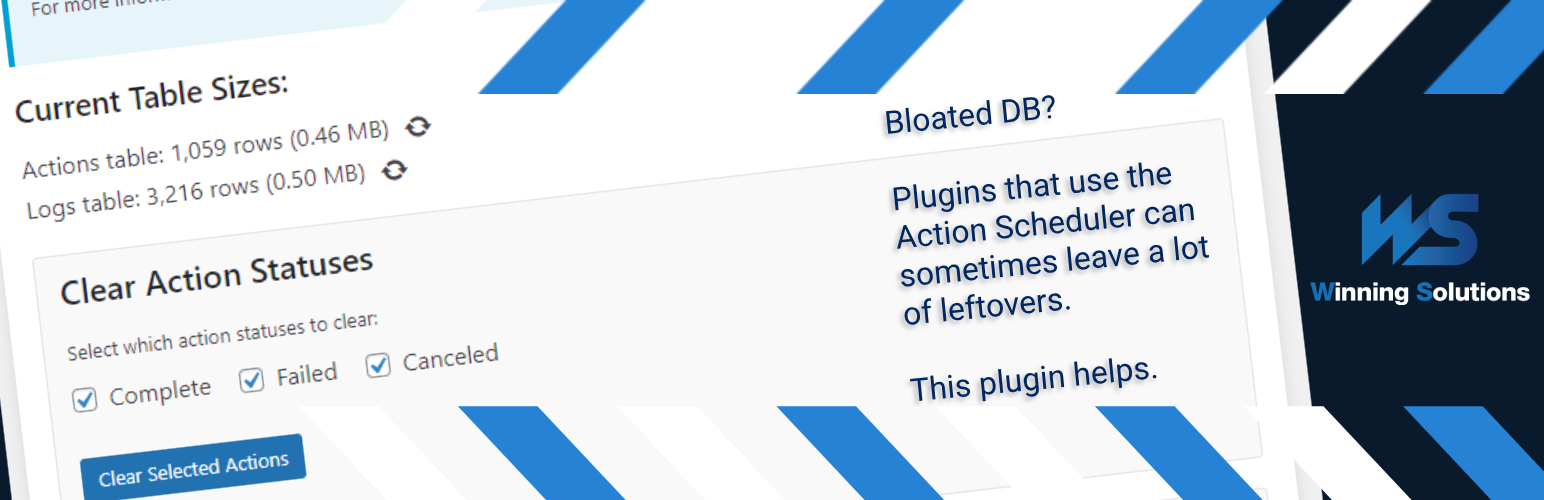
網站優化小工具:WS Action Scheduler Cleaner,能通過管理 Action Scheduler 表格來最佳化您的 WordPress 資料庫。Action Scheduler 是一個強大的作業佇列和後台處理庫,許多熱門外掛如 WooCommerce、WP Forms 和 Jetpack 都在異步處理豐富資源的任務時使用它。此外,WS Action Scheduler Cleaner 可以幫助您清理完成、失敗或取消的操作,設置自動清除時間等,進而改善網站效能。
問題:
1. WS Action Scheduler Cleaner 的主要功能有哪些?
2. 為什麼定期清理 Action Scheduler 表格中的不必要數據對網站有益處?
3. 如何進入 WS Action Scheduler Cleaner 工具?
4. 在 WS Action Scheduler Cleaner 中可以自動清理的幾種操作狀態有哪些?
5. 在什麼情況下建議設置自動清除時間?
6. 若停用插件,會發生什麼情況?
開發者團隊
原文外掛簡介
WS Action Scheduler Cleaner is a small tool designed to optimize your WordPress database by managing the Action Scheduler tables. Action Scheduler, a robust job queue and background processing library, is utilized by many popular plugins such as WooCommerce, WP Forms, and Jetpack to handle resource-intensive tasks asynchronously.
While Action Scheduler is crucial for the smooth operation of these plugins, its tables can grow significantly over time, potentially impacting your site’s performance. This is where WS Action Scheduler Cleaner comes in.
Key features:
Easily clear completed, failed, or canceled actions from the Action Scheduler tables
Set up automatic clearing schedules for efficient database maintenance
Optimize the database tables to reclaim unused space and potentially improve performance
Customize retention periods for logs and actions
User-friendly interface integrated into the WordPress admin area
By regularly cleaning up unnecessary data from Action Scheduler tables, you can:
Improve database query performance
Reduce database size
Enhance overall site speed and responsiveness
WS Action Scheduler Cleaner is an essential tool for any WordPress site using plugins that rely on Action Scheduler, especially high-traffic e-commerce sites or membership platforms that generate a large number of scheduled actions.
Usage
In the WordPress admin panel, go to Tools > Action Scheduler Cleaner
Select which action statuses you want to clear (completed, failed, canceled)
Set up different automatic clearing schedules if desired
Click “Clear Selected Actions” to manually clear actions – or let the automatic schedule handle it
Optionally optimize the DB tables as well; this is your solution for when the size of the tables doesn’t seem to go down on simple clearing
For best results, we recommend setting up an automatic clearing schedule to maintain optimal database performance. Something like 7 days is usually sufficient. By default, Action Scheduler does this every 30 days, but only for completed and canceled actions, whereas you can control this aspect in the plugin. On deactivation of the plugin, the 30-day retention period as well as which actions get cleared will reset to their defaults.
Developer Information
Cleanup and optimization run in time-bounded chunks: each pass deletes up to batch_size rows per SQL statement and repeats until max_seconds elapses or no matching rows remain. Progress is saved between chunks so large tables can be processed without a single long request.
The following filters (since 1.3.0) let you tune behavior for your hosting environment. Add them in a custom plugin or your theme’s functions.php.
Manual cleanup (admin UI / AJAX)
wsacsc_ajax_cleanup_batch_size (default: 10000) — Maximum rows deleted per DELETE statement during manual clear operations initiated from the admin screen. Higher values can speed up very large tables but increase load per query.
wsacsc_ajax_cleanup_max_seconds (default: 18) — Seconds of work per AJAX request before the plugin saves progress and returns. The admin UI polls for the next chunk while you keep the page open. Increase on slow hosts if chunks finish too quickly; decrease if requests time out.
Scheduled cleanup (WP-Cron)
wsacsc_cron_cleanup_batch_size (default: 2000) — Same as the AJAX batch size, but for automatic retention cleanup run on a schedule. Defaults are lower than manual cleanup to reduce impact on live traffic.
wsacsc_cron_cleanup_max_seconds (default: 45) — Seconds of work per cron run before the job pauses and schedules continuation (see below).
Background continuation
wsacsc_cleanup_use_background_continuation (default: true) — When a chunk ends before deletion is finished, schedule a single WP-Cron event to resume the job in the background. This is important for scheduled cleanup on large tables and when no admin session is polling progress. Manual cleanup in the browser also continues via AJAX polling; setting this filter to false disables cron-based resumption only (unfinished scheduled jobs may stall unless something else triggers the next chunk).
Scheduled auto-optimize
After a scheduled retention pass deletes all matching rows for a table, the plugin may run OPTIMIZE TABLE automatically to reclaim disk space. Manual clear from the admin UI never auto-optimizes; use the Optimize button instead.
wsacsc_scheduled_auto_optimize_max_rows (default: 100000) — Run auto-optimize only if the table’s total row count is at or below this value after cleanup. Prevents long, blocking optimize operations on tables that are still huge. Values below 1000 are raised to 1000.
wsacsc_scheduled_auto_optimize_delay_seconds (default: 5) — Seconds to wait after the last delete batch before running OPTIMIZE TABLE, giving the database a short breather. Clamped between 0 and 60.
Example (gentler cron, no background continuation):
add_filter( 'wsacsc_cron_cleanup_batch_size', function () { return 500; } );
add_filter( 'wsacsc_cron_cleanup_max_seconds', function () { return 30; } );
add_filter( 'wsacsc_cleanup_use_background_continuation', '__return_false' );
Author: Winning Solutions
Author URI: https://www.winning-solutions.de














