內容簡介
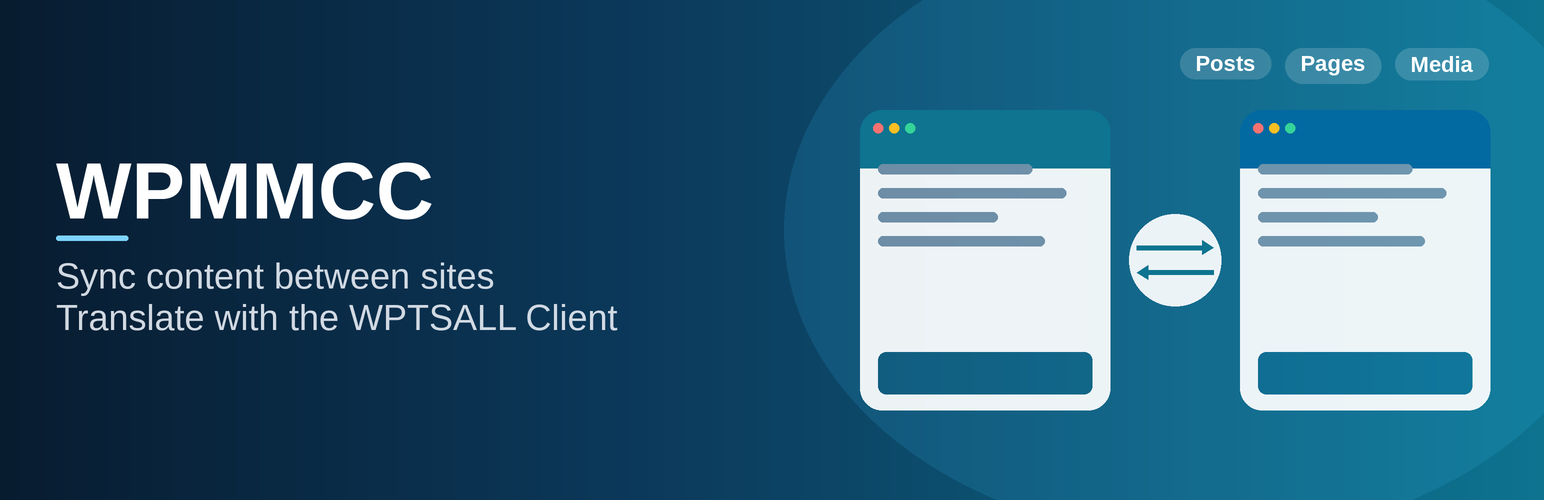
WPMMCC 外掛允許 WordPress 網站之間的內容同步,無需付費或授權金鑰。管理員可以輕鬆配對網站,實現文章、媒體及其他內容的雙向或單向同步,提升網站管理效率。
【主要功能】
• 支援多種網站配對模式
• 自動處理內容衝突
• 同步文章、媒體及自定義欄位
• 無需付費或授權金鑰
• 提供 JSON 簽名的安全傳輸
外掛標籤
開發者團隊
原文外掛簡介
WPMMCC copies content between WordPress sites an administrator pairs. The wp-admin menu is WPMMCC Sync. The REST namespace is wpmmcc/v1. All features are free. No license key or payment is required.
Project links
Website: https://www.wpmm.cc/
Documentation: https://www.wpmm.cc/docs/content-sync.html
FAQ and privacy: https://www.wpmm.cc/docs/faq.html
This plugin on WordPress.org: https://wordpress.org/plugins/wpmmcc/
Plugin source: https://github.com/wpmmcc/wpmmcc
Optional WPTSALL Client source: https://github.com/wpmmcc/wptsall-client
Client releases: https://github.com/wpmmcc/wptsall-client/releases
Client guide: https://www.wpmm.cc/docs/client-guide.html
Supported layouts:
Standalone site to standalone site
Network subsite to network subsite
Network subsite to standalone site
Standalone site to network subsite
Direction can be bidirectional, push only, or pull only. Conflict handling can be last-write-wins, source wins, target wins, manual review, or a field merge. Source and target locales are stored with the pairing as labels.
All features are free. No license key or payment is required.
What it copies
Posts (title, content, excerpt, and related fields), taxonomies, post meta, and media (images, video, audio, and documents). Adapters cover WooCommerce, Elementor, Advanced Custom Fields (ACF), bbPress, Yoast SEO, Rank Math, LMS courses, galleries, podcasts, downloads, and other registered post types.
Payloads are JSON signed with HMAC-SHA256. The plugin does not PHP-unserialize data received from a peer. A rapid series of saves is coalesced for 5 seconds. An hourly job compares content fingerprints and repairs drift. The plugin refuses to pair a site with itself. Private and local peer addresses are refused unless an administrator opts in. Redirects are not followed.
What it does not do
It does not call a translation vendor. In-site translation is the separate plugin WPMMCC ATS. Its wp-admin menu is WPTSALL.
The direct pairing form only offers content sync. A “sync and translate” mode is rejected on that form. The WPTSALL Client can run that mode: it translates the title, content, and excerpt, then pushes the result.
It does not contact wpmm.cc, www.wpmm.cc, or any translation vendor. There is no phone-home, license check, telemetry, or language-pack download.
It does not use a central sync server.
Optional standalone client
Direct pairing does not need the WPTSALL Client. Two sites with this plugin installed can pair with a pairing code.
The same client can also be paired to this plugin. WPMMCC Sync can show a client token, a route secret, and a connection pack (site URL, token, route secret, and this site’s UUID). An administrator pastes that pack into the client. The client then calls this site’s wpmmcc/v1 routes. Content the client pulls is processed on the computer where the client runs, and can be pushed to another site the administrator paired. That computer is not wpmm.cc.
The client’s WebUI is a browser page that defaults to 127.0.0.1:8977. Desktop listens on 127.0.0.1:8978 and stays on this computer. When the pairing mode is sync_and_translate, the client translates the title, content, and excerpt on that computer and then pushes them. This plugin does not call the translation vendor. Client source: https://github.com/wpmmcc/wptsall-client . Signed releases: https://github.com/wpmmcc/wptsall-client/releases . Setup guide: https://www.wpmm.cc/docs/client-guide.html .
Generate a client token in WPMMCC Sync before using the client. Until a token exists, GET /wp-json/wpmmcc/v1/sync/ping answers without a token and returns only the plugin name, version, and protocol numbers. It does not return site content. After a token is generated, that request requires the token.
External services
This plugin does not contact wpmm.cc, www.wpmm.cc, or any other vendor server. There is no phone-home, license check, telemetry, or language-pack download.
Service used: a WordPress site an administrator enters in WPMMCC Sync, or the optional WPTSALL Client an administrator installs and points at this site. There is no third-party terms-of-service URL for that peer, because it is a site or program you operate. Product documentation is at https://www.wpmm.cc/docs/content-sync.html . Privacy notes for the product are at https://www.wpmm.cc/docs/faq.html . The client guide is at https://www.wpmm.cc/docs/client-guide.html . This plugin does not call those pages.
Nothing is sent until an administrator connects a peer, runs a sync or connection test, the hourly reconciliation runs for an already paired peer, or the optional client calls this site.
Connect a peer
When an administrator submits the connect form, the plugin sends one JSON POST to:
{remote site}/wp-json/wpmmcc/v1/sync/handshake
The body contains the pairing code, this site’s UUID, home URL, site name, install signature, requested direction, sync mode (sync_only), source language, target language, and conflict strategy. The peer answers with its UUID and a shared secret used only to sign later requests between these two parties. The shared secret is stored on this site. It is not sent to any third party.
The optional client can send that same handshake to this site, using a pairing code an administrator generated. This site then treats the client as a peer.
Sync with a paired peer
Later calls are JSON POSTs, signed with HMAC-SHA256. Each request includes X-WPMMCC-Site-UUID, X-WPMMCC-Timestamp, X-WPMMCC-Nonce, and X-WPMMCC-Signature.
/wp-json/wpmmcc/v1/sync/push and /wp-json/wpmmcc/v1/sync/receipt — one content packet or a delivery receipt. A packet can include post title, content, excerpt, status fields, taxonomies, post meta, and a media manifest.
/wp-json/wpmmcc/v1/sync/digest and /wp-json/wpmmcc/v1/sync/pull — identifiers and fingerprints used to pull packets the peer already has.
/wp-json/wpmmcc/v1/sync/reconcile-digest — fingerprints compared by the hourly reconciliation job.
Media bytes may be sent in chunks with the packet’s media manifest.
The peer, or the optional client after it has paired, may call this site’s matching routes. Those are inbound requests. This plugin does not open a connection to the client by itself.
Identity request
GET /wp-json/wpmmcc/v1/sync/ping
Before a client token exists, this route answers without a token and returns only plugin identity, version, and protocol numbers. After an administrator generates a client token, the caller must send that token. The authenticated response also includes this site’s install signature. Site content is not included.
Private and local peer addresses are refused unless an administrator opts in. Redirects are not followed. This plugin does not send site content to WPMMCC.
Privacy
Pairing records, the shared secret, the client token, the route secret, sync queue rows, and content fingerprints are stored in this site’s database. Copied posts, terms, and media are stored as normal WordPress content on the destination site.
Content leaves this site only toward a peer URL an administrator saved, or toward the optional client after that client has paired. It is not sent to a translation vendor by this plugin.
Deleting the plugin removes its database tables, settings, scheduled task, and credentials stored in options. That includes the delivery tables. Copied posts and media that were written into the WordPress content tables remain until an administrator deletes them.