
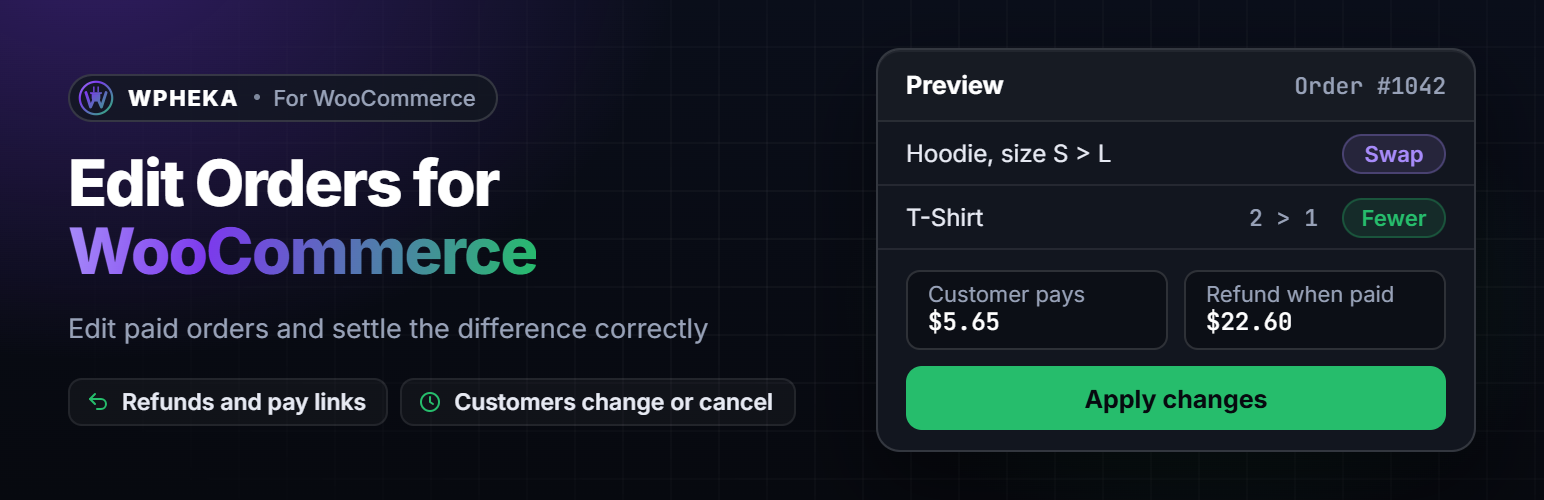
內容簡介
WPHEKA Edit Orders for WooCommerce 讓商家能夠輕鬆編輯已付款的訂單,無需取消或退款,並自動處理金額變更,提升訂單管理效率。
【主要功能】
• 編輯已付款訂單,無需取消
• 自動處理退款與金額差異
• 客戶可在感謝頁面修改訂單
• 支援多種運送與帳單地址變更
• 提供即時預覽變更內容
• 無需手動調整報告與庫存
外掛標籤
開發者團隊
② 後台搜尋「WPHEKA Edit Orders for WooCommerce」→ 直接安裝(推薦)
原文外掛簡介
WooCommerce locks an order once it is paid. Changing a size, adding an item or fixing an address then means cancelling, refunding by hand, working out tax and shipping, then sending a new invoice.
WPHEKA Edit Orders for WooCommerce lets you edit a paid order in a few clicks and handles the money for you:
Order costs less? It refunds the difference through your payment gateway, with the items put back in stock.
Order costs more? It creates a small linked order for the difference and emails your customer a link to pay it. The change is made when it is paid; until then the order ships as it was.
Nothing changes in price? The change is made straight away.
You always see a preview first: what changes, what is refunded, what the customer pays and what happens to stock.
Store owners can
Change quantities, remove items and add products to Processing and On hold orders, with an optional price for added products
Swap a variation, such as a size or colour, with the price difference worked out from what the customer actually paid (coupons included)
Change the shipping or billing address, with shipping re-rated from your shipping zones and tax worked out again for the new address
See linked balance orders on the order screen, copy the pay link, send it again or cancel it
Approve or decline cancellation requests in WPHEKA > Edit Orders, next to a log of every change
See which orders customers can still change: a “Changes open, 2 h left” badge in the orders list, a “Customer can still change” view and a note on the order screen. Pack those orders once the time is up.
Never offer changes for chosen products or categories, such as made-to-order or final-sale items. Your own edits still work.
Hold new orders while customers can change them (off by default). Paid orders wait as Open for changes instead of Processing, so tools that ship Processing orders don’t pick them up early. When the time for changes ends, the order moves to Processing once. It moves earlier when the customer says all is good, a tracking number is added or you click Release now.
See the last 30 days at a glance: orders edited, refunds, pay links, customer changes and cancellations, plus how many orders customers can change right now.
Customers can
Within the time you allow (one hour by default), from the thank-you page, My Account or the link in their order email:
Cancel the order, with a reason. Cancel straight away with a refund or send you a request to approve.
Change the delivery address, with any difference in shipping or tax shown before they confirm
Change the billing address (never the billing email). You choose whether customers can change the delivery address, the billing address or both.
Change a size or colour to another option that is in stock
Edit their order note
Say “All good, no changes needed” to close the window early
Changes stop as soon as the order ships: when it is completed, a tracking number is added (WooCommerce Shipment Tracking, Advanced Shipment Tracking, AfterShip) or WooCommerce marks it fulfilled. Customers with an account make changes while logged in. Guests use the link in their order email. As on WooCommerce’s own order pages, a guest who comes back later from another browser first confirms the email address on the order, so a forwarded link alone can’t redirect a parcel.
The money is always handled correctly
Never changes a paid total without refunding or charging the difference.
A paid order’s totals are never changed directly. Decreases are real WooCommerce refunds, with tax split per tax rate, so your reports stay right.
If your payment method can’t refund automatically, the refund is still recorded with stock restored, the order is flagged “Manual refund needed” and you get an email. It never claims a refund happened when it didn’t.
Cash on delivery: changes adjust the amount to collect instead of moving money.
Orders paid by authorization only are left alone until they are captured.
Emails
Seven WooCommerce emails, which you can turn on or off in WPHEKA > Edit Orders > Settings and reword in WooCommerce > Settings > Emails: order updated, balance due (with the pay link), manual refund needed, cancellation requested, order cancelled, cancellation declined and customer changed an order. The order confirmation email gets a “change or cancel” link while changes are allowed.
Built for WooCommerce today
Works with High-Performance Order Storage (HPOS) on or off and with the Cart and Checkout blocks
Works with classic and block themes
Templates and emails can be overridden in your theme; developer hooks are documented
A debug log you can share with support, with no names, emails or addresses in it
No tracking and no notices outside its own screens
For developers
Every hook starts with edit_orders_for_woocommerce_. Added in 1.4.0:
The hold: should_hold, hold_started, hold_released. The time for changes: window_end, window_max_seconds.
Customer actions and the panel: customer_changes, customer_action, customer_change_intercept, panel_args, panel_actions, panel_state, customer_preview, preview_after, balance_redirect.
Changes and settlement: normalise_change, plan_change, can_change_item, plan_run, refund_handler, and the plan’s methods add_refund_line(), add_balance_item(), add_description(), add_error(), set_extra() and get_extra(). A shipping method can now change on its own in an address change.
Cancellations: cancel_intercept, cancel_request_details, cancel_form_fields, cancel_refund, execute_cancel, request_summary, activity_requests, activity_requests_heading, activity_decide.
The editor and emails: admin_preview_after, admin_apply_args (and a fourth argument on before_apply), admin_address_tab, email_data, email_after_summary.
The Edit Orders page: page_tabs (with page_tab_{key}), settings_sections, settings_after_sections, settings_save, page_links.
Each hook has a docblock with its arguments where it fires.
