內容簡介
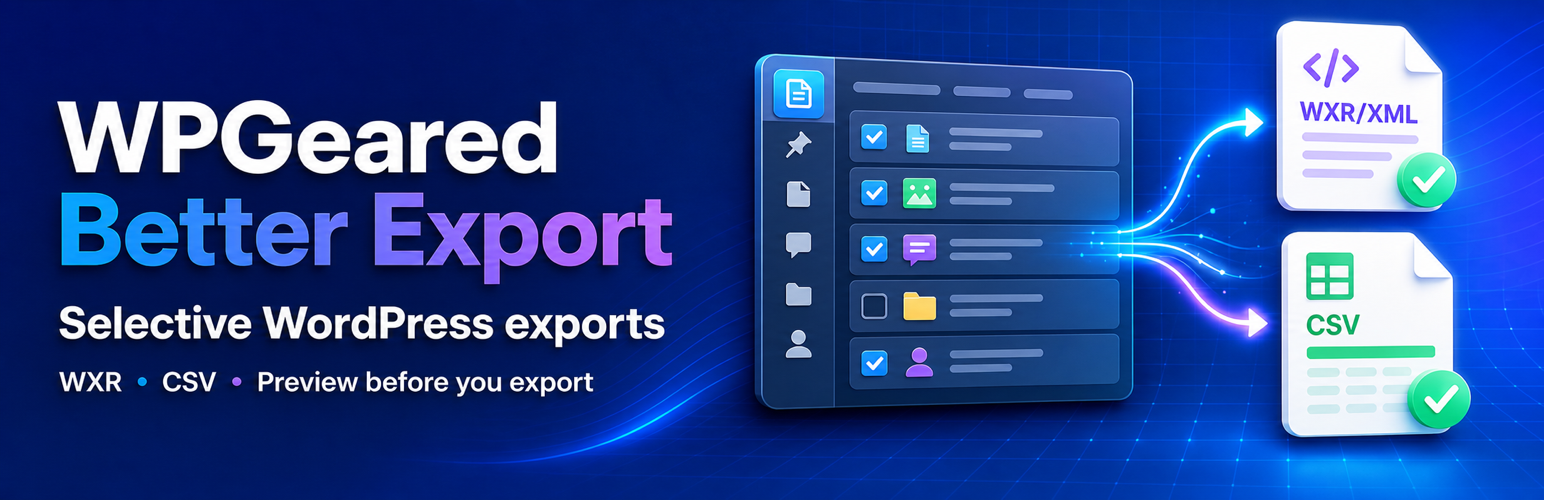
WPGeared Better Export 是一款幫助用戶更有效率地導出 WordPress 內容的外掛,允許用戶根據多種條件篩選內容,並以 WXR 或 CSV 格式導出,簡化了內容管理流程。
【主要功能】
• 根據類型、狀態、日期等篩選內容
• 支援 WXR 和 CSV 格式導出
• 可暫停和恢復的 WXR 匯入功能
• 進度保存與錯誤重試機制
• 清晰的管理介面與預覽功能
外掛標籤
開發者團隊
原文外掛簡介
WPGeared Better Export helps you create focused, predictable exports instead of downloading everything and sorting it out later. Filter content by type, status, date, author, category, tag, and item limit, then export posts and pages as WordPress WXR or export public content types as CSV.
New in 1.4.3: A Clearer Admin Workspace
Choose content and filters beside a manual export preview. Review matching counts, sample rows and the estimated size, then select Download WXR, Download CSV, or View data table. Compact category/tag selectors support multiple choices; the layout stacks on smaller screens. The Import tab uses the same layout while retaining saved progress, pause and recovery controls.
New in 1.4.0: Resumable WXR Import
The Import tab uploads XML in 256 KB chunks, checks it in bounded sections, and imports content in short requests with saved progress. Choose author mappings, download media, pause or cancel, return later, and retry failed items. Media downloads and image processing run separately; temporary download errors receive up to three attempts with pauses. The completion report distinguishes complete, skipped, and failed records.
Keep the plugin page open while processing. Temporary connection failures retry automatically with increasing pauses and a saved-progress check before repeating work. Recovery waits for the previous worker to finish and stops after 20 retries or ten minutes, with an actionable error. Closing the page stops scheduling new batches; reopening the Import tab resumes jobs that were running. Deliberately paused or cancelled jobs stay stopped until you select Continue. Expired login sessions require signing in again and reloading the page. This limits peak work, but importing still consumes server resources. A single image operation or another plugin’s hooks can exceed the normal batch target.
Supported: WXR 1.0–1.2; posts, pages and registered content types; registered taxonomies, comments and their metadata; plain and serialized array/scalar custom fields; featured images, attachment parents, and known imported links. Core media block IDs are remapped when the installed WordPress version provides block serialization. Serialized objects, menus, revisions, site settings, users/passwords, arbitrary plugin-specific ID references, and external side effects triggered by other plugins are outside this importer’s migration guarantees. Authors map to existing users without creating accounts. Existing matching terms are reused without overwriting their descriptions or metadata.
Import requirements and limits: PHP DOM/XML; transactional InnoDB WordPress tables (SQLite integration is also supported); available database space for the XML and normalized staging records, potentially several times the XML size. Maximum file 512 MB, individual XML record 8 MB/20,000 tags, nesting 64 levels, and 500 source authors. Media files are limited to 20 MB and images to 20 megapixels, with an additional memory check. Media URLs must be publicly reachable HTTP(S) URLs and files must pass WordPress’s allowed-file checks. Missing dependencies and oversized/unsupported records are reported rather than silently dropped.
Saved import data is private database content, not a public XML download. Remove saved jobs when their resume history is no longer needed; uninstalling the plugin removes its staging/history tables. Imported posts and registered media are retained. Files written before an interrupted database commit can remain in the import’s uploads folder; a retry reuses their deterministic paths. Removing a job does not remove these files.
Jobs already marked invalid by an earlier version need their source checked and a fresh upload after removing that job’s saved history.
The importer resumes its own jobs. It cannot automatically adopt a partially completed native WordPress import. Possible existing matches are reported for review, and the same XML cannot start a second saved job until its earlier history is removed. Test migrations on staging before using a destination with existing content.
Export Fidelity Improvements in 1.3.1: More Complete WXR Exports
WXR exports now include other media attached to the selected posts or pages, alongside featured images. Both media options are enabled by default and can be selected independently. Attachment alt text, protected custom fields, comment metadata, taxonomy hierarchy and metadata, original GUIDs, and modification dates are preserved in the export. Featured-image references are written once.
Exports are prepared before downloading. If a value cannot be represented in valid XML, the export stops with a record identifier. You can explicitly choose to skip affected metadata, accepting the omitted data; the XML records the number of skipped rows. Post content is never silently changed, and serialized metadata is never automatically rewritten. This does not modify data on your site.
Preview Before You Export
Version 1.3.0 adds an export preview to both the WXR and Data Export tabs. Click Preview Export to review the result before starting the download.
See the total number of items matching your filters.
See how many items will actually be exported after applying an item limit.
Confirm the active content type, statuses, dates, author, taxonomies, fields, and output settings.
Inspect up to five sample items using the values prepared for the export.
Review an estimated output size before downloading.
Change a setting and the previous preview is cleared automatically, preventing stale results from being mistaken for the current selection.
Preview and download use the same validated filters and CSV value preparation, helping the preview accurately represent the export you are about to create. The size is an estimate based on the sample and may vary from the final file.
Highlights
Preview matching content, selected settings, sample rows, and estimated size before exporting.
Export straight to WXR for migrations or CSV for spreadsheets, reporting, and BI tools.
Targeted filtering by date range, post status, taxonomy, author, post type, and limits.
Select exactly which CSV columns to include, including relative URLs and featured images.
Built-in quick presets (Last Month, This Year, etc.) keep repetitive workflows fast.
Familiar WordPress-style interface with grouped filters and a sample preview.
Key Features
Batched WXR Import: Private chunked uploads, validation, author mapping, saved progress, pause/resume, separate media processing, and failure reports
Export Preview: Check matching and effective counts, active settings, sample rows, and estimated size before downloading
Dual Export Formats: Export posts and pages as WXR for migration, or export public content types as CSV for analysis
Advanced Filtering: Filter by date range, post status, categories, tags, author, content type, and item limit
Selective Field Export: Choose from 18 CSV fields so the file contains only the data you need
Related Media: Independently include featured images and other attached media in WXR, with image alt text and attachment data
Quick Date Presets: Apply common WXR date ranges such as Last Month, This Month, and This Year
Custom Filenames: Choose the downloaded CSV filename
Browser Table: Display selected data in the browser when a downloadable CSV is not required
WXR Export
Export filtered posts or pages in WordPress WXR format for migration between WordPress sites. Before downloading, preview the matching count, selected options, sample content, and estimated size. WXR can include:
* Full post/page content
* Categories, tags, and registered custom taxonomies, including hierarchy and term metadata
* Non-spam comments (including pending and trashed comments) and comment metadata
* Public and protected custom fields, preserved in their original serialized form where applicable
* Featured images and other media attached to the selected posts/pages, including image alt text
* Original GUIDs and creation/modification dates
* Author information
CSV Export
Export posts, pages, and public custom post types as CSV for data analysis, reporting, or external use. Preview the selected columns and sample values first. Choose from 18 fields including:
* Post ID, Title, Slug, URL
* Content and Excerpt
* Categories and Category URLs
* Tags and Tag URLs
* Author information
* Published and Modified dates
* Status and Post Type
* Comment count
* Featured Image URL
Advanced Filtering
Date Range: Filter by specific date ranges with date pickers
Quick Presets: Use preset ranges (Last Month, This Year, etc.)
Post Status: Filter by Published, Draft, Pending, Scheduled, Private, or Trashed
Categories & Tags: Multi-select dropdowns for easy selection
Author: Filter by specific authors
Content Limits: Set maximum number of items to export
Perfect For
Migrating specific content between WordPress sites
Creating backups of filtered content
Exporting data for analysis in Excel or other tools
Exporting content by date range or category
Testing exports before full site migration
Why WPGeared Better Export?
Migration specialists move only the content they need, avoiding bloated XML files.
Content teams track editorial output with CSV datasets filtered by author or taxonomy.
Data analysts receive clean, ready-to-query exports for Excel, Google Sheets, or BI tools.
Agencies streamline QA by exporting smaller test batches before large moves.
Need help or have a feature request? Open a support topic on WordPress.org or visit https://wpgeared.com for priority assistance.