內容簡介
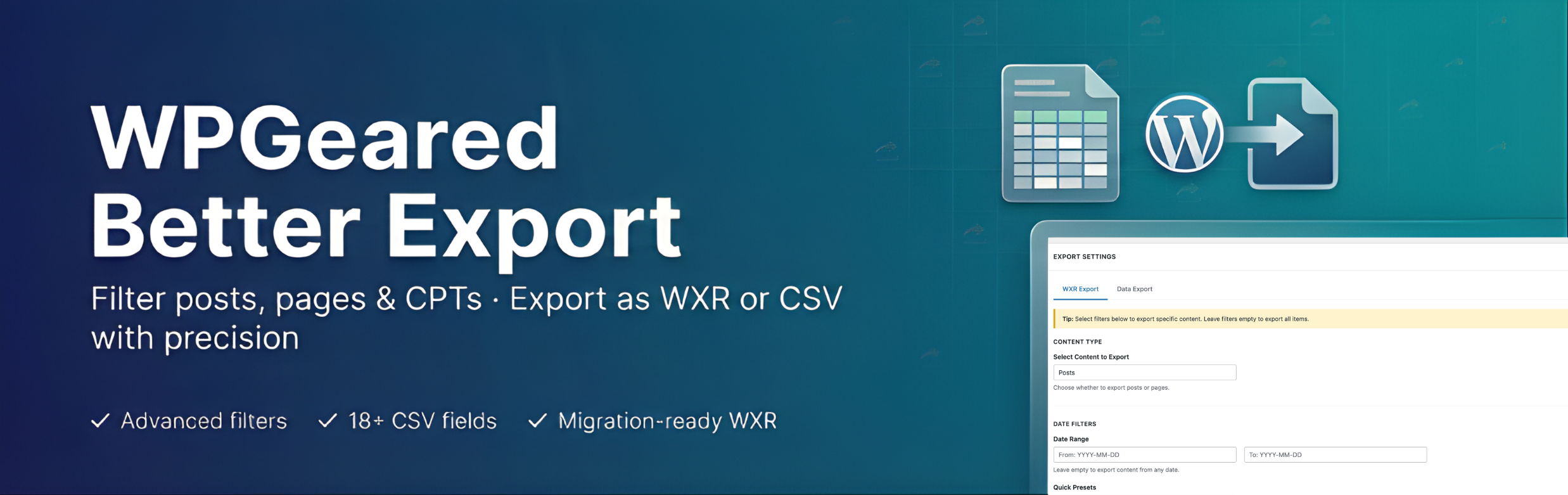
總結:WPGeared Better Export 是一個強大的 WordPress 外掛,可讓您使用進階篩選功能導出內容。非常適合在 WordPress 網站之間遷移特定內容或為分析導出數據。
問題與答案:
1. WPGeared Better Export 外掛主要用於什麼目的?
- 答:主要用於將特定內容在 WordPress 網站之間進行遷移,或為了分析導出數據。
2. 這個外掛提供了哪些導出格式?
- 答:這個外掛提供了兩種導出格式,分別是 WXR 格式用於迁移或 CSV 格式用於數據分析。
3. 這個外掛的過濾功能有哪些特點?
- 答:可以按照日期範圍、發布狀態、分類、標籤、作者等進行目標性篩選。
4. 請列舉一些 CSV 導出的可用字段?
- 答:包括帖子ID、標題、短標題、URL、內容、摘要、分類、標籤、作者信息、發布和修改日期、狀態、帖子類型、評論計數、特色圖片URL等。
5. 這個外掛特別適合哪些人群使用?
- 答:遷移專家、內容團隊、數據分析師以及機構在進行小規模測試之前進行大規模移動之前。
外掛標籤
開發者團隊
原文外掛簡介
WPGeared Better Export is a powerful WordPress plugin that allows you to export your content with advanced filtering options. Perfect for migrating specific content between WordPress sites or exporting data for analysis.
Highlights
Export straight to WXR for migrations or CSV for spreadsheets, reporting, and BI tools.
Targeted filtering by date range, post status, taxonomy, author, post type, and limits.
Select exactly which CSV columns to include, including relative URLs and featured images.
Built-in quick presets (Last Month, This Year, etc.) keep repetitive workflows fast.
Familiar WordPress-style interface so teams can adopt it without training.
Key Features
Dual Export Formats: Export as WXR (WordPress eXtended RSS) for migration or CSV for data analysis
Advanced Filtering: Filter by date range, post status, categories, tags, author, and more
Content Type Selection: Export posts, pages, or custom post types
Selective Field Export: Choose exactly which fields to include in CSV exports
Featured Images: Include featured images with full attachment data in WXR exports
Quick Date Presets: Use preset date ranges like “Last Month” or “This Year”
Custom Filenames: Set custom filenames for your exports
Export Options: Choose to download CSV files or display data in browser
WXR Export
Export your content in the standard WordPress WXR format for seamless migration between WordPress sites. Includes:
* Full post/page content
* Categories and tags
* Comments
* Custom fields
* Featured images with attachment data
* Author information
CSV Export
Export your content as CSV for data analysis, reporting, or external use. Select from 18+ available fields including:
* Post ID, Title, Slug, URL
* Content and Excerpt
* Categories and Category URLs
* Tags and Tag URLs
* Author information
* Published and Modified dates
* Status and Post Type
* Comment count
* Featured Image URL
Advanced Filtering
Date Range: Filter by specific date ranges with date pickers
Quick Presets: Use preset ranges (Last Month, This Year, etc.)
Post Status: Filter by Published, Draft, Pending, Scheduled, Private, or Trashed
Categories & Tags: Multi-select dropdowns for easy selection
Author: Filter by specific authors
Content Limits: Set maximum number of items to export
Perfect For
Migrating specific content between WordPress sites
Creating backups of filtered content
Exporting data for analysis in Excel or other tools
Exporting content by date range or category
Testing exports before full site migration
Why WPGeared Better Export?
Migration specialists move only the content they need, avoiding bloated XML files.
Content teams track editorial output with CSV datasets filtered by author or taxonomy.
Data analysts receive clean, ready-to-query exports for Excel, Google Sheets, or BI tools.
Agencies streamline QA by exporting smaller test batches before large moves.
Need help or have a feature request? Open a support topic on WordPress.org or visit https://wpgeared.com for priority assistance.