內容簡介
- 建立無限的常見問題列表- 建立無限的常見問題類別和標籤- 建立無限的自訂範本- 常見問題搜尋功能- 可以輕鬆使用 Gutenberg 區塊或簡碼在任何頁面上顯示您的常見問題- 響應式手風琴式佈局,適合任何網站和任何裝置- 常見問題頁面排序和分類選項- WPFAQBlock:顯示所有常見問題,並帶有搜尋功能- [wpfaqblock]:顯示所有常見問題,或僅使用選擇和排除參數顯示特定類別(兩者都要使用用逗號分隔的類別 slug 列表)
外掛標籤
開發者團隊
② 後台搜尋「WPFAQBlock– FAQ & Accordion Plugin For Gutenberg」→ 直接安裝(推薦)
原文外掛簡介
Easily create FAQs and add them to any page on your site. The responsive accordion display fits seamlessly into any site and provides a great FAQ user experience on any device.
WPFAQBlock includes Gutenberg block and shortcodes, so you can easily display your FAQs on any page, no matter which page editing system you are using.
Key Features
Create unlimited FAQs
Create unlimited FAQ categories and tags
Create unlimited custom templates
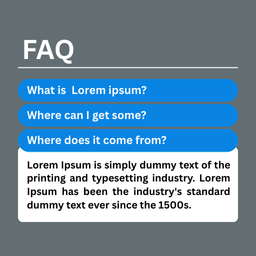
FAQs Search Function
Easy-to-use Gutenberg blocks to display your FAQs anywhere
FAQ shortcodes for extra flexibility
Responsive accordion layout that will fit any site and any device
Ordering and sorting options for your FAQ page
FAQ Blocks
WPFAQBlock: Display all FAQs with search function.
FAQ Shortcodes
[wpfaqblock]: Display all FAQs, or only specific categories using selecting and exclude parameters (both take a comma-separated list of category slugs)