內容簡介
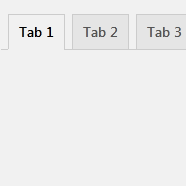
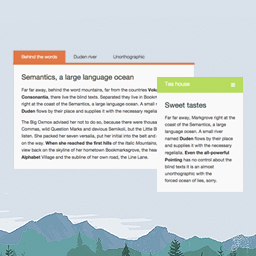
WPC Product Tabs for WooCommerce 是一款簡易使用的外掛,能為產品新增自訂標籤,提供買家更多詳細資訊,提升顧客對商品的信心。用戶可選擇預設標籤或自訂標籤,靈活調整標籤內容與樣式。
【主要功能】
• 三個預設產品標籤:額外資訊、描述和評論
• 拖放方式輕鬆調整標籤順序
• 可編輯每個標籤的文字和標題
• 無限新增自訂標籤,使用 WYSIWYG 編輯器
• 針對會員設定自訂標籤
• 與所有 WPClever 外掛及大多數 WooCommerce 外掛相容
外掛標籤
開發者團隊
② 後台搜尋「WPC Product Tabs for WooCommerce」→ 直接安裝(推薦)
📦 歷史版本下載
原文外掛簡介
WPC Product Tabs for WooCommerce is indeed a simply usable plugin for adding custom tabs to your products and provide your buyers with extra details for boosting customers’ confidence in the items. There are three predefined product tabs for users to use, or they can totally create a new custom tab to their preferences in terms of style and formatting.
Live demo
Visit our live demo here to see how this plugin works.
Features
Predefined product global tabs: additional information, description and reviews
Easily move to rearrange the order of the tabs by dragging & dropping
Easily remove any unwanted tab
Editable text and title for each tab
Unlimited addition of new custom tabs with WYSIWYG editor
Configure user role-based custom tabs for members
Customize new tabs with style and formats you’d prefer
Compatible with all WPClever plugins, most WooCommerce add-ons and WordPress themes
Premium: Manage product tabs at the product level
Premium: Use dynamic content tab
Premium: Lifetime update and dedicated support
Premium: Free simple customization service requesting
Adding Extra Details for Transparency
When you find that the WooCommerce’s default-provided information is not enough to showcase the advantages of your products, it’s time for this WPC Product Tabs plugin to step in and save the day. It’s straightforward to add a predefined tab from the setting or create a new custom tab with the intuitive editor. Some special products are really in need of this extra product tab to show more convincing reasons for buyers to purchase from your store. This increase in transparency of product attributes and functionalities would gain you more confidence from customers, thus improve the sale values.
Highly Customizable Custom Tab Interface
In creating a new custom tab, users can easily know what they need to do and how the tab will appear in the front-end as it adopts a WYSIWYG editor interface. Even for predefined tabs, users can adjust the order of their appearance by holding and dragging a button to move or edit the title of the tabs to their preferences. All this process is intuitive, so there’s no need for complex configurations or any documentation. Users of any level, whether beginners or experienced ones, can start working on this plugin right after installing and opening the plugin settings.
Premium: Global Tabs for Selected Products & Individual Tabs
For Premium users, they are able to customize these tabs at the product level, which means to use different settings for individual products. The individual settings will override the global tab settings when users make adjustments in each product’s tab settings. Specifically, users can add new custom tabs before or after the global ones and even override with a new list of tabs for each product.
Furthermore, Premium users have the “Selected Products” source that allows them to apply global tabs to a hand-picked list of products. Since version 4.0.0, with the user role feature added to custom tab settings, site owners have a better way to control the member-only contents. To create member-only contents, users can use custom tabs and specify the allowed user role(s) for each tab easily under WPClever >> Product Tabs.
What’s best, Premium users can enjoy free customization services on demand to make WPC Product Tabs work well with third-party plugins/themes or match with the design scheme of their site.
Need more features?
Please try other plugins from us:
WPC Smart Compare
WPC Smart Quick View
WPC Smart Wishlist
WPC Smart Notification
WPC AJAX Add to Cart