
內容簡介
**總結:**
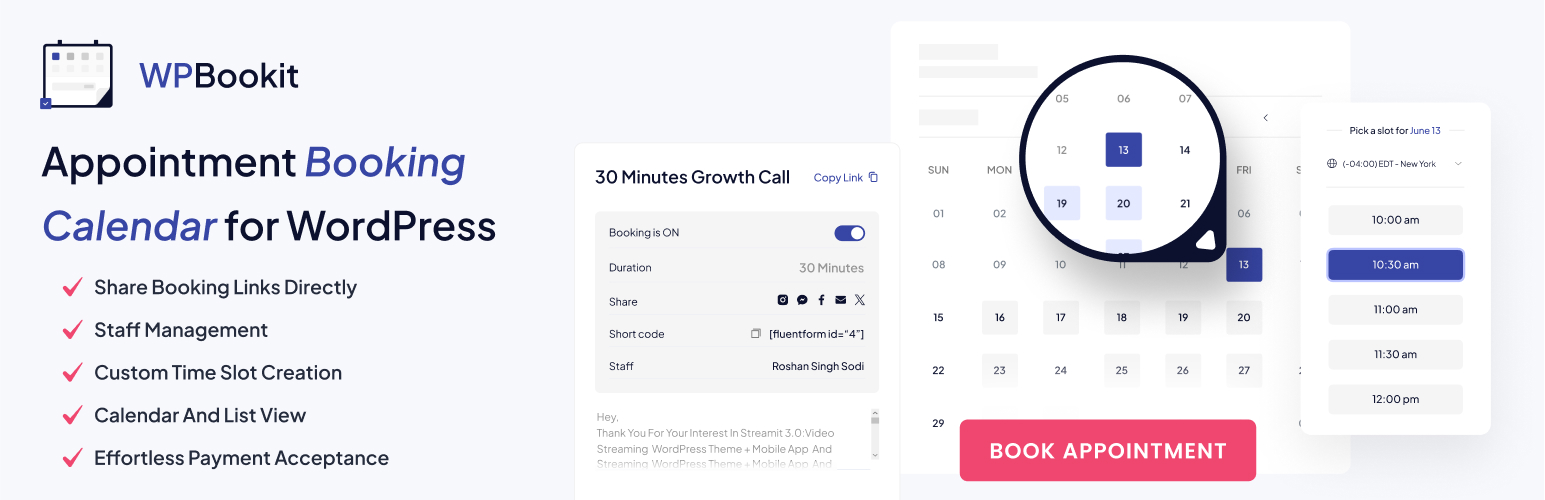
WPBookit是一個全面的WordPress外掛程式,可優化預約服務並提升使用者體驗,適用於各種規模的企業。輕鬆地從WordPress網站直接管理預約。
**問題與答案:**
1. WPBookit這個WordPress外掛程式的特點是什麼?
- 答:WPBookit是一個全面的WordPress外掛程式,可優化預約服務並提升使用者體驗,適用於各種規模的企業。
2. 在哪裡可以找到WPBookit的原始碼?
- 答:您可以在該外掛程式資料夾的core/admin/assets/src目錄中找到JavaScript和CSS文件的原始、未壓縮的程式碼。
3. WPBookit與哪些外部服務互動以增強功能性和提供準確數據?
- 答:WPBookit與以下外部服務互動:
- ipapi.co:用於地理定位,根據使用者的IP地址自動確定並設置使用者的國家。
- Google Fonts:用於加載“Plus Jakarta Sans”字體,以增強外掛程式的視覺效果。
- Add to Calendar Pro API:用於直接將預訂詳細信息添加到使用者的日曆中。
4. 使用WPBookit時,使用者需要同意哪些外部服務的條款和條件?
- 答:使用WPBookit時,使用者需要同意ipapi.co、Google Fonts和Add to Calendar Pro API所規定的條款和條件。
外掛標籤
開發者團隊
原文外掛簡介
Streamline your appointment booking process with WPBookit, the ultimate free appointment booking WordPress plugin. Ideal for businesses of all sizes, WPBookit offers a comprehensive suite of features designed to simplify scheduling, enhance user experience, and boost productivity.
Features:
Revenue Chart Report: Gain valuable insights into your earnings with detailed revenue charts.
Booking Calendar/List View: View and manage bookings effortlessly with both calendar and list views.
Different Calendars for Different Services: Organize your services with separate calendars for each one.
Custom Time Slots: Customize available time slots to fit your unique business hours and needs.
Calendar-wise Unavailable Dates: Mark unavailable dates on individual calendars to avoid scheduling conflicts.
Guest Users List: Maintain a list of guest users for easy reference and follow-up.
Easy Email Template Editing: Customize email templates with ease for a personalized communication experience.
Translation Ready: Cater to a global audience with translation-ready capabilities.
Benefits:
Efficient Scheduling: Simplify the booking process with intuitive calendar and list views, ensuring smooth management of appointments.
Enhanced User Experience: Provide a seamless experience for both customers and staff with features like custom timeslots, email notifications.
Virtual Consultations: Offer convenient telemedicine services with Zoom integration, expanding your reach and flexibility.
Comprehensive Management: Keep track of guest users, manage multiple services, and generate detailed reports to optimize your business operations.
Global Reach: Serve a diverse audience with translation-ready functionality, making your services accessible to users worldwide.
Elevate your appointment booking process with WPBookit – the free WordPress plugin designed to meet all your scheduling needs. WPBookit Pro version is also available with advance featutes.
Source Code
The original, non-minified source code for the JavaScript and CSS files used in this plugin can be found in the core/admin/assets/src directory of the plugin folder.
External Services
WPBookit interacts with external services to enhance functionality and provide accurate data.
Services Used:
ipapi.co (https://ipapi.co/)
Purpose: Used for geolocation purposes to automatically determine and set the user’s country based on their IP address.
Terms of Use: ipapi.co Terms of Service
Privacy Policy: ipapi.co Privacy Policy
Google Fonts (https://fonts.googleapis.com/)
Purpose: The plugin uses the “Plus Jakarta Sans” font, which is loaded from Google Fonts to enhance the visual appearance of the plugin.
Terms of Use: Google Fonts Terms of Service
Privacy Policy: Google Fonts Privacy Policy
Add to Calendar Pro API (https://add-to-calendar-pro.com/)
Purpose: Used to add booking details directly to users’ calendars.
Terms of Use: Add to Calendar Pro Terms of Service
Privacy Policy: Add to Calendar Pro Privacy Policy
By using WPBookit, you agree to the terms and conditions outlined by these external services.