
內容簡介
WP Ultimate CSV Importer 是一款全方位的 WordPress 匯入匯出解決方案,能夠輕鬆批量匯入 WordPress 內容並進行匯出。無論是 WooCommerce 產品、訂單,還是自訂欄位等,皆可透過 CSV、XML、Excel 或 Google Sheet 檔案進行操作,節省大量手動處理的時間。
【主要功能】
• 支援多種內容匯入:文章、頁面、自訂文章類型等
• WooCommerce 整合:批量匯入產品、訂單及優惠券
• 自訂欄位映射:輕鬆對應資料欄位
• 內容遷移:從其他 CMS 遷移至 WordPress
• 媒體處理:支援媒體檔案的匯入
• 免費使用:無需升級即可使用基本功能
外掛標籤
開發者團隊
② 後台搜尋「WP Ultimate CSV Importer – Import CSV, XML & Excel into WordPress」→ 直接安裝(推薦)
📦 歷史版本下載
原文外掛簡介
WP Ultimate CSV Importer is your all-in-one WP import export solution to easily bulk import WordPress content and export them. Whether you’re working with WooCommerce products or orders, ACF custom fields, JetEngine, Yoast SEO, users, comments, or other custom post types, it offers a flexible and easier way to import & export as CSV, XML, Excel, or Google Sheet files, saving you hours of manual effort.
To enable exporting feature, you’ll need the WP Ultimate Exporter add-on. Once you install and activate the Importer plugin, you’ll be prompted to add the Exporter( and other available add-ons) via the plugin dashboard or when you visit the Export page.
You can use this plugin to migrate content from any CMS into WordPress, including posts, pages, products, users, comments, and custom data. It is also useful for transferring content between WordPress sites, and building websites powered by affiliate datafeeds, allowing you to import large datasets from external sources into WordPress quickly and efficiently.
You can easily map affiliate datafeed fields to WordPress fields, custom fields, taxonomies, or WooCommerce product attributes. This makes it simple to create price comparison sites, affiliate stores, product catalogs, or automated content websites using regularly updated datafeed files.
Why Choose WP Ultimate CSV Importer?
Unlike other WordPress importers that lock basic features behind a paywall, WP Ultimate CSV Importer gives you ACF support, WooCommerce import, media handling, AI content generation, One-Click Migration, and many more — all free. No upgrade needed for the essentials.
Try Before You Install
Experience the Pro plugin in action: Live Demo »
Try by creating a Private Trial
Key Features of WP Import – Ultimate CSV/XML Importer
All-in-One WP Import Support: Import posts, pages, custom post types, taxonomies, media, users, and more.
WooCommerce Integration: Bulk import products, variations, WooCommerce orders, and coupons.
Advanced Custom Fields (ACF): Map and import ACF & ACF Pro fields with ease.
Custom Taxonomies & Post Meta: Full support for importing custom field data.
Real-time Import Logs: Monitor import status and handle errors without difficulty.
Scheduled Imports: Automate your wp import tasks via FTP, URL, or manual uploads.
Multilingual & SEO Plugins: Compatible with WPML, Polylang, Yoast SEO, RankMath, All in One SEO, and more.
Flexible File Formats: Supports CSV, XML, Excel, Google Sheets, TSV, and ZIP files.
Various Plugin Integrations: Compatibility with many popular plugins in the market.
AI Integrations: Supports ChatGPT AI, Gemini, and Claude AI to generate content and image during import.
Key Benefits
Accelerate Workflow (bulk import/export): Easily handle large datasets in minutes, saving valuable time and simplifying website updates. Whether launching a new site or updating content, the bulk import/export features boost productivity and reduce manual work.
Extensive Plugins Compatibility: Enjoy smooth integration with plugins like WooCommerce, Yoast SEO, WPML, Advanced Custom Fields, MetaBox, JetEngine, Directory plugins, LMS plugins, Membership plugins, and more. This ensures your core content, taxonomies, multilingual data, SEO settings, and other essential data, migrate without any hassle.
Single Post Import-Export: Experience the new way of content transferring. Export and import individual posts, pages, and custom posts content as CSV, directly from the edit or create view in dashboard, eliminating the need to process a bulk dataset.
Error-Free Migrations: Minimize mistakes with the plugin’s intuitive drag-and-drop interface and detailed logs. Support for CSV, XML, Excel, and TSV formats. Ensures accurate mapping and preserves data integrity during every import or export.
Advanced Filtering: Speed up content imports with flexible condition-based filtering. Import only what you need by setting rules based on titles, authors, taxonomies, and more. No need to edit source files manually.
User-Friendly Interface
Seamless Imports: Upload your CSV,XML, or Excel file. The intuitive interface simplifies even the most extensive imports, making it accessible to all users.
Smart Field Mapping: Quickly align data fields with WordPress fields for efficient and precise data transfers.
Real-Time Progress Tracking: Monitor imports live to identify and resolve issues instantly.
Comprehensive Logs: Access detailed import logs for transparency and troubleshooting.
Pre-Import File Validation: Ensure error-free imports by validating your data while uploading and before import.
Server-Side Error Handling: Identifies server-related issues like timeouts or memory limits for smoother, more stable imports.
Flexible File Uploads
Multiple Upload Options: Import files directly from your device, a URL, or FTP/SFTP sources.
Broad Format Support: Handle file types like CSV, XML, Excel, TSV, and more, ensuring compatibility with various platforms.
Customizable Imports: Leverage custom functions to tailor the import process to your specific requirements.
Advanced Filtering Rules: Apply multiple AND/OR filter conditions to selectively import only the rows that match specific criteria—perfect for targeted updates or partial data imports.
Automatic Media Handling
Hassle-Free Image Imports: Automatically add and link images to your posts or products during the import process.
Boost SEO: Enhance image visibility with auto-generated alt text and titles for search engines.
Efficient Media Management: Simplify handling of large media libraries without manual uploads.
Resolve Media Import Failures: Get the list of failed images import with summary logs. Edit and reimport for a complete and accurate media library.
Migration & One-Click Import for Faster Website Data Transfers
Need to move content from one WordPress or WooCommerce site to another? WP Ultimate CSV Importer offers Migration and One-Click Import feature. You can now do the content migration in just a few clicks, no need to manually configure field mappings or other settings.
This feature requires the Export Add-on, which gives you access to a special Migrate option during export.
Refer to more detailed instructions on our Migrate & One Click Import documentation.
Watch the video tutorial below related to how to migrate and one click import data with Ultimate CSV Importer.
Popular Plugins Integration
Here are the list of plugins, we’ve added import and export compatibility with WP Ultimate CSV Importer.
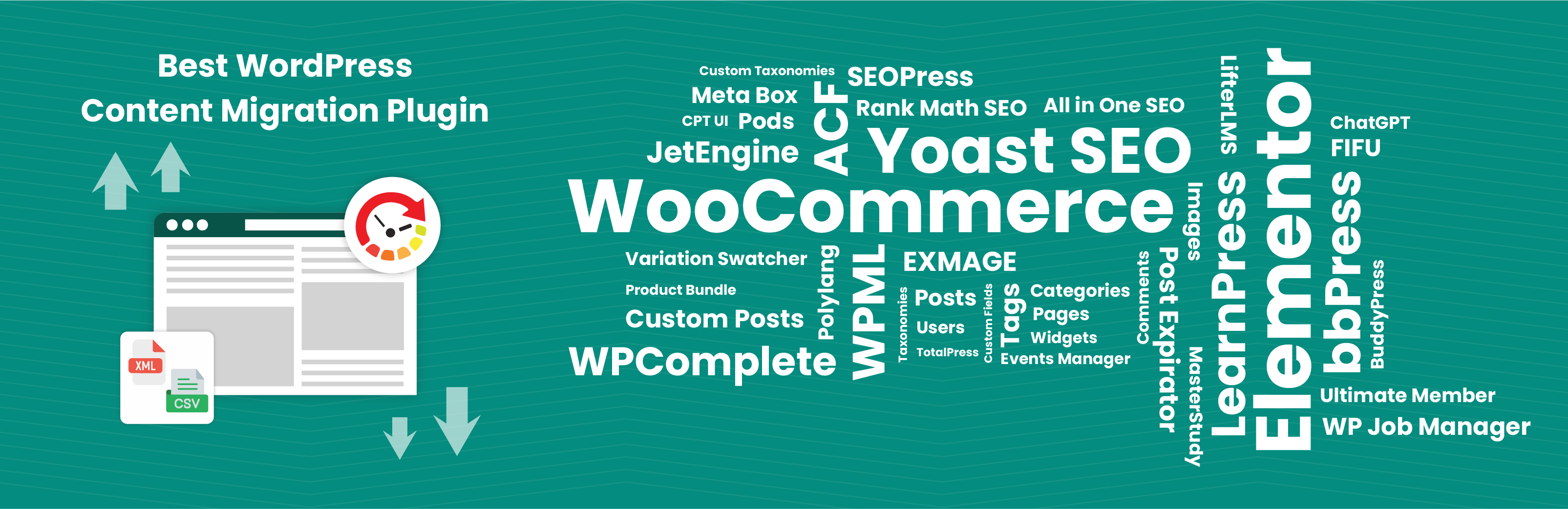
Advanced Custom Fields (ACF): Basic, Choices, jQuery, and WYSIWYG fields
MetaBox Plugin ~ Basic & Limited Advanced fields. (Now supports OpenStreetMap and Custom Icon fields)
Pods ~ CPT and All Fields
JetEngine ~ Basic fields (CPTs & CCTs)
Toolset Types ~ Basic fields
Custom Field Suite plugin
CPT UI
WooCommerce ~ Products, Coupons, Orders, Reviews, Customers, and Refunds. WooCommerce products are imported with categories, tags, gallery images, and attributes
WooCommerce Product Bundles Plugin
WooCommerce Billing & Shipping Information
SureCart
WordPress SEO Plugins: AIOSEO (free & pro), RankMath SEO FREE, SEOPress (free & pro), Yoast SEO
WPML (posts & pages)
Polylang Free
Polylang for WooCommerce Plugin
WP Job Manager Plugin
TotalPress Custom post types, Custom Fields & more ~ CPTs, Custom Fields
WP Customer Reviews
LearnPress plugin ~ Courses, Lessons, Quizzes, Orders, and Questions
LifterLMS plugin ~ Courses, Coupons, Reviews, Lessons
MasterStudy LMS plugin ~ Courses, Lessons, Quizzes, Questions, and Orders
BuddyPress Import
bbPress ~ Topic, Reply, and Forum
Post Expirator Plugin
Featured Image from URL (FIFU)
YITH Barcodes
YITH Cost of Goods
Membership plugins: WP-Members, Members
WPComplete
Exmage image
Elementor Templates
ChatGPT OpenAI
Business Directory Plugin
Advanced Classifieds & Directory Pro
GeoDirectory
PPOM (Personalized Product Option Manager) fields
Slim SEO
Events Calendar
Easy Digital Downloads
And more…
Find more integrations in our Importer Pro third-party supported plugins documentation.
Top WordPress CSV Importer Features
Easily handle bulk imports and migrate thousands of records in minutes. The free version includes supports for Advanced Custom Fields (ACF), JetEngine, Toolset Types, MetaBox, and Pods, however, with limited field compatibility. For ACF, we support Basic fields, Choices, and JQuery fields. If you require a complete fields support for any Custom Fields plugin, please upgrade to WP Ultimate CSV Importer PRO version. You can try the import and export of JetEngine CCTs with the latest version.
WordPress CSV Import Features
Prepare your CSV files in Google Sheets, Excel, or any text or spreadsheet editor, then import them using the intuitive drag-and-drop field mapping feature. Quickly import data from any CSV file into WordPress. Map your file’s fields to WordPress fields in a few clicks and import content, media, taxonomies, and custom post types without hassle.
WordPress XML Import Features
Simplify complex migrations with full support for XML file imports. This feature ensures the integrity of intricate data structures, enabling direct XML uploads without any additional steps. The plugin supports importing custom post types such as products, events, or portfolios while preserving categories, tags, and taxonomies for a flawless transition.
WordPress Excel Import Features
Import data from Excel files (.xlsx or .xls) into WordPress. Whether you’re migrating content or just uploading new entries, the plugin processes Excel spreadsheets with ease. Built-in support for custom post types, taxonomy terms, and media handling ensures your Excel imports are just as powerful as CSV or XML.
WordPress Multilingual Content Import & Export
Expand your global reach with multilingual content management. The plugin integrates with WPML and Polylang for effortless translated content imports and exports.
Multilingual Migration: Migrate all language versions in a single operation.
Time-Saving Automation: Eliminate manual translation uploads, focusing on your global strategy.
Export with language-based records filtering(PRO feature): Exporter records in specific languages of particular post type from WordPress.
Premium Features
Upgrade to the Pro version to unlock more powerful features such as:
ACF & Other Custom Fields Plugin Advanced Support: Import data into fields created with ACF, JetEngine, MetaBox, CMB2, Pods, and Toolset.
Multilingual Compatibility: Fully compatible with WPML, Polylang, and qTranslate X.
WooCommerce Import: Import products, variations, orders, and custom WooCommerce fields.
Yoast SEO PRO Integration: Import SEO metadata like titles, descriptions, and focus keywords.
Easy Digital Downloads Orders Import Export Upgrade to PRO to import and export Easy Digital Downloads Orders module records.
Scheduled Imports: Automate imports via ftp/sftp/google sheets by scheduling them to run in the background.
Data Update Support: Bulk update existing WordPress content without creating duplicates.
Advanced Export Options: Export content using more advanced filters, post types, and WP_Query for flexible data control.
Google Sheets Export: Export your WordPress data directly to Google Sheets for easy access, collaboration, and sharing.
Schedule Exports: Automate exports to backup any WordPress data at your preferred time to your configured Google Sheet or FTP/SFTP host.
Upload file from server: Easily select and import files directly from your server storage.
Mapping Templates Import Export: Export your custom mapping templates and import them again whenever needed.
Images Export: Export images from WordPress media along with their metadata and related details.
Database Optimization: The plugin includes options to clean up temporary data, optimize database tables, and maintain peak performance during imports and exports.
Priority Support: Get help when you need it most. With priority support from our export team, your queries are addressed faster, ensuring minimal downtime and smooth plugin usage.
Explore WP Ultimate CSV Importer Pro.
Trusted by a Leading WordPress Voice
Recognized by one of the most respected sources in the WordPress community, WP Mayor recommends WP Ultimate CSV Importer as a powerful and reliable solution for seamless WordPress data migration. Read the full review article
Ready to Get Started?
Try Our PRO DEMO
Play with Our Private Trial
Check Out Our Documentation
Watch Our YouTube Tutorials
