
內容簡介
這是一個簡單的註冊表單小工具,它具有響應式設計。
安裝外掛後,在側邊欄中添加註冊小工具即可。
在“設置 -> WP註冊設置”中更改一些可選設置,即可開始使用。
短代碼
使用[ rp_register_widget ]短代碼在文章或頁面中顯示註冊表單。
使用此短代碼檢索用戶數據[ rp_user_data field =“first_name” user_id =“2”]。user_id可以留空。如果留空,則從當前已登錄的用戶檢索數據。
使用[ rp_profile_edit ]短代碼顯示用戶個人資料頁面。已登錄的用戶可以從此頁面編輯個人資料。
使用[ rp_update_password ]短代碼在您的頁面上顯示“更新密碼”表格。
其他可選選項
在成功註冊後將用戶重定向到選定的頁面。可以是感謝頁面。
用戶在成功註冊後可以自動登錄。可以從管理面板啟用此選項。
啟用密碼欄位,以便用戶可以選擇自己的密碼。否則,密碼將自動生成並發送給用戶。
當新用戶在站點上完成註冊時,管理員會收到一封通知電子郵件。
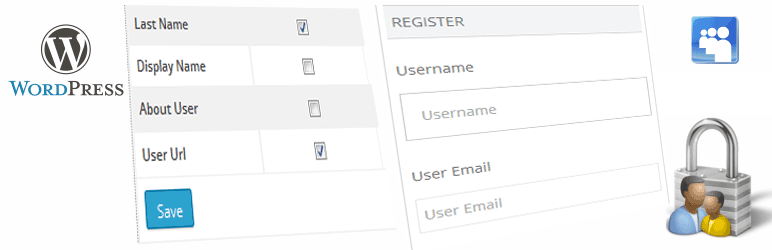
在註冊表單中啟用額外字段,例如名字,姓氏,顯示名稱,網站等。
在外掛的PRO版本中,可以創建自定義註冊/個人資料字段。
WP註冊資料庫PRO
該外掛的PRO版本具有以下其他功能:
可以創建多個註冊表單,每個表單都可以分配給不同的用戶角色。因此,當用戶完成註冊時,他們會被分配到該特定角色。
支持添加其他自定義字段的註冊。
可以拖放自定義註冊字段以進行排序。
個人資料頁面具有自定義字段。在此處,用戶可以更新其個人資料。
在註冊和個人資料表單中創建文件類型字段。用戶可以上傳文件到其個人資料中。可從外掛設置頁面允許可上傳的文件類型。
重置用戶密碼短代碼。
可以使用短代碼輕鬆顯示用戶個人資料。
支持用戶個人資料圖像上傳。如果啟用此功能,則個人資料圖像將用作用戶在整個站點上的頭像。當用戶發布評論時,將顯示其個人資料圖像,而不是默認的WordPress頭像。
訂閱選項可使用PRO版本。為了方便使用,訂閱付款由WooCommerce管理。用戶將能夠在註冊時選擇訂閱方案等。
你可以在這裡以2.00美元購買。
在https://www.aviplugins.com/support.php上發布關於外掛的相關查詢。
外掛標籤
開發者團隊
② 後台搜尋「WP Register Profile With Shortcode」→ 直接安裝(推薦)
📦 歷史版本下載
原文外掛簡介
This is a simple registration form in the widget. The form is responsive.
just install the plugin and add the register widget in the sidebar.
Change some ‘optional’ settings in Settings-> WP Register Settings and you are good to go.
Shortcodes
Use this [rp_register_widget] shortcode to display registration form in post or page.
Use This shortcode to retrieve user data [rp_user_data field=”first_name” user_id=”2″]. user_id can be blank. if blank then the data is retrieve from currently loged in user.
Use this [rp_profile_edit] shortcode for user profile page. Logged in usres can edit profile data from this page.
Use this [rp_update_password] shortcode to display Update Password form in your page.
Other Optional Options
Redirect users to a chosen page after successfull registration. Maybe to a thankyou page.
Users can be logged in automatically after successful registration. Option can be enabled from admin panel.
Enable password fields so that users can choose there own passwords. Otherwise password will be auto generated and mailed to user.
Admin will get a notification email once a new user make registration in the site.
Enable additional fields in the registration form like First Name, Last Name, Display Name, Website etc.
Custom Registration/ Profile fields can be created in the PRO version of the plugin.
WP Register Profile PRO
The PRO version of this plugin has additional features like.
Multiple registration forms can be created and each form can be assigned to different user Roles. So that when user make registration they are assigned to that perticular Role.
Registration with support for adding additional custom fields.
Custom registration fields can be sorted by Drag & Drop.
User Profile page with custom fields. Here users can update their profile data.
Create file type fields in Registration and Profile forms. Users can upload files to their profile. Uploadable file types can be allowed form plugin settings page.
Reset user password shortcode.
User profile data can be displayed easily with the help of shortcodes.
Support for user profile image upload. Profile image can be used as Avatar. If this is enabled then profile image will be used as user Avatar throughout the site. When user posts a comment his profile image will be displayed instead of the defalut WordPress Avatar.
Subscription option is available with the PRO version. Payment for subscription is managed by WooCommerce for ease of use. Users will be able to select subscription packages at the time of registration. etc
You can get it here in USD 2.00
Post your plugin related queries at https://www.aviplugins.com/support.php