內容簡介
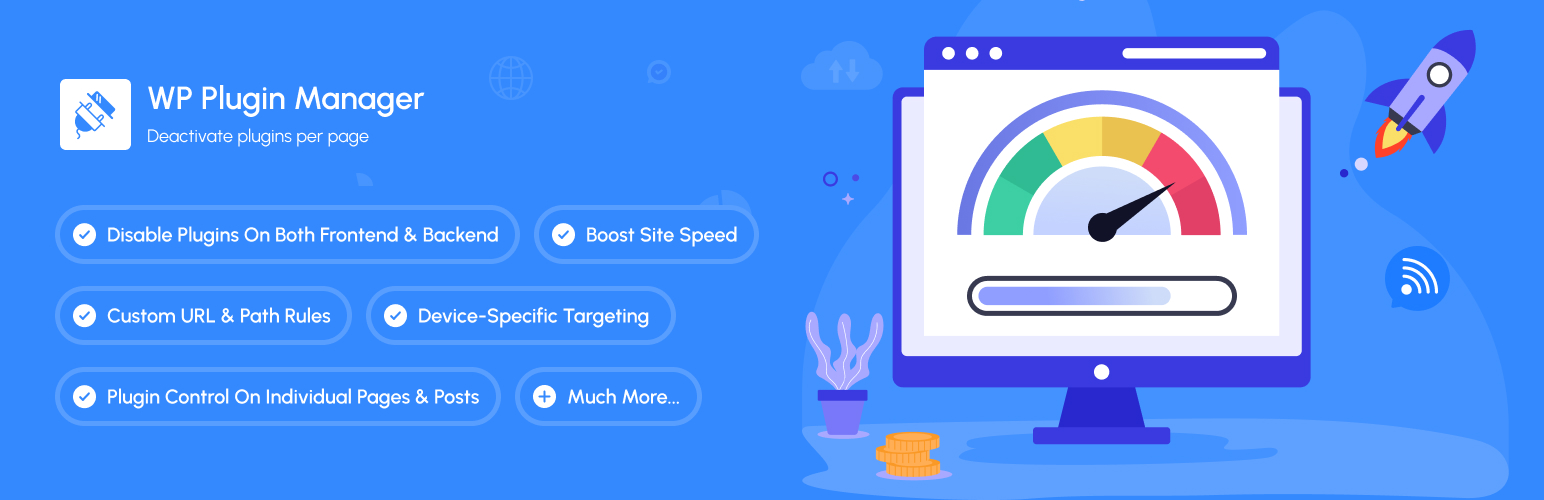
WP Plugin Manager 是一款免費的 WordPress 外掛,讓使用者可以在特定的頁面、文章或自訂文章類型上停用不必要的外掛。這樣可以減少伺服器負擔並提升頁面加載速度,讓網站運行更流暢。
【主要功能】
• 停用特定頁面的外掛
• 減少伺服器資源使用
• 提升頁面加載速度
• 簡單的控制面板操作
• 支援設備特定規則(Pro 版)
外掛標籤
開發者團隊
② 後台搜尋「WP Plugin Manager – Deactivate plugins per page」→ 直接安裝(推薦)
📦 歷史版本下載
原文外掛簡介
Disable WordPress Plugins on Specific Pages and Posts
WP Plugin Manager is a free WordPress plugin that lets you turn off any plugin on the pages, posts, or custom post types where you don’t need it. A plugin that is turned off for a page does not load at all on that page, so its PHP code, database queries, and CSS/JS files are skipped for that request. Fewer plugins loading per page means less work for your server and usually faster pages.
You choose a plugin, choose the pages or posts where it should not load, and save. Device-based rules (desktop, tablet, mobile) and admin-area rules are available in the Pro version.
Video: a walkthrough of setting up WP Plugin Manager and disabling a plugin on a chosen page.
🚀 Get Pro Version | 📹 Watch Video Tutorial | 📚 Documentation | 💬 Support
Why disable plugins on specific pages?
By default, every active WordPress plugin loads on every page, including pages that never use it. A contact form plugin loads on blog posts, a checkout plugin loads on your about page, and so on. This can lead to:
Slower page load times
Higher server resource usage
Unneeded CSS and JavaScript on pages that don’t use it
WP Plugin Manager solves this by letting you disable plugins on the specific pages and posts where they’re not required.
Key Benefits
Faster pages: Plugins that don’t load can’t slow a page down. Results depend on your site and which plugins you disable.
Less server work: Skipped plugins mean fewer PHP calls and database queries per request.
Simple control: Turn plugins off per page or post from one dashboard, with no code.
Safe: Plugin files are never changed or deleted. Re-enable a plugin at any time.
Device-specific rules (Pro): Different rules for desktop, tablet, and mobile.
How is WP Plugin Manager different from asset cleanup tools?
Asset cleanup tools remove individual CSS and JavaScript files from a page. WP Plugin Manager stops the entire plugin from loading on that page, so its PHP code and database queries are skipped too, not just its assets.
What WP Plugin Manager does not do
It does not minify, combine, or delay CSS and JavaScript.
It does not cache pages. Use it alongside a caching plugin if you need caching.
It does not delete or modify other plugins’ files.
Core Features (Free Version)
Plugin Control
* Selectively disable any plugin on specific pages or posts
* Easy toggle switches for quick plugin management
* Visual dashboard showing all plugin statuses
* Search and filter plugins instantly
Page & Post Management
* Disable plugins on individual pages
* Disable plugins on specific posts
* Bulk selection for multiple pages/posts
* Support for custom post types
Multisite Support
* Network Admin settings page for super admins
* Configure plugin rules once and apply them across every site in your network
* Override the network rules on individual sites when needed
* Network-activated plugins show up correctly in the plugin list
User-Friendly Interface
* Intuitive plugin management dashboard
* Clear visual indicators
* No coding required
* Lightweight and fast
Pro Features – Unlock All Features
Advanced Device Targeting
* Desktop-only rules
* Tablet-specific optimization
* Mobile-focused settings
* Combined device rules (Desktop + Tablet, etc.)
Backend/Admin Optimization
* Control plugins in WordPress admin area
* Specific admin page targeting
* Custom PHP file conditions
* Reduce admin panel load time
Advanced URL & Path Control
* Custom URL pattern matching
* Directory-based rules
Enhanced Features
* Enable plugins on selected pages (inverse logic)
* Extended post loading (manage 150+ posts)
* Multiple conditional rules
* Priority support
Why choose WP Plugin Manager?
Easy to use: No technical knowledge required
Safe: Doesn’t modify other plugins’ files
Immediate effect: Rules apply as soon as you save
Regular updates: Actively maintained
Support: Help is available through our support team
Before and after WP Plugin Manager
Before:
* All active plugins load on every page
* CSS and JS from every plugin load on every page
After:
* Plugins load only on the pages where you need them
* Pages load only the CSS and JS they use
Who uses WP Plugin Manager?
eCommerce Sites: Disable checkout plugins on blog pages
Membership Sites: Control member-only plugin loading
Business Websites: Optimize contact form plugin loading
Blogs: Disable unnecessary plugins on article pages
Portfolio Sites: Load gallery plugins only where needed
Multisite Networks: Set plugin rules once for the whole network and fine-tune per site
Get started
Install WP Plugin Manager, pick a plugin you don’t need on every page, and turn it off where it isn’t used.
Need Help? Check our documentation or contact our support team.
Other Products
Explore our other WordPress solutions to enhance your website:
🛍️ WooLentor – Transform your WooCommerce store with 125+ widgets, 85+ Gutenberg blocks, 34+ Modules and 110+ templates. Features include wishlist, product compare, variation swatches, and multi-step checkout. The ultimate alternative to ShopReady, Kadence, and JetWidgets.
🎨 HT Mega – Supercharge Elementor with 135+ widgets, 795+ ready made blocks, header/footer builders, and mega menus. Create stunning websites with post grids, sliders, forms, and more. Works seamlessly like HappyAddons, ElementsKit and Essential Addons.
📢 HashBar – Create unlimited notification bars for announcements, promotions, and alerts. Fully customizable with multiple display options.
📧 Extensions for CF7 – Extend Contact Form 7 with database storage, conditional fields, and Mailchimp integration. Capture and manage leads effectively.
💼 Whols – Professional wholesale pricing solution for WooCommerce. Set wholesale prices, minimum requirements, and custom registration fields. Alternative to Wholesale Suite and B2Bking.
📊 JustTables – Display products in customizable tables with pre-built columns. Perfect for catalogs and bulk ordering.
🎨 Swatchly – Add beautiful color, image, and label swatches to product variations. Enhance the shopping experience with visual selection options.
🎯 HT Slider – Create responsive sliders with custom styling, navigation, and pagination options. Display content by ID or category.
📝 HT Contact Form – Seamlessly integrate Contact Form 7 with Elementor. Drag, drop, and style your forms with ease.