內容簡介
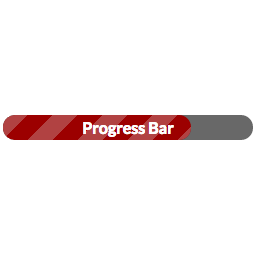
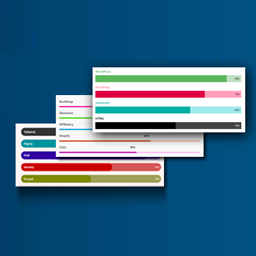
建立自動頁面載入進度條。基於Pace-自動頁面載入進度條。Javascript由Zack Bloom提供,CSS由Adam Schwartz提供。主題靈感來自於Mary Lou。
在此處查看工作演示:pace.jamesdbruner.com
酷炫功能:
使用易於使用的顏色選擇器自定義進度條的顏色
從下拉列表中選擇所需的進度條“主題”
決定您是否希望在每個頁面上都有進度條,或者使用短碼只在特定的幾個頁面/文章中添加它
短碼允許您在不同頁面上使用顏色不同、題材不同的進度條。
如何使用短碼:
您可以使用兩個屬性
顏色
主題
例子:[pace color="#29d9dd" theme="minimal"]或只是[pace]都可以。 (默認顏色為#29d9dd,默認主題為最小化)
有十個主題可供選擇:
極簡
閃光
髮廊
MacOSX
填充-左
平頂
角指示器
彈跳
大表
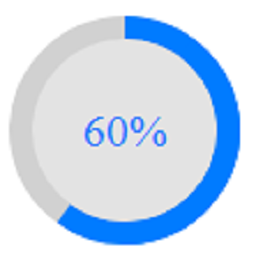
中心圓形
外掛標籤
開發者團隊
原文外掛簡介
Create an automatic page load progress bar. Based on Pace – Automatic page load progress bar. Javascript by Zack Bloom CSS by Adam Schwartz. Themes inspired by Mary Lou
See a working demo here: pace.jamesdbruner.com
Cool Features:
Customize the color of the progress bar with an easy to use color picker
Choose which progress bar ‘theme’ you want to use from a dropdown list
Decide whether you want to have the progress bar on every page or use the shortcode to add it to just a few specific pages/posts
The shortcode allows you to have different colored progress bars with varying themes on a page to page basis.
How to use the shortcode:
There are two attributes you can use
color
theme
Example: [pace color="#29d9dd" theme="minimal"] or just [pace] will work fine. (the default color is #29d9dd and the default theme is minimal)
There are ten themes to choose from
Minimal
Flash
Barbershop
MacOSX
Fill-Left
Flat-Top
CornderIndicator
Bounce
Big Counter
Center Circle