內容簡介
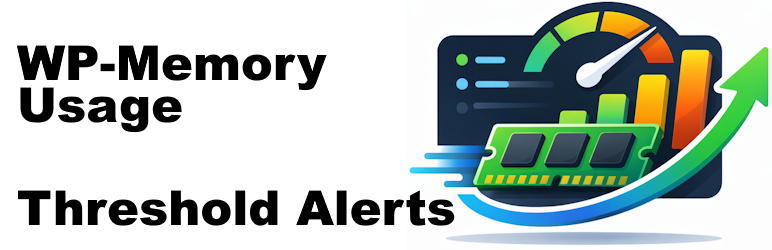
WP-Memory-Usage 是一款輕量級但功能強大的 WordPress 外掛,能夠在管理區域直接監控和顯示記憶體使用情況,幫助網站管理員和開發者及時識別瓶頸,避免影響使用者體驗。
【主要功能】
• 實時記憶體顯示於控制台小工具和每個管理頁面底部
• 顏色編碼的進度條(綠色/橙色/紅色)即時狀態識別
• 三個警報級別:警告、危險、危急,皆可依百分比配置
• 彈性日誌記錄:僅記錄重要請求
• 電子郵件警報,收件人可配置
• 診斷功能,提供完整配置快照及 AI 分析提示
外掛標籤
開發者團隊
📦 歷史版本下載
原文外掛簡介
WP-Memory-Usage is a lightweight but powerful WordPress plugin that monitors and displays memory usage directly in your WordPress admin area.
It is essential for site administrators and developers who need to keep an eye on memory consumption, identify bottlenecks, and act before users are affected.
What the plugin shows:
In the admin footer (every admin page):
* Current memory usage vs. WordPress limit (with percentage)
* Current memory usage vs. PHP limit (with percentage)
* Server IP address and server name
* PHP version
In the Dashboard widget (“Memory Overview”):
* PHP version, architecture (32/64 bit), max execution time
* WordPress memory limit (WP_MEMORY_LIMIT), WordPress admin limit (WP_MAX_MEMORY_LIMIT), PHP memory limit
* Current peak memory usage with a visual progress bar (colour-coded: green / orange / red)
* Latest digest status summary (warn / danger / critical badges)
* Link to the Threshold Alerts settings page
Settings & Monitor — Tabs (since 2.0.0):
Settings — thresholds, logging options, email alerts, log rotation
History — latest logged requests with full context (URL, type, user, memory)
Digest — aggregated summaries of past log intervals; browse, merge, and delete digest files
️Actions — practical guidance on what to do when you receive a memory alert
Diagnose (new in 2.1.0) — full PHP/WordPress configuration snapshot with a ready-to-paste AI prompt for analysis
Memory Thresholds — current limits, threshold assessment, and recommendations
Check Installation — verifies that the plugin can run correctly on your server
Why Use WP-Memory-Usage?
Excessive memory usage leads to slower sites, HTTP 500 errors, and failed background jobs (cron, imports, backups). WP-Memory-Usage gives you the information you need to act before users are affected — without overwhelming you with notifications.
Features
Real-time memory display in the dashboard widget and every admin page footer
Colour-coded progress bar (green / orange / red) for instant status recognition
Three alert levels: Warning, Danger, Critical — each configurable as a percentage of the effective memory limit
Flexible logging: Ajax, REST, Admin, Cron, favicon requests — log only what matters
Email alerts with configurable recipient
History tab: recent requests with full context (URL, type, admin screen, REST route, AJAX action, user)
Digest tab: aggregated interval reports — browse, merge, and delete digest files
Actions tab: plain-language guidance on resolving memory alerts, no developer skills required
Diagnose tab (new in 2.1.0): full configuration snapshot + one-click AI prompt (English, copy & paste ready)
Memory Thresholds tab: shows effective limits, threshold gaps, and concrete recommendations
Check Installation tab: verifies log directory, WP-Cron, PHP functions, disk space, and email setup
Admin bar indicator: quick status badge visible on every admin page
Multisite compatible
Clean uninstall: removes all options, cron jobs, database-tables and log files on deletion
PluginCheck-Plugin Status
Plugin is compatible with PluginCheck-Plugin. Note regarding “trademarked_term”: “WP-Memory-Usage” and “wp-memory-usage” are today considered restricted terms. This plugin entered the WordPress repository in 2009, when those terms were permitted.
Credits
Copyright 2009–2013 by Alex Rabe, 2022– Bernhard Kux