
內容簡介
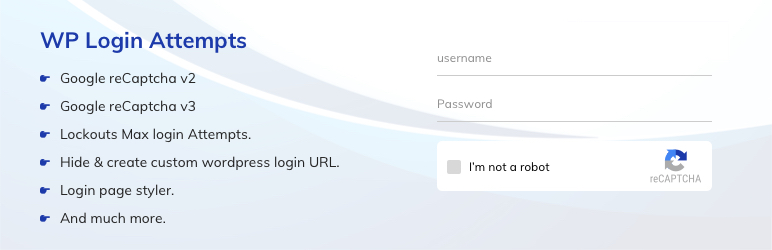
WP Login Attempts是一個安全性外掛,可將 Google reCAPTCHA 加入 WordPress 登入頁面以保護網站免受暴力破解攻擊。暴力破解攻擊會反覆嘗試使用者名稱和密碼,直到成功為止。WP Login Attempts 可以限制登入嘗試的速率,並暫時阻止來自該IP的連線。透過 captcha 驗證,它可以偵測機器人。
此外掛支援 Google reCAPTCHA Version 2 和 Version 3。您還可以監視失敗的登入嘗試和錯誤記錄。
WP Login Attempts 外掛讓您可以變更登入頁面的 URL,限制 wp-admin 和 wp-login.php 的存取權限,以便未來能夠書籤或記住 URL。停用此外掛後,您的網站將回到停用前的狀態。
WP Login Attempts 是一個非常輕量的外掛,可讓您輕鬆和安全地自訂您的 WordPress 管理員登入頁面。透過自訂 CSS,此外掛可讓您更改背景色、背景圖片、自訂標誌、標誌連結、在表單上隱藏密碼等等功能。
功能
容許對登入頁面的最大嘗試次數
在登入頁面通知使用者關於剩餘嘗試次數或阻止時限
監視錯誤記錄並透過電子郵件通知
停用限制登入功能,而不停用外掛
Google reCAPTCHA v2
Google reCAPTCHA v3
隱藏 wp-login.php、wp-admin 目錄和阻止存取
容許您重新命名登入 URL
自訂標誌出現在登入表單中
在登入表單頁面上更改背景色和背景圖像
外掛標籤
開發者團隊
原文外掛簡介
WP login attempts is a security plugin which can add Google reCAPTCHA to the WordPress login page, and protect the site from brute force attacks. Brute Force Attack tries usernames and passwords over and over again, until it gets in. WP Login Attempts limit rate of login attempts and blocks IP temporarily. It detects bots by captcha verification.
This plugin supports Google reCAPTCHA Version 2 and Version 3. Also, you can monitor failed login attempts and error logs.
WP login attempts plugin gives you the ability to change the URL of the login page to anything you want. This plugin restricts access to the wp-admin and wp-login.php page, so you can bookmark or remember the URL for future. Deactivating this plugin brings your site back exactly to the state it was before.
WP login attempts is a very lightweight plugin that lets you customize your WordPress admin login page easily and safely. This plugin allows you to change the background colour, background image, custom logo, logo Link, hide your password on the form and many more features through custom CSS.
Features
Allows the maximum number of attempts to the login page
Notify the user about remaining retries or lockout time on the login page
Monitor error Logs and email notifications
Disable the limit login feature without disabling the plugin
Google reCAPTCHA v2
Google reCAPTCHA v3
Hides wp-login.php, wp-admin directory and blocks access
Allows you to rename login URL
Custom Logo in the login form
Background Color and Background image on the login form page
Here’s a link to the documentation for the plugin. This will help you learn more about its features and how to use it.
Documentation
For any feedback or queries regarding this plugin, please contact our Support team.