內容簡介
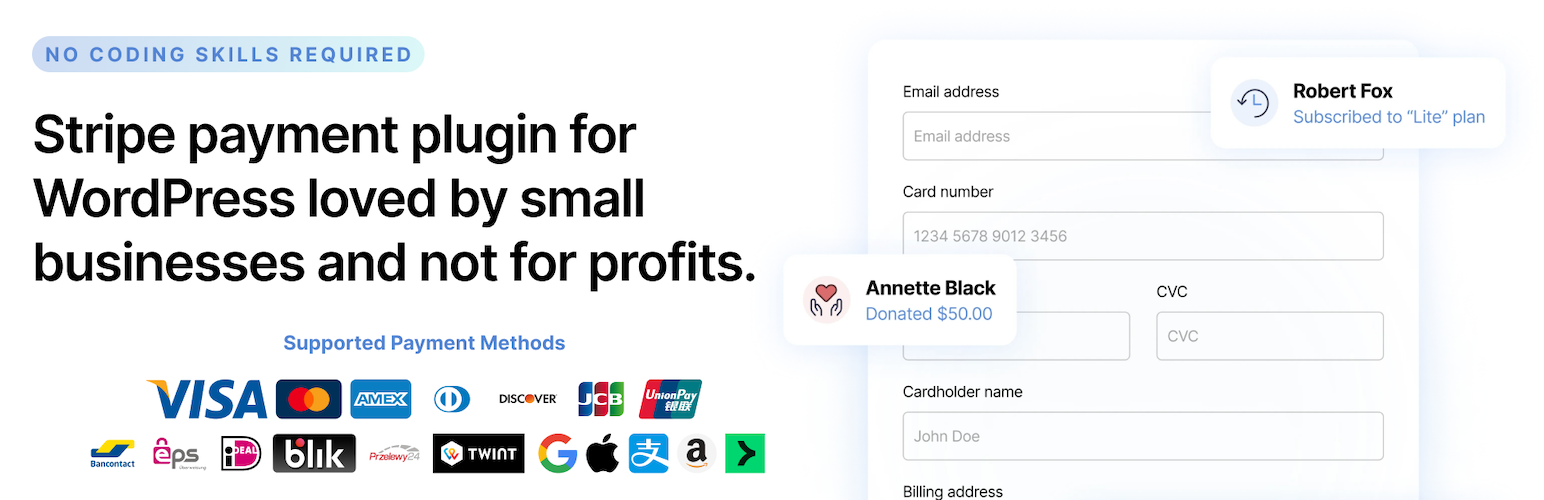
WP Full Pay 是 WordPress 上最佳的 Stripe 付款表單外掛,可輕鬆建立信用卡、Apple Pay、Google Pay 等多種付款方式的表單,支援一次性付款、訂閱制與捐款功能,無需撰寫程式碼即可快速上線收款。
【主要功能】
• 建立訂閱制、一次性付款及捐款等多種 Stripe 付款表單
• 支援超過 100 種貨幣收款
• 內建信用卡、Apple Pay、Google Pay 等數位錢包付款方式
• 支援 Alipay、WeChat Pay、Amazon Pay 等多元支付管道
• 支援銀行轉帳方式如 iDEAL、Bancontact、EPS 等
• 可儲存卡片資訊供日後使用,免寫程式碼即可設定
外掛標籤
開發者團隊
② 後台搜尋「Stripe Payment Forms by WP Full Pay – Accept Credit Card Payments, Donations & Subscriptions」→ 直接安裝(推薦)
📦 歷史版本下載
原文外掛簡介
🚀 Create Stripe payment forms for WordPress. Accept credit cards, Apple Pay, donations, subscriptions & more. Easy setup, no coding needed!
The Best Stripe Payment Forms and Stripe Payments Plugin available on WordPress
WP Full Pay is the best Stripe payments plugin for WordPress. It makes it simple to set up and publish forms that accept payment from credit cards, Apple Pay, Google Pay, Alipay and many others.
Quickly accept donations, sell individual items, subscriptions or services using our easy to set up and configure tool. It works with an existing Stripe account or allows you to create a new one during set up.
Create various Stripe payment forms
WP Full Pay is the best Stripe payment plugin and donation plugin for WordPress that allows you to create various Stripe payment forms:
Subscription payment forms
One-off payment forms
Donation forms
Save card for later use
💳 More Built-in Payment Methods Than Any Other Free WordPress Stripe Plugin
WP Full Pay supports more payment methods than any other free WordPress Stripe plugin and accepts over 100 currencies. We support the following payment methods:
Credit cards: Visa, Mastercard, American Express, Discover, Diners Club, JCB, China UnionPay, Cartes Bancaires, and Meses sin intereses
Digital Wallets: Alipay, Apple Pay, Cash App Pay, Google Pay, GrabPay, MobilePay, WeChat Pay, Revolut Pay, Amazon Pay, and Stripe Link
Bank redirects: BLIK, Bancontact, EPS, iDEAL, Przelewy24, TWINT – Sofort and giropay are being deprecated and will not be supported
Coming soon: Affirm, Klarna, Clearpay, pre-authorized debits, ACH Direct Debit, BECS Direct Debit, and more
🔥 Create Various Stripe Payment Forms
WP Full Pay allows you to create various Stripe payment forms:
Subscription payment forms – Create recurring billing options with flexible terms
One-off payment forms – Accept single payments for products or services
Donation forms – Collect charitable contributions with optional recurring donations
Save card for later use – Store payment methods securely for future transactions
💸 Accept Stripe Payments in Different Ways
Sell recurring services or subscriptions – Collect payments for online services, consulting, and professional services
Sell one-off products – Get paid for software, tickets, info products, and physical goods
Accept donations – Build a reliable donor platform for your fundraising efforts
Settle invoices – Provide an easy way for your customers to pay invoices with a few clicks
Works with price tables – Add payment buttons to pricing tables for seamless checkout experience
Save credit cards – Securely (PCI DSS compliant) collect the customer’s payment information so you can charge them later
🎯 Donation & Fundraising Features
Donation goals – Set fundraising targets and display progress to motivate donors
Multiple donation options – Offer suggested amounts or allow custom donations
Recurring donations – Turn one-time donors into regular supporters with subscription options
Anonymous donations – Give donors the option to remain anonymous
Coming soon: Donation fee relief – Allow donors to cover payment processing fees
💯 What Our Users Say
“I’m not a developer, I’m just a beginner, but this plugin is very easy to setup (others were too much complicated for me). You can create nice Stripe’s forms easy, fast and responsive. Good!”
– paomanucinleo
🚀 How to Set Up Stripe Payments for WordPress
Configuring Stripe in WordPress with WP Full Pay is easy and doesn’t require coding.
To get started with Stripe payments on your WordPress site using WP Full Pay, follow these steps:
1. Install the plugin on your WordPress site
2. Switch to test mode in WP Full Pay
3. Configure the Stripe API Keys
4. Switch to live mode
Done! You can start creating Stripe payment forms and embed them in your WordPress site.
Before publishing, conduct a Stripe test transaction to ensure everything works smoothly.
Refer to our installation & setup guide for detailed instructions on configuring Stripe in WordPress.
How Do Stripe Payments Work on WordPress?
If you have a Stripe account, you can seamlessly integrate it with your WordPress site using Stripe plugins for WordPress like WP Full Pay. This enables you to add various Stripe products, such as one-time payment forms,
subscription forms, and donation forms. With WP Full Pay, you can easily embed these payment forms into the WordPress pages of your choice, streamlining the payment process for your users.
✨ Key Features
Higher conversion rates with single-step Stripe payment forms
No shopping cart or multi-page payment workflow to set up
Easy embedding – add payment forms to any page or post using shortcodes
Form shortcode generator – embed forms easily into pages and posts (simple copy’n’paste)
Form builder – easily configure your payment forms without coding
Fully customizable forms – select which fields to show, add custom fields, and style with custom CSS
Setup fees and non-standard intervals – easily build subscription plans with advanced options
Sell items with flexible pricing – set amount, custom amount, or amount selectable from list
Easy translation – translate payment forms into your language of choice
Custom payment emails – send custom emails or use Stripe’s built-in notifications
Flexible display options – embedded forms or Stripe’s Checkout experience
Easy management – view and manage payments, subscribers, plans, and more
Automatic updates – the plugin can auto-update to the latest version with one click
Professional support – fully supported, professionally written and regularly updated software
Comprehensive documentation available at docs.themeisle.com
Integrates with WP Full Members – easily build out a membership site with protected content that only subscribed members are allowed to view
👥 Payment Management
Transaction history – View all transactions in your dashboard
Customer data – Access customer information and payment details
Payment tracking – Monitor all payment activity in one place
Subscription management – Easily manage recurring payments
Customer portal – Allow subscribers to manage their own subscriptions
🔗 WordPress Integration
100% mobile responsive – Works perfectly on all devices
GDPR friendly – Privacy compliance tools built-in
Gutenberg block – Easy insertion with our custom block
Shortcode support – Place forms anywhere with simple shortcodes
Theme compatibility – Works with popular themes including Astra, Neve, OceanWP, GeneratePress, and Kadence
Page builder friendly – Compatible with Elementor, Divi, and other popular page builders
🔒 Security Features (Powered by Stripe)
PCI DSS compliance – Stripe’s payment processing meets the strictest security standards (Level 1 certified)
SCA-ready – Support for Strong Customer Authentication requirements in Europe
Smart fraud protection – Benefit from Stripe’s advanced fraud detection and prevention tools (Stripe Radar)
Secure payment element – Card details are securely transmitted directly to Stripe
GDPR friendly – Respects user privacy and data protection regulations
3D Secure authentication – Additional security for eligible transactions
🌟 Display Options for Your Payment Forms
Embedded forms – Place payment forms directly on your pages
Popup modals – Display forms in a modal when clicked
Stripe Checkout – Option to use Stripe’s hosted checkout page for a streamlined experience
Customizable buttons – Style payment buttons to match your site’s design
Responsive design – Forms adjust automatically to any screen size
🔄 Workflow and Automation
Webhooks – Configure custom notifications for successful transactions
Automatic receipts – Send payment receipts automatically
Email notifications – Keep customers and administrators informed
Custom confirmation messages – Create personalized thank you messages
Redirect options – Send customers to specific pages after payment
WP Full Pay uses Stripe Connect, the latest platform from Stripe, which greatly increases the security of your data and transactions along with opening up new payment methods for your customers.
Proven over 1000’s of installs, our in-page, prebuilt checkout forms make it easy for customers to buy a product or service right away without dealing with carts or leaving the page. For pricing pages or similar where a button is
preferred to an embedded experience, WP Full Pay allows you to easily define Buy Now buttons for each of the different types of forms.
Our payment flows are optimized for conversion and work across desktop, mobile and tablet devices.
Your data and transactions are secured using the latest technology from Stripe.
There is a 5% fee per-transaction to use WP Full Pay without a license. If you upgrade to a fully supported version of WP Full Pay you’ll pay no added fees and receive one-to-one lightning fast, priority email support from the developers that wrote the plugin.
🔍 Documentation & Support
WP Full Pay offers knowledge base and also invites you to submit a ticket if you need help or encounter any issues.