內容簡介
File Manager 是一款強大的 WordPress 外掛,允許用戶直接在後台編輯、刪除、上傳、下載、壓縮、複製和粘貼檔案及資料夾,無需使用 FTP,提供靈活且簡單的檔案管理解決方案。
【主要功能】
• 支援多種檔案操作(複製、移動、上傳等)
• 拖放功能可快速移動或複製檔案
• 創建、壓縮及解壓縮檔案
• 無檔案大小限制的上傳功能
• 內建代碼編輯器及語法檢查器
• 右鍵選單可快速獲取檔案資訊
外掛標籤
開發者團隊
原文外掛簡介
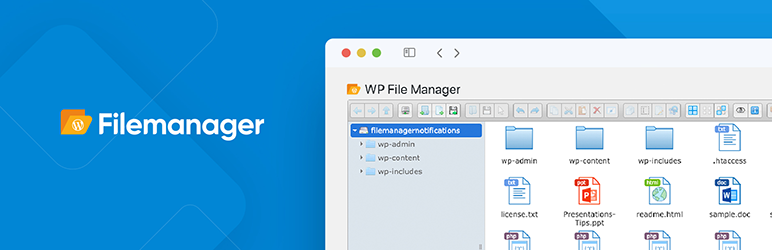
File Manager allows you to edit, delete, upload, download, zip, copy and paste files and folders directly from the WordPress backend. Don’t bother with FTP to manage and move your files from location to location. The most powerful, flexible, and easiest WordPress file management solution ever built!
Key Features in File Manager free Version Plugin
Key Features in the Free File Manager plugin include:
* Operations: Various operations with files and folders on a remote server (copy, move, upload, create folder/file, rename, edit, delete, etc.)
* Move/Copy: Admin can Move/Copy files with Drag & Drop. Also includes multi file selection.
* Archives: Admin can create, archive and extract files(zip, rar, tar, gzip).
* File Size: Admin/User can upload any size files.
* File Type: Control what files can be uploaded and what file can be downloaded.
* Code Editor: File Manager comes with a built in integrated development environment (IDE) – New Feature
* Syntax Checker: File Manager now can complete code reviews before saving files to ensure your site will not go down when updating code. Reviewing code for errors has never been so easy! – New Feature
* Multiple Themes: Multiple File Manager Themes Available – New Feature
* Get Info: All file details, properties, information is now available by simply right clicking a file and selecting Get Info – New Feature
* Share Files by Email: With File Manager you can easily and quickly share files by Email. Simply right click a file and press share, that’s it! – New Feature
* Private Folder: Available only for File Manager Pro Edition
* Shortcode: Available only for File Manager Pro Edition
* Root Directory: Quickly and easily edit your root path directory. With this feature you can access files inside and outside of WordPress
* PDF Support: Preview PDF files easily
* Built-in Trash: Delete files by moving them to trash
* File View: Icon and list view both available for easy navigation
* Preview Support: Easily preview common file types including media (video, audio, mp3, thumbnails, etc)
* Search: Search functionality is built directly into File Manager making it simple to find your files.
* Shortcut Support: Common shortcuts are available in File Manager
* Automatic File Resize: automatically resize files once uploaded.
* Responsive UI: File Manager works on tablet and mobile devices
* Browsing History: File and folders browsing history
* Trash function: Move to Trash Folder Feature
* PDF Preview: PDF Preview feature available
* FTP/SFTP Support: Alternative to FTP or Cpanel
* File Preview: preview for common MIMEs and file types
* Directory Size: Calculate directory size
* Icon View: List and Icons view available for files and files
* Keyboard shortcuts: Keyboard shortcuts available e.g. copy,paste,drag & drop
* Drag and drop: File Drag & Drop file upload function available
* Functions Toolbar: Rich context menu and file manager functions toolbar
* Thumbnails: Thumbnails for all types of image files
* Upload to Media Library: We have now included the ability to enable images, pdf’s, and zip files to be uploaded to you folders and as well be available via the native WordPress Media Library
* Backup/Restore: Backup and restore themes files, plugins files,uploads folder and db data on server.
* Multi Languages Added
Key Features in File Manager Pro Editions
File Type: Control what files can be uploaded and what file can be downloaded.**
Operations: Various operations with files and folders on a remote server (copy, move, upload, create folder/file, rename, edit, delete etc.)
Shortcode: Available with custom attributes for frontend.
Private Folder: Admin can give access of same and different folder to different users roles and different users.
Move/Copy: Admin can Move/Copy files with Drag & Drop.
Archives: Admin can create/extract files(zip, rar, tar, gzip).
File Size: Admin/User can control file upload size.
Fullscreen View: Admin can control code editor fullscreen view.
Editor: There are a lots of themes available for code editor. Admin can control code editor themes.
Hide Files/Folder: Here admin is able to hide files and folders for user roles and for users.
File Type: Control what files can be uploaded and what file can be downloaded.
User Role: admin is able to control file operations and hide and lock Files and Folders for user roles .
Users: admin is able to control file operations and hide and lock Files and Folders for particular user .
High performance: High performance server backend and light client UI.
File system: Local file system storage drivers.
Edit file: User can edit text files and images.
Frontend Access: User can access frontend using shortcode.
File Upload Email Notifications: Admin will get a Notification whenever a file is Uploaded.
File Download Notifications: Admin will get a Notification whenever a file is Downloaded.
File Edit Email Notifications: Admin will get a Notification whenever a file is Edited.
Google Drive Integration: drag drop, copy paste all other operations between file manager and google drive.
Dropbox Integration: drag drop, copy paste all other operations between file manager and dropbox.
Buy Pro Version with various features & support.
Contact us for Support Only Pro Version Users.
Documentation Click Here.
Addons with various features & support.
Upgrade to Pro Version
Premium Addons
File Manager Cloudflare R2 provides you ability to edit, delete, upload, download, copy and paste files and folders in Cloudflare R2 bucket.
File Manager Digital Ocean provides you ability to edit, delete, upload, download, copy and paste files and folders in Digital Ocean.
File Manager Google Drive provides you ability to edit, delete, upload, download, copy and paste files and folders in Google Drive.
File Manager OneDrive provides you ability to edit, delete, upload, download, copy and paste files and folders in OneDrive from File Manager.
File Manager Dropbox provides you ability to edit, delete, upload, download, copy and paste files and folders in dropbox.
File Manager Box provides you ability to edit, delete, upload, download, copy and paste files and folders in Box.
File Manager AWS S3 provides you ability to edit, delete, upload, download, copy and paste files and folders in AWS S3 bucket.
File Manager Git Github integration for file manager.
File Manager Slack Slack incoming webhook integration to file manager.
File Manager Google Cloud provides you ability to edit, delete, upload, download, copy and paste files and folders in Google Cloud bucket.
Support
If any problem occurs, please contact us at https://filemanagerpro.io/contact/
How to use
First Activate Plugin.
Then Click on ” WP File Manager ” menu. Then do with files what you want to do.= Minimum requirements for File Manager =
* WordPress 3.3+
* PHP 5.x
* MySQL 5.x
If any problem occurs, please contact us at https://filemanagerpro.io/contact/