內容簡介
Courses is available, and the plugin fully supports translation into different languages.
WP Courses LMS 是一款免費的全功能學習管理系統(LMS),它可以通過直觀的界面、拖放工具、視頻教程等功能,在 WordPress 網站上輕鬆創建課程。
點擊此處查看演示。
輕鬆創建課程
使用 WP Courses,您可以輕鬆地創建課程,並享受極為直觀的操作體驗,就像創建 WordPress 頁面或文章一樣簡單。
任何類型的課程
支持通過 Vimo、YouTube、VdoCipher 等平台的視頻課程,您還可以創建文本、音頻、圖像等多種課程類型。
將課程組織成不同模塊
您可能需要將課程組織成不同模塊,WP Courses 可以簡化此過程。點擊“添加新模塊”並將其拖到所需位置即可,而其他競爭插件需要手動將每個課程附加到模塊,非常耗時!
測驗
您可以創建多Choice 和多Answer 的問答測驗,並可以選擇多種選項,包括最多測驗次數、是否允許空答案、測驗歡迎信息等。
現代化的用戶界面
WP Courses 善用現代的網絡技術,內容擁有極快的加載速度,課程能在不需要刷新頁面的情況下快速顯示。這樣可以實現無縫快速的導航體驗,從而讓您的學生更加投入課程內容。
用戶檔案
WP Courses 具有強大的用戶檔案部分,可以跟踪觀看的課程、完成的課程、課程進度以及測驗結果等。
與幾乎任何主題無縫集成
WP Courses 設計成可以與任何主題無縫集成,包括常用主題和網站構建器(如 Divi 和 Elementor)。此外,還有許多設計選項,可以幫助您匹配網站的設計風格。
支援移動端
課程內容易於在任何設備上查看和導航。
無需編程知識
創建漂亮的課程,無需編程知識。
進度跟蹤
進度跟蹤可以讓學生參與其中。圖標和進度條顯示學生查看和完成的課程,您還可以在管理區域中查看任何學生的進度。
分析儀表板
您可以通過分析儀表板查看最受歡迎的課程,最受學生歡迎的課程以及每天查看和完成課程的人數。
限制課程內容
只需點擊一個按鈕,就可以將課程內容限制為僅登錄的用戶可見。您還可以針對單個課程進行限制,以更好地控制內容的可見性。
流暢的瀏覽體驗
按類別或在一個大的集合中瀏覽課程,每個課程都有自己的內容區域,其中包含描述、視頻和任何其他類型的內容。
積極支持和發展
此插件得到積極的支持和開發,並定期新增更新和功能。
完整的翻譯支持
提供有關翻譯 WP Courses 的教程,該插件支持翻譯到不同的語言。
外掛標籤
開發者團隊
② 後台搜尋「WP Courses LMS – Online Courses Builder, eLearning Courses, Courses Solution, Education Courses」→ 直接安裝(推薦)
📦 歷史版本下載
原文外掛簡介
WP Courses LMS is a full-featured, free learning management system (LMS) that makes creating onilne courses on your WordPress site easier than ever with an intuitive interface, drag-and-drop tools, video tutorials and more.
Click here to view a demo.
Create Courses with Ease
Something we hear from users of WP Courses quite frequently is how easy it is to use and to create your own courses. If you can create a WordPress page or post, you can create a course. WP Courses leverages many familiar WordPress interfaces which makes creating courses feel familiar.
Create Any Type of Lesson for your Courses
Video lessons are supported with videos hosted on Vimeo, YouTube, VdoCipher and other platforms. You can also create lessons with text, audio, images and more.
Organize Your Lessons into Modules
You’ll probably want to organize your lessons into modules for your courses. WP Courses keeps this process incredibly simple. Choose the appropriate course, Click “add new module” and drag it where you want. That’s it… Other competing plugins require that you manually attach each lesson to a module. This takes ages!
Quizzes for your Courses
Create multiple choice and multiple answer quizzes and select from many options including maximum quiz attempts, if empty answers are allowed, your quiz welcome message and more. Quizzes can also be attached to courses similar as lessons.
Modern App-Like User Interface
WP Courses leverages many modern web technologies that allow for extremely quick content loading times as well as lessons and courses that load without having to refresh the page. This leads to a seamless and quick navigation experience for your users that will keep your students more engaged with your course content.
User Profiles
WP Courses has a robust profile section with viewed lesson tracking, completed lesson tracking, course progress tracking and quiz results.
Integrates Seamlessly with Practically Any Theme
WP Courses has been designed to seamlessly integrate with any theme inlcuding popular theme and website builders like Divi and Elementor. There are also plenty of design options to help match the design of your website. All courses will be seamlessly integrated with your existing website content.
Mobile-Friendly Courses
Courses are easy to navigate and look beautiful on any device. All courses will display a mobile friendly navigation and content structure.
No Coding Required
No coding knowledge is necessary for creating great looking courses.
Progress Tracking for all Courses
Keep your students engaged with progress tracking. Icons and progress bars show your students which lessons they’ve viewed and completed. You can also view any of your student’s progress in the admin area, broken down by lesson and course.
Courses Analytics Dashboard
See which courses are the most popular, which students are most engaged and how many people are viewing and completing lessons of which course each day.
Restrict Course Lesson Content
Restrict your course lesson content to logged in users only with the click of a button. Individual course lessons can be restricted for fine control over your content’s visibility.
Seamless Course Browsing Experience
Browse courses by category or in one large collection. Each course has its own content with an area for a description, video and any other type of content you’d like to include.
Actively Supported and Developed
This courses plugin is actively supported and developed with new updates and features added regularly.
Full Translation Support
A tutorial on translating WP Courses can be found here.
Premium Version – Sell, Market and Engage
There is a premium version available which includes the following add-ons:
WooCommerce Integration: Sell your courses right in your WooCommerce store. Works with PayPal, Stripe, credit cards and much more.
PMPro integration: Sell members only access to courses.
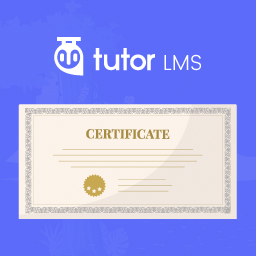
Certificates: Award certificates to your students for completing certain course actions like completing a lesson / course or scoring a certain percentage on a quiz.
Badges: Award badges to your students for completing certain course actions like completing a lesson / course or scoring a certain percentage on a quiz.
Automated Emails: The perfect marketing and engagment tool that allows you to trigger emails based on specific course actions completed by your users such as viewing specific lessons / courses, or scoring a certain percentage on a quiz.
File Attachments: Attach files like PDF’s, audio, images and more to your lessons and courses.