
內容簡介
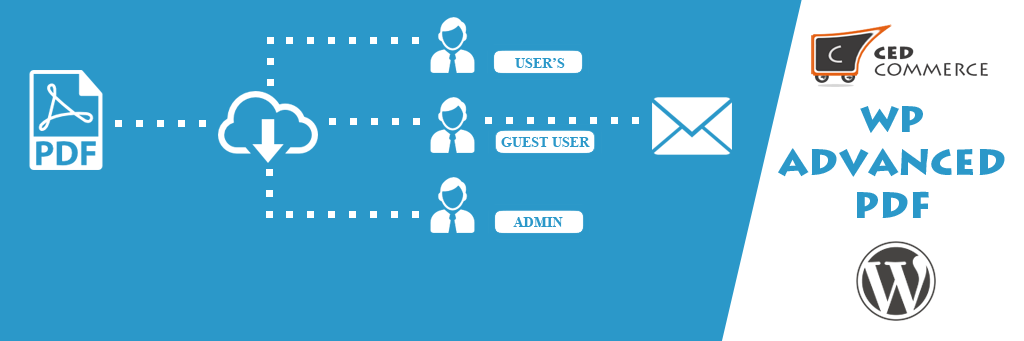
WP Advanced PDF 是一個針對文章到頁面的 PDF 生成器外掛。該外掛可讓您的部落格讀者建立自己部落格文章的 PDF。WP Advanced PDF 使用 TCPDF 類別來渲染 PDF。
這使得 WP Advanced PDF 成為一個完全自包含的 PDF 生成外掛。
此外掛允許限制 PDF 存取權限給已註冊的使用者或顯示 PDF 下載連結給所有訪客。
主要功能
設定 PDF 自訂字型功能
設定 PDF 拉伸和間距功能
提供 PDF 摘錄連結給您的讀者,只需一個點擊即可輕鬆提取部落格文章
可加入標頭標誌到 PDF 中
可設定自訂符號風格
可添加浮水印文字和圖片,使 PDF 看起來更美觀
可自訂標頭和內容的字型
可輕鬆更改 PDF 的邊界、對齊和頁面
可設定 PDF 的檔案名稱。此外掛的預設檔案名稱為文章 ID。
可以從暫存區生成 PDF,以減少從伺服器的負載,並且可以安排緩存備份,如果部落格並非頻繁更新,還有許多其他選項。
可向文章內容添加自訂樣式
可設定 PDF 的預設部落格標題
易於使用和安裝
易於配置
現在免費使用的高級功能
加強自訂字型支援
現在,字型將儲存在 WordPress 上傳目錄中,而不是外掛程式目錄中,使外掛大小固定且安全。
WP ADVANCED PDF PRO 功能
要獲得高級版外掛,請點擊此處
在您所有的支持和幫助下,我們成功地推出了該外掛的高級版本,並帶有許多有用和方便的功能。除了 WP Advanced PDF 的功能外,高級版本還包括以下主要功能:
與 ACF 兼容
WordPress 的進階自訂字段外掛程式
META FIELD 支援
可選擇每個文章類型的元數據欄位,以在 PDF 中顯示。
可提供元數據欄位的名稱以覆蓋默認名稱。
可在每個文章中包含自訂元數據欄位到 PDF 中。然後這些欄位也會出現在特定文章類型的所有文章的一般 PDF 設置頁面上。
自訂設置
創建預設設置,以在啟用外掛時立即生效,免除了進行這些設置的麻煩。
除了預設設置外,您還可以自訂設置。這樣您可以輕鬆地使用這些設置。
管理員可以應用自訂設置,並可以將它們刪除。
管理員可以獲取所選設置配置的預覽 PDF。
短碼功能
創建了一個 PDF 匯出按鈕的短碼,這樣管理員就可以將其放置在任何地方了。[ptpdf]
如果啟用了短碼功能,則管理員必須使用短碼才能顯示 PDF 匯出按鈕。
PDF 匯出日誌
您可以查看已匯出 PDF 的日誌。
可以通過屏幕選項選擇要在日誌中顯示的字段,例如匯出日期、文章類型等。
可以刪除單個日誌項目,也可以批量刪除。
提供分頁,並且日誌項目按照最新項目顯示在頂部。
次要更改
更改了設置頁面的佈局,以方便訪問。
更改了菜單鏈接的圖示
示範連結
外掛標籤
開發者團隊
原文外掛簡介
WP Advanced PDF is a pdf generator for posts to pages. This plugin enables your blog readers to create pdf of posts of your blog. WP Advanced PDF relies on the TCPDF class to render PDF.
This makes WP Advanced PDF a completely self contained PDF generating plugin.
This plugin has possibility to limit access to pdfs to registered users or present links to all visitors.
Main features
Feature to set Custom fonts for PDF
Feature to set Stretching and Spacing for PDF
Gives a pdf extract link into your blog and you blog reader can easily extract the blog on one click only
You can include header logo to pdf.
Can set custom bullet style.
Can add watermark text and images to look PDF wonderful.
Can customize fonts of header and content.
Can easily change margins, alignment, and pages for your pdf.
Can set file name for pdf. Default file name of plugin is Post Id.
Have ability to generate pdf from cache to reduce load from server and can schedule backup of cache if Your blog is not updating too frequently and many more options.
Can add custom style to post contents
Can set default blog title for pdf
Easy to use and install
Easy to configure
Premium Feature Now In Free
Enhanced Custom Font Support
Now fonts will be saved on wordpress upload directory instead of plugin’s directory keeping plugin size fix and safe.
WP ADVANCED PDF PRO FEATURES
To get premium plugin click here
With all your support and help we have successfully launched premium version of this plugin with lots of useful and handy features. Along with the features of WP Advanced PDF following are the main features included in premium version:
Compatible with ACF
Advanced Custom Fields Plugin for WordPress
META FIELD SUPPORT
Ability to choose meta fields for each post types to be display on PDF.
Ability to provide name of the meta fields to overwrite default name.
Ability to include custom meta fields per post wise into PDF. Which will then also be present on general pdf setting page for all posts of particular post type.
CUSTOM SETTING
Created a Default setting to go live as soon as activating plugin, excluding the headache of doing those settings first.
Apart from default setting you can also make your Custom Settings as much as you can. This way you will play with those settings easily.
Admin can apply custom setting and can remove them as well.
Admin can get preview PDF of selected setting configuration’s.
SHORTCODE FEATURE
Made a shortcode for PDF export button so that admin can place wherever he/she want. [ptpdf]
If shortcode feature is activated then admin must have to use shortcode to show PDF export button.
PDF EXPORT LOG
You can view log of exported PDFs.
Can select what field to display in log like export date, post type etc through screen options.
Can remove single log entry as well as can delete in bulk.
Pagination is provided and log entries are listed by latest at top.
MINOR CHANGES
Change layout of setting page for easy access.
Changed icon of menu link
DEMO LINKS
FrontEnd: click here
BackEnd: click here
Support
If you need support or have any question then kindly use our online chat window here or send us email at [email protected]
Follow Us
Our Official Website – http://cedcommerce.com/
Our Facebook Page – https://www.facebook.com/CedCommerce
Our Google+ Account – https://plus.google.com/u/0/118378364994508690262
Our Twitter Account – https://twitter.com/cedcommerce
Our LinkedIn Account – https://www.linkedin.com/company/cedcommerce