內容簡介
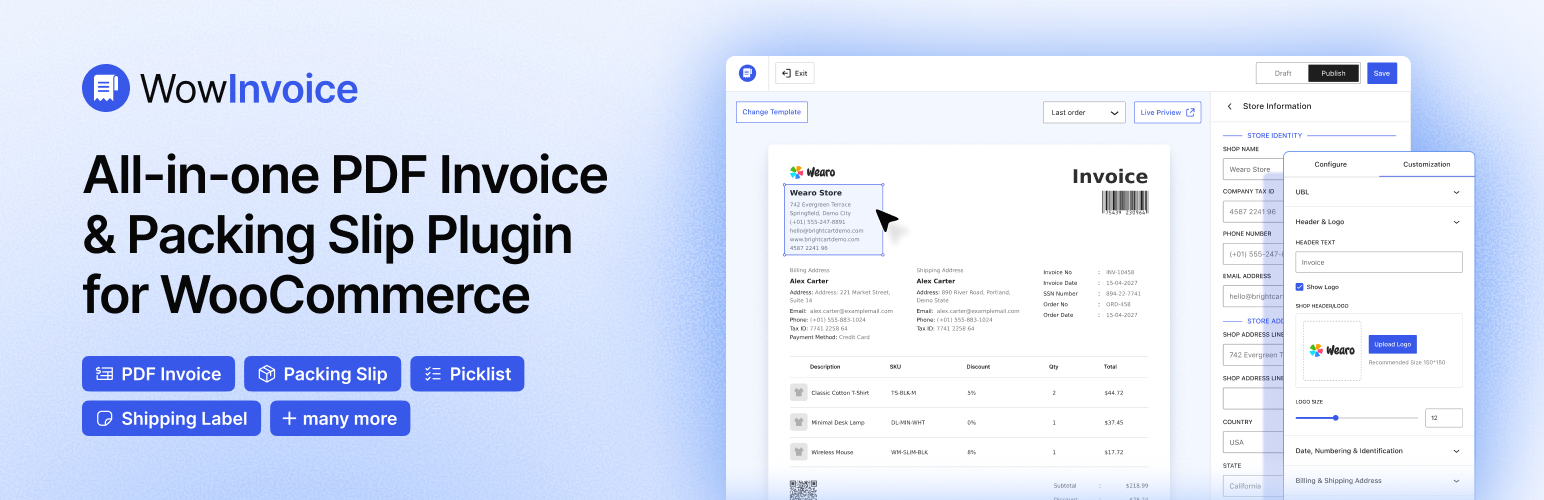
WowInvoice 是一款專為 WooCommerce 設計的外掛,能夠集中管理 PDF 發票、包裝單及送貨單,簡化訂單處理流程,提升效率,減少手動操作的麻煩。
【主要功能】
• 自動生成 PDF 發票、包裝單及送貨單
• 根據訂單狀態自動發送發票
• 即時為新舊訂單創建發票
• 完全可自訂的發票編輯器及範本
• 彈性的發票編號系統
• 顯示每個產品的稅金及總金額明細
外掛標籤
開發者團隊
② 後台搜尋「WowInvoice – PDF Invoices & Packing Slips」→ 直接安裝(推薦)
📦 歷史版本下載
原文外掛簡介
WowInvoice helps you create PDF invoices, packing slips, and delivery notes for your WooCommerce orders. Configure your store details, customize the included document templates, and choose the available email options for each document type.
Documentation | WowInvoice Pro
Free vs Pro: The free plugin generates PDF invoices, packing slips, and delivery notes. Picklists, shipping labels, credit notes, and UBL invoices are Pro features provided by the separately installed WowInvoice Pro; they are not included in this plugin.
How It Works
Configure invoice creation for selected order statuses and attach invoice PDFs to selected WooCommerce emails. Packing slips can be generated as attachments to selected WooCommerce emails. Packing slips and delivery notes can also be generated and sent through separate notification emails with configured order statuses and recipients.
You can also generate documents from the order administration screens. Packing slips list items for packing, while delivery notes list items included in a shipment.
Key Features:
✅ Generate PDF invoices, packing slips, and delivery notes from your orders.
✅ Configure invoice creation by order status and attach PDFs to selected WooCommerce emails.
✅ Attach packing slips to selected WooCommerce emails, or send packing slips and delivery notes through separate notification emails.
✅ Create invoices for new orders and enable invoice generation for existing orders.
✅ Customize logos, labels, supported columns, and totals using one included template per Free document type. Additional template designs require WowInvoice Pro.
✅ Flexible invoice numbering system (prefix, suffix, order, or invoice number).
✅ Show order-level tax in the financial breakdown. Per-product tax columns require the separately installed WowInvoice Pro plugin.
✅ Add your logo and brand details to create professional documents.
✅ Allow customers to download invoices from the My Account page and emails.
✅ Customize product tables (images, SKU, discounts, labels). Per-product tax columns are available in WowInvoice Pro.
Invoice Settings
Use the invoice settings to choose store details, numbering, supported display options, creation statuses, and email attachments. Publish the document configuration to enable it for eligible orders.
Global Store Information: Start with defaults from your site and WooCommerce settings, then save shared store details for your documents. You can edit these details in the builder.
Included Templates: The free plugin includes one template each for invoices, packing slips, and delivery notes. Customize the available settings within each template. Additional designs are provided by the separately installed WowInvoice Pro plugin.
Invoice Automation: Select the order statuses for invoice creation and the WooCommerce email types that receive PDF attachments. PDF files are generated when requested for download, preview, printing, or email attachments.
PDF Numbering Strategy: Choose between order number and invoice number. Add a prefix, suffix, and set a minimum length to generate professional and traceable invoice numbers.
Easy Customer Invoice Access: Let your customers easily access and download invoices by showing the download button on their My Account page and order email.
Clear Numbering & Identification: Select order or invoice numbers and customize the labels to keep your order records organized and easy to track. Include key details such as order placement date, invoice creation date, invoice number for tracking, and the payment method.
Billing & Shipping Address: Include customers’ billing and shipping addresses with custom label text to match your business needs, ensuring consistent clarity on every invoice.
Product Table: Configure how product details are displayed on your invoices. Show or hide product images and SKU labels, and customize labels as per your business needs. Per-product tax columns and item-tax display controls require the separately installed WowInvoice Pro plugin.
Financial Breakdowns: Choose whether to display the order subtotal, discounts, order-level tax, shipping costs, and final total.
Order Notes: Show the customer order note on the invoice. Barcode, QR code, and terms and conditions controls require the separately installed WowInvoice Pro plugin.
RTL Support: Enable right-to-left document layout. Check the generated PDF with your chosen language and fonts to confirm that the text displays as intended.
Packing Slips & Delivery Notes
WowInvoice also includes documents that help you complete your order process efficiently.
Packing Slips
Create packing slips to list the items your warehouse team needs to pack. Generate them from order administration screens, attach them to selected WooCommerce emails, or configure separate notification emails with selected order statuses and recipients.
Delivery Note
Create a delivery note listing the items included in an order. Generate it from order administration screens or send it through a separate notification email with configured order statuses and recipients. Delivery notes are not attached through the WooCommerce email-type selector used for invoices and packing slips.
Getting Started
Choose a document type, configure its available settings, then save and publish it. Invoice creation statuses, WooCommerce email attachments, and separate document notifications are different options; select the workflow supported by your document type.
Step 1: Choose the Document Type
Start by selecting the type of document you need for your WooCommerce store: invoice, packing slip, or delivery note.
Step 2: Configure Settings
Set your store details. For invoices, choose creation statuses, email attachments, and the numbering format. For packing slips, choose email attachments or separate notification emails. For delivery notes, configure separate notification emails if needed. Notification emails require selected order statuses and recipient addresses.
Step 3: Customize & Save
Customize the available settings within the included template. Invoice display options include:
✔ Show or hide product images.
✔ Display or remove SKU details.
✔ Customize the quantity column label.
✔ Include or exclude discounts.
✔ Show shipping costs clearly.
✔ Display subtotal and final total.
✔ Display order-level tax totals in the financial breakdown.
✔ Add per-product tax columns with the separately installed WowInvoice Pro plugin.
Save and publish the document configuration. Documents can then be generated for eligible orders through the supported download, print, and email workflows. To generate invoices for orders placed before installation, enable the existing-order option. Zero-total orders have a separate generation option.
External services
YouTube videos
Clicking a tutorial play button loads an embedded video from YouTube (Google). YouTube receives your IP, requested video ID, and browser metadata, and may use cookies under its policies. Viewing is optional and requires no account in this plugin. Terms and Privacy.
Configured image hosts and media CDNs
If your selected store logo or product images use an external host or media CDN, opening the logo control or builder preview can request those images from your browser. The image host receives your browser IP, requested image URL, and ordinary HTTP metadata; referrer information and cookies depend on your browser and the host.
Generating a PDF, including a PDF preview or email attachment, can retrieve configured external images from your WordPress server. The image host receives the server IP, requested image URL, and HTTP metadata. WordPress’s default HTTP user agent includes the WordPress version and site URL. These are image requests, not uploads of the generated PDF or order record; any information included in the image URL is visible to that host. Images mapped to local uploads are read locally for PDF generation.
The operator depends on the image URLs and CDN configured for your site. No image-host account is required by this plugin; any CDN account, terms, and privacy policy belong to the provider you choose. Use locally hosted media to avoid external image requests. The plugin does not automatically send analytics or diagnostics to WPXPO.