內容簡介
WorkMore Cookie Crumb 是一款 WordPress 外掛,提供使用者同意的 Cookie 通知橫幅,能有效阻擋追蹤腳本,直到訪客同意為止,符合 GDPR 和其他隱私法規,並且完全免費。
【主要功能】
• 阻擋追蹤腳本,直到訪客同意
• 提供 Cookie 掃描器和同意記錄
• 支援 Google Consent Mode v2
• 快速輕量,僅約 7 KB
• 無需註冊或外部服務
外掛標籤
開發者團隊
② 後台搜尋「WorkMore Cookie Crumb – Cookie Consent Banner」→ 直接安裝(推薦)
原文外掛簡介
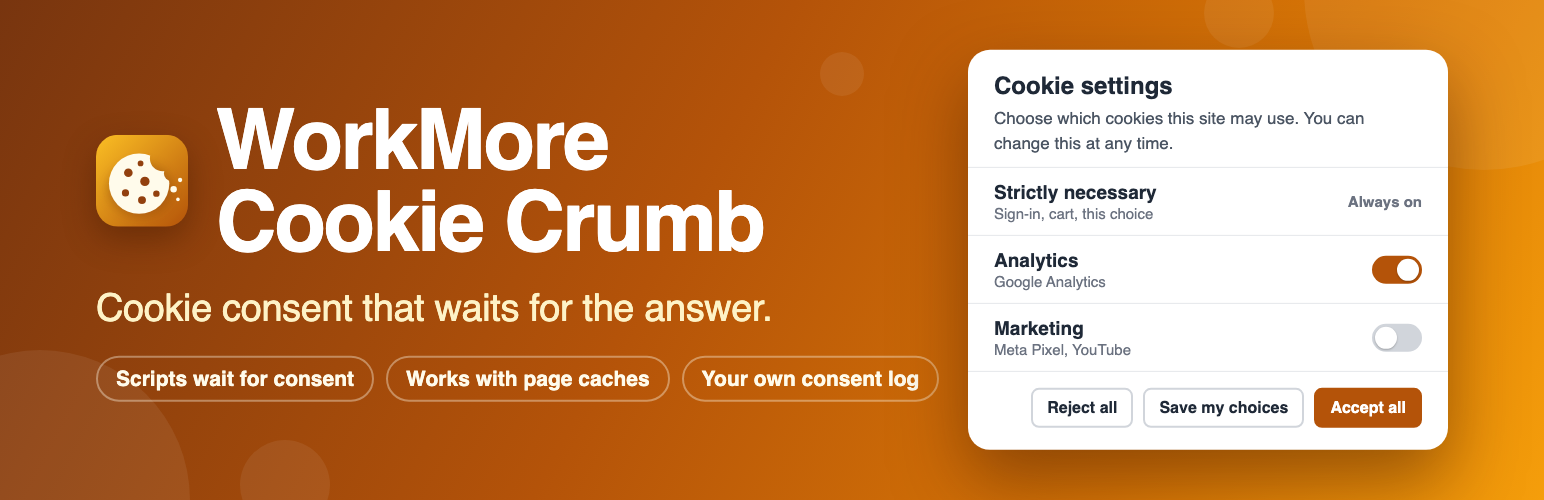
WorkMore Cookie Crumb is a cookie consent banner for WordPress that really blocks tracking scripts — Google Analytics, Google Tag Manager, Google Ads, Meta Pixel, YouTube and Google Maps embeds — until a visitor agrees. It comes with a cookie scanner, a consent log and Google Consent Mode v2, and it lives inside your WordPress site: no account to open, no outside service, no page view quota, free.
It is made for sites that have to ask before they track — under the GDPR and the ePrivacy rules in Europe, Thailand’s PDPA, and laws like them — and for anyone who wants a cookie notice that does what it says.
It really holds scripts back. Scripts, embedded videos and maps, and tracking pixels of the services you list do not run and do not load before a visitor allows their category — those written in the page, and those other scripts add later. A held-back video or map shows a placeholder with a button that allows it. When a visitor withdraws consent, the listed cookies your site set are deleted from their browser.
It leaves your site fast. Every visitor gets the same page; what runs is decided in the browser, so page caches and CDNs work without any configuration. The visitor side is one small inline script and one deferred file of about 7 KB, with no library, no font and no request to another server. The banner does not push your content around as it appears.
It keeps a record. Each answer is one row in a consent log on your own site, found by the consent ID the visitor sees in the cookie settings window, and exported as CSV. A record holds as little as it takes: no full IP address, no cookie values, nothing tied to a user account. The log keeps the last 90 days.
Why WorkMore Cookie Crumb
Free and complete: no account, no sign-up, no limit on page views or visitors, no “upgrade to unlock”.
Opt-in that works: nothing runs before the answer — scripts in the page, scripts added later, iframes and pixels.
Fast: about 7 KB for visitors, no jQuery, no font, no request to another server; page caches and CDNs need no setup.
Your data stays yours: answers are kept in your own database, with as little about the visitor as a record needs.
English and Thai ready, any other language added in minutes.
What you get
A banner and a cookie settings window, in any number of languages, with words ready in English and Thai. Two ways of asking: consent first, or notice only.
A setup wizard: scan the site, sort what was found, look at the banner on your own pages, publish.
A cookie scan that opens your pages in your own browser the way a visitor gets them, and lists the cookies they set and what they load from other sites, with a category suggested where the service is known. Once the banner is published, it also shows whatever still loads before a visitor answers.
Known services to start from: Google Analytics, Google Tag Manager, Google Ads, YouTube, Google Maps, Meta Pixel and Facebook embeds, and the cookies of WordPress and WooCommerce themselves. Anything else is added by hand: a cookie by its name, a script by a piece of its address.
Google Consent Mode v2 signals, and the WP Consent API for plugins that ask it.
Draft and publish: you edit a draft with a live preview on your real site at desktop, tablet and phone widths. Visitors see nothing new until you publish, and each record names the version of the banner the visitor answered.
A dashboard: how many accepted, rejected or chose, which categories were allowed, how that changed over time, and page views — for the last 24 hours, 7 or 28 days, 3 or 6 months, or two dates of your choosing. Point at a chart to read its numbers.
Two looks for the plugin’s own screen, chosen under Settings: a roomier, more modern one to start with, and a classic one in the plain WordPress style that loads nothing extra. Your visitors get the same either way.
A widget on the WordPress Dashboard with the consent rate, the answers by kind and how much room the records take — drawn on the server, with no script.
A button on every page, a link to #cookie-settings or the [wmcc_settings] shortcode, so visitors can change their answer whenever they like.
Light or dark, your own main color with text that stays readable on it, top or bottom of the page, and the banner only on the pages you choose.
An optional “Powered by WorkMore Cookie Crumb” line on the banner — off unless you switch it on.
For theme developers: the banner keeps to itself (your theme’s styles do not reach it by accident), and can be restyled on purpose through a documented set of CSS custom properties and named parts.
Made to be used by everyone: keyboard use, the names and roles a screen reader announces, contrast, small screens and reduced motion are part of the plugin’s test suite.
A tool, not legal advice
The plugin is a tool. It does not by itself make a site comply with any law, and nothing in it is legal advice: which cookies need consent, how to ask and how long to keep a record depend on the law that applies to your site.
Pro add-on
Everything above is free and complete. A separate plugin, WorkMore Cookie Crumb Pro, sold on workmore.connextsystem.com, sends consent records on to a database of your own and adds a design screen for the banner — more positions, a logo, colors and sizes of single parts, button styles, rounded corners — a health check of your settings and a registry of services common in Thailand. Inside this plugin the add-on is only mentioned on the “Upgrade to Pro” tab; nothing here is locked or limited.
Source code
The plugin’s JavaScript ships minified for performance (assets/admin.js, assets/guard.js, assets/banner.js, assets/probe.js); the human-readable source is included in the plugin’s src/ directory together with the build configuration (vite.config.js).
External services
This plugin connects to no external service. Its PHP makes no request to another server, and the scripts it puts on your pages talk to your own site only — not to us, not to Google, not to Meta.
Names of other companies’ services do stand in its code (includes/Registry/Registry.php: googletagmanager.com/gtag/js, connect.facebook.net, maps.googleapis.com/maps/api/js and others). They are a list for recognising tags your site already has: pieces of addresses that are compared with the scripts and frames of your pages, so that the plugin can hold those back until a visitor allows their category, suggest a category for them and name them in the cookie scan. The plugin never requests one of these addresses and adds none of these services to a site.
What a site owner should know all the same:
The services of your own site. A script or frame that was held back runs once the visitor allows its category, exactly as it would without this plugin, and then reaches its service as you set it up. Which services those are and what they receive is decided by your site — its theme, its other plugins, the tags you added — and not by this plugin. The ones the plugin recognises are Google Analytics, Google Tag Manager, Google Ads, YouTube and Google Maps (Google: terms of service, privacy policy) and Meta Pixel and Facebook embeds (Meta: terms of service, privacy policy).
Google Consent Mode. The plugin writes the visitor’s answer for each kind of use (“granted” or “denied”) into dataLayer, a variable of the page in the visitor’s browser, before they answer and again when they do. The plugin sends it nowhere. If your site has a Google tag, that tag reads it and passes it on to Google with its own requests; on a site without one it stays in the page.
The cookie scan opens your own pages in your own browser. While it runs, the trackers of those pages run once, as they would for a visitor who allowed everything. What the scan finds is kept in your site’s database.